A student who cannot focus is not lazy. The phone buzzes, the room hums, the worksheet looks endless, and the morning routine has seven steps nobody wrote down. Focus is a skill, and like any skill it gets easier with the right support — a timer that makes time visible, a sound that covers the noise, or a routine broken into steps a child can actually finish.
This list collects eight focus and attention tools made for students, not productivity apps for office workers. Every tool here solves one specific problem: blocking the phone, timing a work session, covering background noise, or turning a routine into a game. Some are free, some are subscriptions, and one does not publish its price on its own site, which we say plainly.
We checked every tool on its official website on November 11, 2026, looking for a real fit with K–12 classrooms, clear information about what is free, and features a teacher or parent can set up in minutes. Where a site did not state a price, we say so rather than guessing.
Key takeaways
- Forest is free for its core timer and app blocking, and it turns staying off the phone into a game.
- Bouncy Balls is completely free and needs no account — just a microphone and a projector.
- Brain.fm costs $14.99 a month or $99.99 a year, with a free trial and no free plan.
- Noisli's free plan mixes 16 sounds for 1.5 hours a day, and Pro is $10 a month billed yearly.
- Joon and Brili turn routines into visible steps, with Joon at $12.99 a month and Brili at $7.99 a month.
Quick comparison
| # | Tool | Best for | Grades / audience | Pricing | Free plan |
|---|---|---|---|---|---|
| 1 | a free focus timer that makes the phone boring | Grades 3–12 | Free + paid | Free tier | |
| 2 | instrumental music matched to how your brain focuses | Grades 6–12 | Free + paid | Free plan | |
| 3 | focus music that is built for concentration, not a playlist | Grades 6–12 | Free + paid | Trial only | |
| 4 | mixing your own background sound for homework | Grades 3–12 | Free + paid | Free plan | |
| 5 | a free noise monitor the whole class can see | Grades PreK–5 | Free | Free | |
| 6 | motivating a child with ADHD to finish daily routines | Ages 6–12 | Free + paid | Free version | |
| 7 | a visual timer that shows a routine step by step | Ages 5–12 | Free + paid | First month free | |
| 8 | a simple Pomodoro timer with charts | Grades 3–12 | Free + paid | Free |
Make a tool for teachers?
Built something teachers love? We keep these guides fresh, so send us a new tool, updated pricing or a featured spot request.
Request a listingThe 8 best picks
- Pricing
- Free + paid
- Free plan
- Free tier
- Grades / audience
- Grades 3–12
Forest is a gamified focus timer from Seekrtech. Set a timer, and a virtual tree grows while you stay off other apps — leave the app and the tree dies. Finished sessions fill a personal forest that records your focused time. The free tier includes the timer, Deep Focus app blocking, focus tracking, and Plant Together group rooms, and coins earned from sessions can plant real trees through Trees for the Future.
What we like
- Focus timer that grows a virtual tree while you work
- Deep Focus mode that blocks other apps during a session
- Plant Together rooms for shared sessions with friends
- Focus tracking by day, week, and month
Watch out for
- There is no Mac or Windows app — on a computer it runs only as a browser extension.
- The free tier shows occasional ads outside focus sessions.
Pricing: Free; Plus subscription — price not stated on the official site.
- Pricing
- Free + paid
- Free plan
- Free plan
- Grades / audience
- Grades 6–12
Focus@Will is a streaming service that plays instrumental music designed for concentration, with no vocals and no familiar hooks to pull attention away. A short quiz picks a channel for your brain type, including an ADHD channel, and the player has a built-in session timer. It runs on the web, iOS, Android, and Mac, and it offers a free plan alongside Basic and Pro subscriptions.
What we like
- Instrumental music channels grouped by style and energy
- Brain-type quiz that picks a channel for you
- Session timer built into the player
- ADHD channel designed for attention difficulties
Watch out for
- Prices vary by platform, so check the price at checkout.
- It is music only — there is no timer-based blocking or task list.
Pricing: Free plan; Basic from $4.95 a month, Pro $9.95 a month; 7-day free trial and 30-day money-back guarantee.
- Pricing
- Free + paid
- Free plan
- Trial only
- Grades / audience
- Grades 6–12
Brain.fm streams instrumental music generated for a particular mental state — focus, relaxation, sleep, or meditation — rather than curated songs. You pick an activity such as Deep Work or Learning, set a session length, and the music plays without lyrics. It works on the web, desktop, and phone, and it offers a free trial, then a single Premium subscription.
What we like
- AI-generated instrumental music for focus, relax, sleep, and meditation
- Session-length controls and offline mobile listening
- ADHD setting with extra stimulation
- 20% student discount with proof
Watch out for
- The pricing page does not state how long the trial runs, so check at signup.
- Paying monthly for a year costs $179.88, so the annual plan is far cheaper.
Pricing: $14.99 a month or $99.99 a year, with a free trial; no free plan.
- Pricing
- Free + paid
- Free plan
- Free plan
- Grades / audience
- Grades 3–12
Noisli is a background sound generator that lets you mix ambient sounds — rain, wind, thunder, café chatter, white noise — into a soundscape for work, study, or sleep. The free plan includes 16 sounds and 1.5 hours of streaming a day, and Pro adds 28 sounds, unlimited streaming, curated playlists, an advanced timer, and a text editor. It runs in the browser, as a Chrome extension, and on phones.
What we like
- 28 mixable ambient sounds, including rain, wind, and café noise
- Free plan with 16 sounds and 1.5 hours of streaming a day
- Advanced timer and text editor for work sessions
- Web app, Chrome extension, and mobile apps
Watch out for
- The iOS app is a separate $1.99 purchase and does not unlock the web Pro plan.
- Pro features bought on the website do not carry over to the mobile apps.
Pricing: Free plan; Pro $10 a month billed yearly; Business $24 a month billed yearly.
- Pricing
- Free
- Free plan
- Free
- Grades / audience
- Grades PreK–5
Bouncy Balls is a free browser tool that turns classroom noise into a picture. Open it, allow the microphone, and project it: the louder the room, the higher the balls bounce. Teachers can change the theme, adjust the sensitivity, and add a beep or shush alert. There is no account, no cost, and no download, and it works in Chrome, Firefox, Safari, or Edge.
What we like
- Balls bounce higher as the room gets louder
- Five visual themes: Plastic, Emoji, Numbers, Bubbles, and Eyeballs
- Sensitivity control for silent reading or group work
- Optional beep or shush alerts when the room gets too loud
Watch out for
- Some students will make noise on purpose to bounce the balls, so set the rule first.
- It needs a microphone on the projecting device, and nothing is recorded.
Pricing: Free, with no account and no catch.
- Pricing
- Free + paid
- Free plan
- Free version
- Grades / audience
- Ages 6–12
Joon is a gamified routine app for children ages 6 to 12 with ADHD. Parents assign real-life quests — brush teeth, pack the backpack, finish homework — and children earn coins to feed and care for a virtual pet called a Doter. A parent approves each finished quest, and the app builds routines for mornings, afternoons, and evenings. One subscription covers the whole family across devices.
What we like
- Parents assign quests from 500+ templates or write their own
- Coins from approved quests feed and care for a virtual pet called a Doter
- Routine builder for morning, afternoon, and evening sequences
- Progress reports for parents on what gets done and what gets avoided
Watch out for
- Engagement often drops after 4 to 8 weeks, once the pet stops feeling new.
- The price is high for a chore app, so use the free version first.
Pricing: Free version with fewer features; Premium $12.99 a month or from $89.99 a year, with a 7-day premium trial.
- Pricing
- Free + paid
- Free plan
- First month free
- Grades / audience
- Ages 5–12
Brili Routines is a visual timer app that turns daily routines into steps a child can see and finish. Parents set up a routine for mornings, bedtimes, or study time, and the app shows a countdown clock, plays a sound for each step, and gives rewards for finishing. It is built for children with ADHD or autism, for whom structure and consistency matter most, and it runs on iOS and Android.
What we like
- Routine builder for mornings, bedtimes, and study time
- Visual timer with a countdown clock that shows time left
- Rewards that gamify finishing each step
- Multiple children and progress tracking on Premium
Watch out for
- After the free month, the free tier covers only 3 routines.
- It is built for routines, not for timing single work sessions.
Pricing: First month free with full features; then $7.99 a month, $34.99 for 6 months, or $49.99 a year.
- Pricing
- Free + paid
- Free plan
- Free
- Grades / audience
- Grades 3–12
Focus Keeper is a Pomodoro timer that runs the classic cycle of 25-minute focus sessions and 5-minute breaks, with a longer break after four sessions. A colourful wheel shows time passing, the background changes colour for breaks, and a ticking sound marks the focus time. Sessions can be customised, daily goals set, and progress followed on charts. It runs on iPhone, iPad, Apple Watch, Android, and the web.
What we like
- Classic 25-minute focus sessions with 5-minute breaks
- Custom session, short-break, and long-break lengths
- Daily goals for how many sessions to complete
- Progress charts for the last 14 and 30 days
Watch out for
- The free version shows charts for only the last 3 days.
- Ads appear on the timer screen in the Android app, with no paid way to remove them.
Pricing: Free; Pro subscription — the official blog says paid plans start around $1.99 a month; check the app store for the current price.
How we chose
We started from tools PreK–6 teachers actually use and checked every one against its official website, pricing page and feature pages on November 11, 2026. We kept tools that fit elementary classrooms, noted whether a free plan exists, and wrote down honest limitations next to the strengths. Nobody paid to be included, and we don't use affiliate links on this page.
- Fit for PreK–6 classrooms, special education or homeschool
- Clear information on the official site about what the tool does and who it is for
- Free plan or free-for-teachers option noted where one exists
- Still active and maintained, with rebrands noted
How to choose the right tool
Start with the distraction, not the app. If the phone is the problem, Forest blocks it. If the room is too loud, Bouncy Balls makes the noise visible. If the child cannot start, Joon or Brili breaks the morning into steps.
Try the free tier for two weeks before paying. Forest, Noisli, and Bouncy Balls all work well without paying, and a two-week trial shows whether a tool actually changes behaviour or just looks good.
Match the timer to the child's age. A visual timer such as Brili or Focus Keeper suits younger children who cannot yet feel how long ten minutes is. Older students do better with a Pomodoro timer and a goal.
Keep the tool visible. A timer hidden in a pocket does nothing. Project Bouncy Balls, put Forest on the desk, or keep Noisli open on the classroom computer where everyone can see the clock.
Pair a tool with a routine, not a rule. A focus app works best inside a short routine — timer on, phone away, one task on the desk — rather than as a punishment for drifting off.
Let the student pick the sound. Some children focus with rain, some with café noise, some with silence. Noisli lets them mix their own sound, and Brain.fm and Focus@Will let them try channels until one fits.
Best pick by situation
- Your students keep picking up their phones during work time: Forest — a tree grows while they stay off the phone and dies if they leave
- The room gets loud during group work and you need one shared signal: Bouncy Balls — the balls bounce higher as the room gets louder, for everyone to see
- Your student needs steady sound to settle into homework: Noisli — they mix their own rain, wind, and café sounds for up to 1.5 hours free
- Your child will not start the morning routine without a fight: Joon — quests earn coins for a virtual pet, with a parent approving each one
- Your student needs a work timer with a clear end in sight: Focus Keeper — 25-minute sessions with breaks, a visual wheel, and daily goals
- You want focus music that is built for concentration, not a playlist: Brain.fm — it generates instrumental music for focus, relax, and sleep modes
Pair it with printables
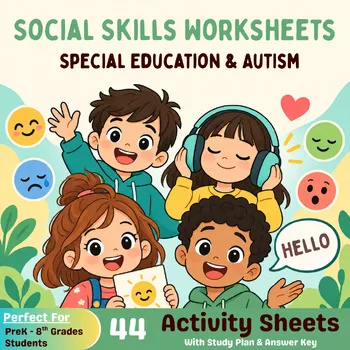
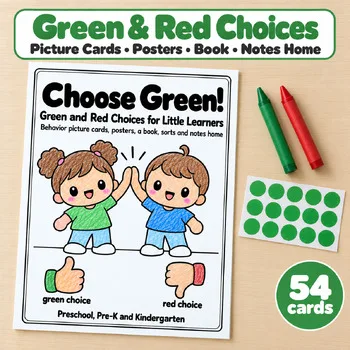
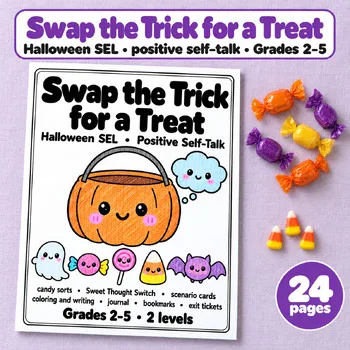
For focus work away from the screen, these Activity Express printables build the skills behind attention: self-talk, behaviour choices, and social skills.
Frequently asked questions
Which focus tool is completely free?
Bouncy Balls is free, with no account and no catch. Forest's core timer and app blocking are free, and Noisli's free plan covers 16 sounds for 1.5 hours a day.
What is the best focus tool for a whole class?
Bouncy Balls, projected on the board, gives the whole room one shared signal for noise. For work periods, Forest's group rooms or a classroom timer from Noisli's web app keep everyone on the same clock.
Can focus music really help a student with ADHD?
Some students focus better with steady background sound, and some do not. Brain.fm and Focus@Will are built for that, but the only way to know is a two-week trial with one student and one app.
What helps a child who cannot start their morning routine?
Joon and Brili both turn routines into steps a child can see and finish. Joon adds a pet game for motivation, and Brili adds a visual timer that shows how much time is left.
How much do focus tools cost?
Bouncy Balls is free. Forest and Noisli have free plans, with paid plans from $5.99 a month and $10 a month. Brain.fm is $14.99 a month or $99.99 a year. Joon is $12.99 a month or from $89.99 a year.
Make a tool for teachers?
Built something teachers love? We keep these guides fresh, so send us a new tool, updated pricing or a featured spot request.
Request a listingDisclosure: no tool on this page paid to be included and we don't earn commissions from these links. Featured placements, if we ever offer them, will be clearly labeled "Sponsored". Details were checked on each provider's official website on November 11, 2026 and can change.