Most classroom management problems are small and constant: transitions that drag, a noise level that creeps up during centers, a student who needs to see how much time is left, a family you want to share good news with. This list is for PreK through 6th grade teachers looking for practical tools that handle those everyday moments, plus a school-wide option for teams building a PBIS system.
We checked every tool on its official website this week, including pricing pages where they exist. We focused on what a teacher can actually do with each one, whether there is a free option, and what to know before choosing. You will find a mix of free web tools, a physical timer, apps and one school-wide platform.
None of these replaces clear routines and relationships. They work best as visual supports that make your expectations easier to see and easier to follow.
Key takeaways
- Best all-in-one classroom display: Classroomscreen (26 widgets on the free Basic plan)
- Best free points and family messaging: ClassDojo, free for teachers
- Best completely free noise meter: Bouncy Balls
- Best screen-free visual timer: Time Timer
- Best school-wide PBIS platform: LiveSchool, with a free one-grade pilot
Quick comparison
| # | Tool | Best for | Grades / audience | Pricing | Free plan |
|---|---|---|---|---|---|
| 1 | a projected all-in-one classroom dashboard | PreK-12, including special education | Freemium | Yes | |
| 2 | class points plus family communication | K-12 teachers and families | Free + paid | Free for teachers | |
| 3 | a free, playful noise meter | Not stated; widely suited to elementary | Free | Yes | |
| 4 | screen-free visual timing | Not stated; school, work and home | Paid | No | |
| 5 | free themed timers and random pickers | Not stated | Freemium | Yes | |
| 6 | a configurable noise meter with rewards | Not stated; elementary per site testimonials | Paid | Trial only | |
| 7 | school-wide PBIS points and rewards | Elementary and middle schools | School license | Trial only |
Make a tool for teachers?
Built something teachers love? We keep these guides fresh, so send us a new tool, updated pricing or a featured spot request.
Request a listingThe 7 best picks
- Pricing
- Freemium
- Free plan
- Yes
- Grades / audience
- PreK-12, including special education
Classroomscreen is a web page you project at the front of the room and fill with widgets such as a timer, sound level meter, group maker and randomizer. Many teachers set up a morning screen with the day's work expectations and a timer, then switch to a center rotation screen later in the day.
What we like
- All 26 widgets on the free Basic plan, including timer, sound level, group maker, scoreboard and randomizer
- Ready-made templates for daily screens, brain breaks, language arts and social-emotional learning
- Remote poll voting and three saved name lists on the free plan
- You can start setting up a screen without logging in
Watch out for
- Free plan cannot save or share screens
- Needs a projector or display to be useful
Pricing: Basic is $0; Pro was listed at $3 per month billed annually at $36, with a 14-day free trial, and Organization licenses for schools are custom priced.
- Pricing
- Free + paid
- Free plan
- Free for teachers
- Grades / audience
- K-12 teachers and families
ClassDojo combines a points system for classroom behavior with a private feed and messaging for families. Teachers give points tied to the habits they are building, post photos to the class Story, and message parents, with translation handled automatically.
What we like
- Points and Big Ideas to support social-emotional learning, shared with families
- Messaging automatically translated into 190+ languages
- Private class Story feed for photos, videos and updates, plus student Portfolios
- Teacher Toolkit with tools from attendance sheets to timers
Watch out for
- Plus is marketed to families, so some parents may see upgrade prompts
- Works best when most families join the app
Pricing: ClassDojo says it is free for teachers; ClassDojo Plus is an optional paid subscription for families with a 7-day free trial.
- Pricing
- Free
- Free plan
- Yes
- Grades / audience
- Not stated; widely suited to elementary
Bouncy Balls uses your computer's microphone to make on-screen balls bounce higher as the room gets louder. Project it during centers or partner work, set the sensitivity to the activity, and let students see the noise level instead of hearing you ask for quiet.
What we like
- Microphone-driven animation that reacts to classroom noise
- Adjustable sensitivity setting
- Themes including Plastic, Emoji, Numbers, Bubbles and Eyeballs
- Optional noise alerts: no sound, beep or shush
Watch out for
- Recommended browsers are Chrome or Firefox
- No contact page is shown on the site; check the linked privacy policy for microphone details
Pricing: The site describes it as free.
- Pricing
- Paid
- Free plan
- No
- Grades / audience
- Not stated; school, work and home
Time Timer makes physical visual timers, along with an app, whose red disk shrinks as time passes. Students can see how much time is left at a glance, which helps with transitions, independent work blocks and students who struggle with abstract time.
What we like
- A red disk that disappears clockwise as time elapses
- Several physical models, including Original 8 and 12 inch, MOD education editions and the digital ELEMENT
- A Learning Center Classroom Set of three timers for center rotations
- Free educator resources such as lesson plans and social stories
Watch out for
- Each classroom needs its own device, which adds up for a full grade level
- The app page lists iOS; check availability for your devices
Pricing: Physical timers are paid products, with listed prices from about $25 to $44 when we checked; an Educator Loyalty Program gives points toward discounts.
- Pricing
- Freemium
- Free plan
- Yes
- Grades / audience
- Not stated
Online-Stopwatch is a large collection of free web timers, countdowns, clocks and random tools. Elementary teachers often use the race timers for clean-up or transitions, the countdowns for timed work, and the name pickers or group generators to choose helpers and form teams.
What we like
- About 57 free classroom timers in themes such as animal, space and sports races
- Random name pickers, number generators and group generators
- Countdown, interval, exam and presentation timers plus a large stopwatch
- Extra tools such as tally counters and a metronome
Watch out for
- Ads appear unless you join Premium
- The operator is not named on the site
Pricing: The tools are free with ads; a Premium membership removes ads, but the price was not shown on the pages we checked.
- Pricing
- Paid
- Free plan
- Trial only
- Grades / audience
- Not stated; elementary per site testimonials
Too Noisy Pro is a noise-meter app that changes its background graphics as the room gets louder and can sound an alarm when the class passes a threshold. It suits teachers who want more control than a basic meter, with presets for different lesson types and a built-in star reward system.
What we like
- 12 animated background themes that react to noise level
- Built-in star reward system plus an alarm and alarm counter
- Advanced settings including baseline calibration, upper and lower thresholds and sudden-sound suppression
- Web app for major browsers, plus iOS and Android apps
Watch out for
- No school license pricing is listed
- Showing the mobile app on a classroom display needs screen mirroring hardware
Pricing: The web Pro app is a paid annual subscription after a 30-day free trial that can be canceled without charge.
- Pricing
- School license
- Free plan
- Trial only
- Grades / audience
- Elementary and middle schools
LiveSchool is a school-wide behavior platform where staff award points for specific behaviors, students spend points in a rewards store, and families get updates. It is aimed at schools running PBIS that want to replace paper tickets or spreadsheets with one shared system.
What we like
- Points for named behaviors such as Respect or Active Listening
- Paperless rewards store and house points for team competition
- Digital hall passes with real-time visibility (Premium)
- Translated, real-time updates for families and printable take-home reports
Watch out for
- Priced per staff member, so cost scales with school size
- Hall passes and unlimited behaviors are Premium-tier features
Pricing: A free pilot covers one grade level for up to one school year; Starter was listed at $49 and Premium at $99 per staff member per year, with district pricing by quote.
How we chose
We started from tools PreK–6 teachers actually use and checked every one against its official website, pricing page and feature pages on November 5, 2026. We kept tools that fit elementary classrooms, noted whether a free plan exists, and wrote down honest limitations next to the strengths. Nobody paid to be included, and we don't use affiliate links on this page.
- Fit for PreK–6 classrooms, special education or homeschool
- Clear information on the official site about what the tool does and who it is for
- Free plan or free-for-teachers option noted where one exists
- Still active and maintained, with rebrands noted
How to choose the right tool
Name the problem first. If transitions are the issue, a visual timer like Time Timer or the Classroomscreen timer will help most. If volume is the issue, a noise meter such as Bouncy Balls or Too Noisy Pro gives students a clear target. If you want to reinforce specific habits, a points system like ClassDojo fits better.
Decide between individual and school-wide. ClassDojo, Classroomscreen and the noise meters can be set up by one teacher today. LiveSchool is a school purchase that works best when every staff member uses the same behaviors and rewards.
Check your hardware. Classroomscreen, Bouncy Balls, Online-Stopwatch and Too Noisy Pro all need a projector or display, and the noise meters need a working microphone. Time Timer is the only option here that works with no screen at all.
Think about privacy and visibility of points. Public scoreboards can motivate some classes and discourage others. Many teachers keep individual points private and use whole-class or team goals on the board.
Start free, then upgrade only if needed. Classroomscreen Basic, ClassDojo, Bouncy Balls and Online-Stopwatch cost nothing to try, and Too Noisy Pro and LiveSchool both offer trials or pilots.
Pair digital tools with visual supports students can hold. Printed behavior choice cards and visual schedules carry your expectations into moments when the projector is off.
Best pick by situation
- You want a timer, noise meter and name picker on one projected screen: Classroomscreen — its free Basic plan includes all 26 widgets
- You want to award class points and message families in their home language: ClassDojo — messages auto-translate into 190+ languages and it is free for teachers
- Your kindergarten class gets loud during centers and you have no budget: Bouncy Balls — it is a free microphone-driven noise meter
- A student with autism needs to see time passing without a screen: Time Timer — its red disk visibly disappears as time elapses
- You want a fun race timer for clean-up or a random group generator: Online-Stopwatch — it offers dozens of free themed classroom timers and pickers
- You want a noise meter with rewards and fine-tuned sensitivity: Too Noisy Pro — it adds a star reward system, thresholds and sudden-sound suppression
- Your school is replacing paper PBIS tickets with one system: LiveSchool — it combines points, a rewards store, house points and hall passes
Pair it with printables
For the moments when the screen is off, these Activity Express printables give students behavior choices, schedules and social skills practice they can see and hold.
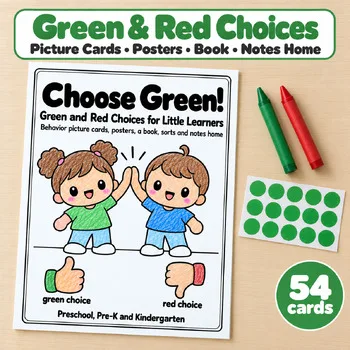 Choose Green Behavior ChoicesPreschool, Pre-K, Kindergarten$3.49 · 40 pages
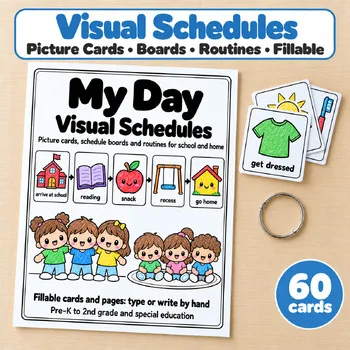 My Day Visual SchedulesPreK, Kindergarten, 1st, 2nd grade, special education$3.49 · 38 pages
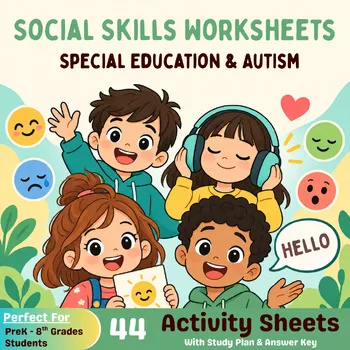 Social Skills WorksheetsKindergarten–5th grade$4.49 · 44 pages
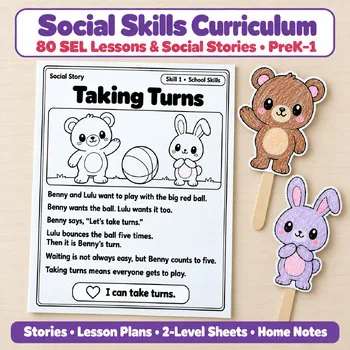 Social Skills SEL CurriculumPreK, Kindergarten, 1st grade$15.49 · 383 pages
Frequently asked questions
What is the best free classroom management tool?
For one projected screen with a timer, noise meter, group maker and randomizer, Classroomscreen's free Basic plan includes all 26 widgets. ClassDojo is free for teachers if you also want points and family messaging, and Bouncy Balls is a free standalone noise meter.
Is ClassDojo still free for teachers?
Yes. ClassDojo says it is free for teachers, and its Plus page states that core teacher messaging, class points and Story updates stay free. ClassDojo Plus is an optional paid subscription for families.
What is a good noise meter for the classroom?
Bouncy Balls is free and uses your microphone to make on-screen balls bounce with noise. Too Noisy Pro is a paid option after a 30-day trial that adds a star reward system, alarms and detailed sensitivity settings. Classroomscreen also includes a sound level widget.
What visual timer works best for young children and special education?
Time Timer is designed around a red disk that disappears as time passes, so children can see time running out without reading numbers, and it does not need a screen. Classroomscreen and Online-Stopwatch offer free on-screen timers if you prefer to project one.
How can a school try a PBIS points system before buying?
LiveSchool offers a free pilot for one grade level for up to one school year, including all features. After that, its listed plans are priced per staff member per year, with district pricing by quote.
Make a tool for teachers?
Built something teachers love? We keep these guides fresh, so send us a new tool, updated pricing or a featured spot request.
Request a listingDisclosure: no tool on this page paid to be included and we don't earn commissions from these links. Featured placements, if we ever offer them, will be clearly labeled "Sponsored". Details were checked on each provider's official website on November 5, 2026 and can change.