A first grader can sound out cat and dog, then stops cold at said and was. Those words do not follow the rules, and they show up in almost every sentence a young reader meets. That is the daily problem with sight words: children need to recognize them instantly, and instant recognition only comes from repeated, low-stress practice.
Apps help when they give that repetition without turning it into a test. The best ones on this list mix short games with reading in context, let a child hear the word, spell it, and use it in a sentence, and let you see which words still trip a student up. A few are free, a few cost a few dollars, and a couple are full programs where sight words are one strand among many.
How we picked: we started from a researched shortlist, then checked each tool's official website on November 1, 2026. Where a detail comes from an app store instead, the guide says so. We weighted fit for kindergarten through 2nd grade classrooms, whether the sight word content is easy to find inside the app, and whether teachers can get started for free.
Key takeaways
- Best free option for whole-class and center use: Khan Academy Kids, a nonprofit app with 20+ sight word videos and no ads.
- Endless Reader and Bob Books Reading Magic suit the youngest readers, with short games built around a small set of common words.
- SplashLearn is free for teachers in the classroom, with a dedicated set of sight word games.
- ABCmouse and HOMER are paid programs where sight words sit inside a wider reading pathway, so check the free tier or trial first.
- Vocabulary A-Z is the only option here built around your own word lists, with games, quizzes, and printable lesson plans.
Quick comparison
| # | Tool | Best for | Grades / audience | Pricing | Free plan |
|---|---|---|---|---|---|
| 1 | free sight word videos and games | Ages 2–8 (PreK–2) | Free | Free (nonprofit) | |
| 2 | playful first sight words for PreK–K | Ages 3–5 (PreK–K) | Freemium | Yes | |
| 3 | 30 common kindergarten sight words | Ages 3–5 (PreK–K) | Paid | No | |
| 4 | sight words inside a wider early literacy game | Ages 3–7 (PreK–2) | Paid | No | |
| 5 | sight words inside a full curriculum | Ages 2–8 (PreK–2nd grade) | Free + paid | Yes | |
| 6 | free classroom sight word games | PreK–Grade 5 (reading ages 3–8) | Freemium | Free for teachers | |
| 7 | a personalized reading pathway with printables | Ages 2–8 | Free + paid | Trial only | |
| 8 | custom word lists with games and quizzes | K–5 | Paid | Trial only |
Make a tool for teachers?
Built something teachers love? We keep these guides fresh, so send us a new tool, updated pricing or a featured spot request.
Request a listingThe 8 best picks
- Pricing
- Free
- Free plan
- Free (nonprofit)
- Grades / audience
- Ages 2–8 (PreK–2)
Khan Academy Kids is a nonprofit learning app with games, books, and videos for ages 2–8. Its kindergarten content covers phonics, sight words, writing, and early math, and its Library holds 20+ sight word videos that spell each word, give a kid-friendly definition, and use the word in a sentence. Teachers can assign the videos from a teacher view for whole-group or independent work.
What we like
- 20+ sight word videos covering common words, each with spelling, definition, and sentence use
- Thousands of games and activities across reading, math, and social-emotional learning
- Teacher view with assignments for whole-group or small-group lessons
- 100% free with no ads, subscriptions, or in-app purchases
Watch out for
- The khanacademy.org/kids page showed a bot-check screen when we tried to open it on November 1, 2026, so details come from its official support pages and store listing.
- The sight word videos cover a fixed set of common words, with more promised in future app updates.
Pricing: The app is completely free, with no ads, subscriptions, or in-app purchases.
- Pricing
- Freemium
- Free plan
- Yes
- Grades / audience
- Ages 3–5 (PreK–K)
Endless Reader gives each sight word an interactive puzzle where the letters come alive, then a sentence puzzle where the words become what they describe. The animations reinforce recognition, and the word puzzles reinforce spelling with lower-case letters. There are no high scores, failures, or time limits, so it suits a calm center rotation.
What we like
- Word puzzles that reinforce spelling with lower-case letters
- Sentence puzzles that teach definition and usage in context
- Six words free to try, with more word packs to buy
- School Edition available for schools
Watch out for
- Word packs are bought inside the app, so check your device's purchase settings before handing it to students.
- The app targets the youngest readers, so 1st and 2nd graders may outgrow it quickly.
Pricing: Six words are free to try, and additional word packs are sold as in-app purchases.
- Pricing
- Paid
- Free plan
- No
- Grades / audience
- Ages 3–5 (PreK–K)
Bob Books Reading Magic – Sight Words offers four games that practice reading and spelling 30 of the most common kindergarten sight words. Children drag letters to spell a word, trace each letter, spin letter dials to complete a word, and drag words into a sentence, with an animated reward for each new word learned. The app is ad-free with no in-app purchases.
What we like
- Four games covering 30 common kindergarten sight words
- Animated rewards for each new word learned
- Ad-free with no in-app purchases and no personal data collected
- Free Lite version with a smaller set of words
Watch out for
- App store listings disagree on the current price, so check the store before buying.
- The developer's own site is mostly book-focused, so app details are easier to find in the app stores.
Pricing: The full app is a paid download on app stores, and a free Lite version is also available.
Monkey Word School Adventure
Best for: sight words inside a wider early literacy game
- Pricing
- Paid
- Free plan
- No
- Grades / audience
- Ages 3–7 (PreK–2)
Monkey Word School Adventure packs six interactive games that move from letter recognition and writing through spelling, phonics, and sight words, with a special focus on sight words. A difficulty system adjusts the challenge automatically as the child plays, so a student can keep going without you resetting levels.
What we like
- Six interactive games covering letters, spelling, phonics, and sight words
- Difficulty adjusts automatically as the child plays
- Covers consonant blends, digraphs, and irregular vowels
- From the team behind the Monkey Preschool apps
Watch out for
- App store listings show different prices, so confirm the price in your store before buying.
- No free version or trial is listed on the developer's site.
Pricing: The app is a paid download on app stores; the developer's site does not list a price.
- Pricing
- Free + paid
- Free plan
- Yes
- Grades / audience
- Ages 2–8 (PreK–2nd grade)
ABCmouse places sight words inside a structured literacy progression. Children move through guided lessons, then games, songs, and videos, then books and stories, with repeated exposure to the same words across formats. The site also offers free printable sight word lists by grade and free online sight word games without a subscription.
What we like
- Sight word program built into a guided Learn, Practice, Apply, Reinforce sequence
- Free printable sight word lists by grade
- Free online sight word games without a subscription
- 13,000+ learning activities across reading, math, science, and more
Watch out for
- The free Basic plan limits families to 10 activities a day and one child profile.
- Premium is a subscription, so check whether your school already has a license before paying.
Pricing: A Basic plan is free with limits, and Premium costs $14.99 a month or $79.99 a year.
- Pricing
- Freemium
- Free plan
- Free for teachers
- Grades / audience
- PreK–Grade 5 (reading ages 3–8)
SplashLearn is a game-based math and reading program with a dedicated Sight Words Games topic in its library. Its reading program for ages 3–8 covers phonics, sight words, books, and reading comprehension. Teachers can assign activities and use lesson plans and worksheets free in school, and teacher-assigned practice stays free for students at home.
What we like
- Dedicated sight word games in the reading library
- Free lesson plans for kindergarten through Grade 5
- Teachers use the classroom tools free
- Teacher-assigned practice stays free for students at home
Watch out for
- SplashLearn covers math as well as reading, so younger students may need guidance to stay on the reading games.
- Home subscription prices change with promotions, so confirm the current price before sharing it with families.
Pricing: Families start with a 7-day free trial, then pay a monthly or annual subscription; classroom use is free for teachers.
- Pricing
- Free + paid
- Free plan
- Trial only
- Grades / audience
- Ages 2–8
HOMER builds a step-by-step reading pathway personalized by age, interests, and skill level, with more than 1,000 activities. The trial includes unlimited app access, up to four child profiles, offline activities, and printables. It is ad-free and aimed at families, which makes it a good name to suggest at conferences.
What we like
- Reading pathway personalized by age, interests, and skill level
- More than 1,000 activities
- Trial includes up to four child profiles and offline activities
- Ad-free
Watch out for
- No classroom or free-teacher plan is described on the pages we checked.
- The annual price is shown with a struck-through higher price, so confirm the current rate at checkout.
Pricing: A free trial is available, and the annual plan costs $59.99 a year or $9.99 a month.
- Pricing
- Paid
- Free plan
- Trial only
- Grades / audience
- K–5
Vocabulary A-Z, formerly VocabularySpellingCity, lets teachers build premade or custom word lists and turn them into game-based activities and quizzes. The site auto-generates printable five-day lesson plans and tracks activity and assignment reports, and students play in the Kids A-Z mobile app. It is the only tool on this list built around your own weekly word list.
What we like
- Premade and custom word lists for any sight word set
- Game-based activities and quizzes tied to each list
- Auto-generated printable five-day lesson plans
- Activity and assignment reports for teachers
Watch out for
- The homepage does not spell out which games come with the classroom plan.
- It was formerly VocabularySpellingCity, so older bookmarks and training materials may use the old name.
Pricing: A 14-day free trial needs no credit card, and a one-year classroom subscription costs $9 a month billed annually.
How we chose
We started from tools PreK–6 teachers actually use and checked every one against its official website, pricing page and feature pages on November 1, 2026. We kept tools that fit elementary classrooms, noted whether a free plan exists, and wrote down honest limitations next to the strengths. Nobody paid to be included, and we don't use affiliate links on this page.
- Fit for PreK–6 classrooms, special education or homeschool
- Clear information on the official site about what the tool does and who it is for
- Free plan or free-for-teachers option noted where one exists
- Still active and maintained, with rebrands noted
How to choose the right tool
Match the app to the words you actually teach. Endless Reader and Bob Books cover a fixed set of common words, while Vocabulary A-Z lets you enter your own list. If your school follows a set sequence such as Fry or Dolch, a tool that takes custom lists saves you from teaching two lists at once.
Decide whether sight words are the lesson or a strand. Khan Academy Kids, Endless Reader, and Bob Books are built around sight words, so they fit a short daily routine. ABCmouse, SplashLearn, and HOMER bury sight words inside a bigger program, which is fine for a center but harder to track word by word.
Check the free path before you recommend anything to families. Khan Academy Kids is free outright, SplashLearn is free for teachers, and ABCmouse has a free Basic plan. A paid app with a small free sample, such as Endless Reader, is easier to try than one with no free version at all.
Watch how a child gets a word wrong. A good sight word app shows the spelling, says the word, and uses it in a sentence, the way the Khan Academy Kids videos do. If an app only flashes the word and marks answers right or wrong, it is testing memory rather than teaching it.
Plan for the device you actually have. Several of these apps are paid downloads on tablets, and a couple show different prices in different app stores. Confirm the price and the login steps on one device before rolling an app out to a whole class.
Best pick by situation
- You want a free sight word routine you can start tomorrow: Khan Academy Kids — free app with 20+ sight word videos and teacher assignments
- You teach PreK or kindergarten and need a gentle first app: Endless Reader — short word and sentence puzzles with no scores or time limits
- You need sight word games for a classroom center at no cost: SplashLearn — free for teachers, with a dedicated sight word games library
- You want to drill your own weekly word list: Vocabulary A-Z — custom lists with games, quizzes, and printable lesson plans
- You want sight words inside a full reading program for home use: ABCmouse — guided lessons plus games, books, and free printable lists
- You need a paid app that grows from letters to sight words: Monkey Word School Adventure — six games that adjust difficulty as the child plays
Pair it with printables
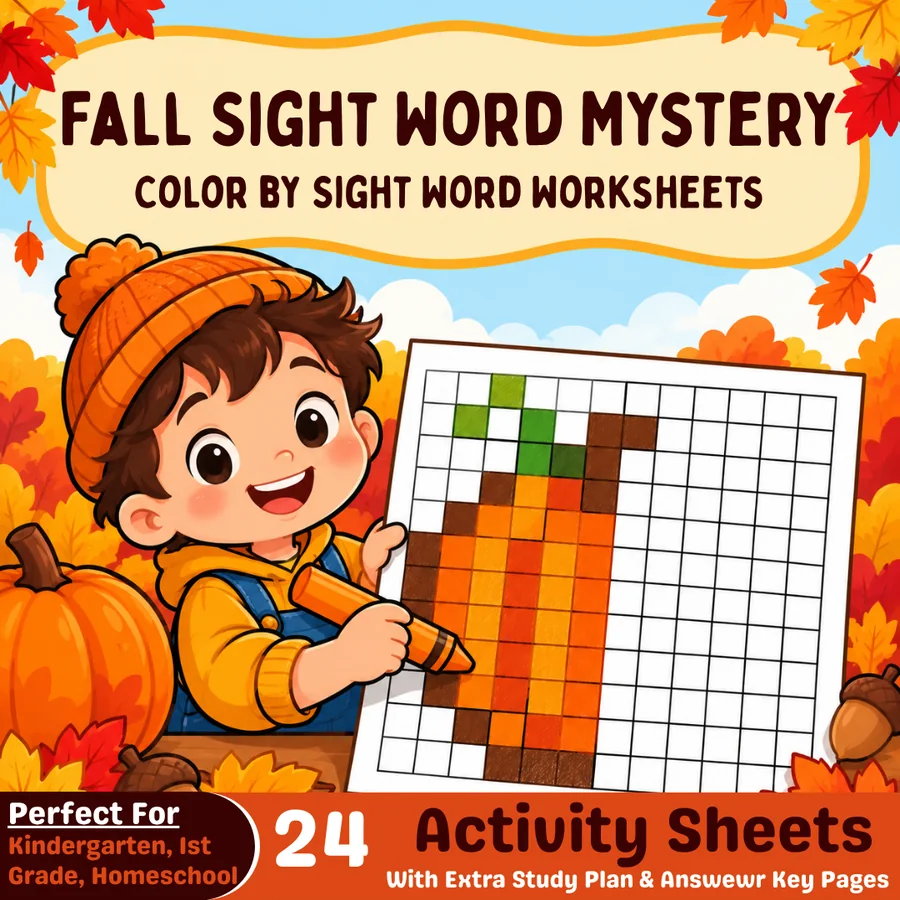
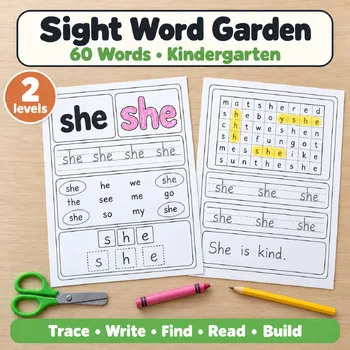
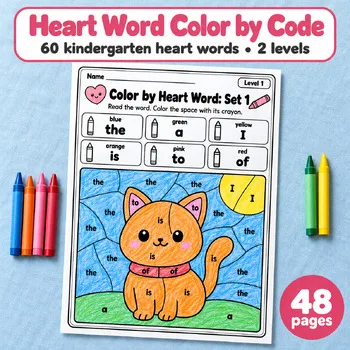
When you want hands-on sight word practice away from the screen, these Activity Express printables pair well with any of the apps above.
Frequently asked questions
What is the best free sight word app for kindergarten?
Khan Academy Kids is the strongest free starting point: it is run by a nonprofit, has no ads or subscriptions, and includes 20+ sight word videos that spell each word, define it, and use it in a sentence. Endless Reader also lets children try six words free.
Do any of these apps let me use my own sight word list?
Yes. Vocabulary A-Z is built around premade and custom word lists, so you can enter the exact words your class is learning and get games, quizzes, and printable lesson plans for them. It is a paid classroom tool with a 14-day free trial.
Which sight word app is free for teachers?
SplashLearn is free for teachers to use in the classroom, and homework assigned through it stays free for students at home. Khan Academy Kids is free for everyone, and ABCmouse offers a free Basic plan with limits.
Are these apps good for 2nd graders, or only for kindergarten?
Most cover kindergarten through 2nd grade, but the youngest-focused ones, Endless Reader and Bob Books Reading Magic, target ages 3–5 and may feel too easy for 2nd graders. Monkey Word School Adventure, ABCmouse, SplashLearn, HOMER, and Vocabulary A-Z all reach into 2nd grade and beyond.
Can I use these apps for sight word homework?
Yes, with a quick check first. Khan Academy Kids and ABCmouse work at home with no cost, and SplashLearn assignments stay free for students. Paid apps such as HOMER and Vocabulary A-Z need a family or school subscription after the trial, so confirm who pays before assigning them.
Make a tool for teachers?
Built something teachers love? We keep these guides fresh, so send us a new tool, updated pricing or a featured spot request.
Request a listingDisclosure: no tool on this page paid to be included and we don't earn commissions from these links. Featured placements, if we ever offer them, will be clearly labeled "Sponsored". Details were checked on each provider's official website on November 1, 2026 and can change.