Handwriting still matters in PreK-6 classrooms. Students who form letters automatically have more attention left for spelling, ideas and sentences, and students who never learned a consistent way to form a b or a d keep paying for it in every writing task. This list is for classroom teachers, interventionists and homeschool parents who want a clear method for print, cursive or both.
We included two kinds of tools. Some are full handwriting curricula with workbooks and teacher guides that a school can adopt across grades. Others are apps and software that add tracing practice, custom word lists or printable practice pages on top of whatever method you already teach. Every tool was checked on its official website this week, and we left out programs whose sites we could not reach or confirm.
One tip before you start: pick the letter style first. If your school already teaches a particular print or cursive style, choose an app that can match it so students are not learning two ways to write the same letter.
Key takeaways
- Best multisensory print-to-cursive curriculum: Handwriting Without Tears
- Best daily K-6 program with a Spanish edition: Zaner-Bloser Handwriting
- Best app for matching US letter styles and custom words: Writing Wizard
- Best app for PreK-2 pre-readers: LetterSchool
- Best for making your own handwriting practice pages: StartWrite
Quick comparison
| # | Tool | Best for | Grades / audience | Pricing | Free plan |
|---|---|---|---|---|---|
| 1 | multisensory print and cursive instruction | Print TK-2, cursive 2-6; PreK via Get Set for School | Paid | No | |
| 2 | schools wanting short daily K-6 lessons | K-6 (manuscript K-2, cursive 2-6) | Paid | No | |
| 3 | tracing practice in your school's letter style | Young children through early elementary; used by teachers and therapists | Paid | unverified | |
| 4 | PreK-2 letter practice without reading | Ages 3-8 | Paid | Trial only | |
| 5 | teaching cursive quickly to any grade | Any grade new to cursive; follow-up books grade 3+ | Paid | No | |
| 6 | UK classrooms combining handwriting and phonics | EYFS-Year 6 (about kindergarten-5th grade) | Paid | Trial only | |
| 7 | rhythm-based cursive with teacher coaching | PreK-8 classroom kits; homeschool kits | Paid | No | |
| 8 | building custom handwriting worksheets | Teachers and parents making practice pages (PreK-6) | Paid | Trial only |
Make a tool for teachers?
Built something teachers love? We keep these guides fresh, so send us a new tool, updated pricing or a featured spot request.
Request a listingThe 8 best picks
Handwriting Without Tears
Best for: multisensory print and cursive instruction
- Pricing
- Paid
- Free plan
- No
- Grades / audience
- Print TK-2, cursive 2-6; PreK via Get Set for School
Handwriting Without Tears is a child-friendly, multisensory handwriting curriculum from Learning Without Tears. Teachers in TK through 2nd grade use it to build letter formation and fine motor skills, then move into cursive connections, speed and fluency in grades 2-6. Many classrooms pair the workbooks with hands-on activities such as Wet-Dry-Try, which is offered both as an app and as a classroom activity.
What we like
- Separate print (TK-2) and cursive (2-6) pathways
- Print and digital resources designed to work together
- Wet-Dry-Try available as both an app and a hands-on activity
- Get Set for School readiness line for preschool, PreK and TK, plus free PreK activity booklets and webinars
Watch out for
- No free trial is listed for the handwriting program itself
- Costs add up when buying workbooks for every student each year
Pricing: Materials are bought through the online shop, with school and district quotes through the sales team; no free trial was listed.
Zaner-Bloser Handwriting
Best for: schools wanting short daily K-6 lessons
- Pricing
- Paid
- Free plan
- No
- Grades / audience
- K-6 (manuscript K-2, cursive 2-6)
Zaner-Bloser Handwriting is a print and digital handwriting curriculum for grades K-6 built around lessons of about 15 minutes a day. Students learn manuscript in K-2 and move to cursive starting in grade 2, with a separate 2C level for the transition. Teachers use the Teacher Edition and practice masters for daily instruction and add digital resources through MyZBPortal.
What we like
- Short daily lessons of about 15 minutes
- Student Edition, Teacher Edition and Practice Masters, plus journals and ancillaries
- Digital resources through MyZBPortal
- Spanish-language version, Zaner-Bloser La escritura
Watch out for
- No standalone student app was mentioned on the product page
- Pricing requires shopping by package or contacting a rep
Pricing: Classroom packages are sold online or through a sales consultant; prices were not listed on the product page, and free samples can be requested.
- Pricing
- Paid
- Free plan
- unverified
- Grades / audience
- Young children through early elementary; used by teachers and therapists
Writing Wizard is a tracing app from L'Escapadou that guides children through letters, numbers and words while enforcing correct letter formation. Teachers and occupational therapists like that it can be set to the same letter style students see in class, and that you can add your own word lists, such as spelling words or student names, with your own recorded audio. Reports show what a child traced and can be replayed or exported.
What we like
- Multiple fonts, including Zaner-Bloser, D'Nealian and HWT-style US fonts plus international styles
- Custom words and word lists with your own recorded audio
- Adjustable letter size, difficulty, model visibility and other settings
- Creates printable PDF worksheets, with a separate Cursive Writing Wizard app
Watch out for
- Print and cursive are separate apps
- Exact pricing and what the free version includes were not confirmed on the official site
Pricing: The developer offers a free try through the app stores, with versions for schools; we did not see a full price list on the official site.
- Pricing
- Paid
- Free plan
- Trial only
- Grades / audience
- Ages 3-8
LetterSchool is a tablet app that walks young children through letter tracing and early word spelling in short, game-like steps. It follows the letter formation used in your country's school curriculum and gives visual and audio feedback, so children do not need to read to use it. Teachers often set it up for a PreK or kindergarten tablet center, and parents use it for practice at home.
What we like
- Practice split into steps, with a Silver level and a Gold level that adds free-form writing
- Letter formation that follows the country's school curriculum, plus phonics and numbers
- No ads or social media, with parent restriction settings
- Learning language and menu language can be set separately
Watch out for
- Subscription renews automatically unless canceled
- School version details and pricing were not shown on the homepage
Pricing: LetterSchool is subscription-based with a free try option, and families who cannot afford it can apply for a free subscription.
- Pricing
- Paid
- Free plan
- No
- Grades / audience
- Any grade new to cursive; follow-up books grade 3+
CursiveLogic is a cursive curriculum that groups lowercase letters by shared basic shapes, so students learn all 26 lowercase letters in five weeks. The core Learn Cursive workbook runs 14 weeks, adds capital letters and reinforcement, and ends with students writing and mailing a thank-you note. Teachers who need to add cursive to a crowded third or fourth grade schedule use it because each lesson is short.
What we like
- Learn Cursive workbook that every new student starts with, regardless of grade
- Letters taught in groups by shared shape, moving from first stroke to letters to words
- Follow-up workbooks with poems for grade 3 and up and US presidents and citizens for grade 4 and up
- Printables on the site, plus live presentations and sample materials for schools
Watch out for
- Cursive only
- Classroom pricing requires contacting the company
Pricing: Workbooks are sold through the online shop, and classroom or quantity orders are arranged by email; prices were not shown on the pages we checked.
- Pricing
- Paid
- Free plan
- Trial only
- Grades / audience
- EYFS-Year 6 (about kindergarten-5th grade)
Kaligo is an AI-powered literacy app where students write on a tablet and get immediate feedback on handwriting, phonics, spelling and grammar. Teachers set up exercises in a web portal, adjust things like difficulty and line spacing, and students open them on the tablet with a QR code. Progress is designed to transfer back to paper writing.
What we like
- Covers pre-writing, handwriting, phonics, spelling, grammar and reading
- Immediate feedback with a learning path that adjusts to each student's pace
- Teacher portal with ready-to-use lessons, lesson planning, progress tracking and differentiation
- Generative AI assistant to help teachers create and customize lessons
Watch out for
- Needs a tablet for every student using it
- Pricing was not confirmed on the official site today
Pricing: A free trial is available; pricing is listed on a separate prices page we could not load, and schools can also buy through resellers.
Peterson Directed Handwriting
Best for: rhythm-based cursive with teacher coaching
- Pricing
- Paid
- Free plan
- No
- Grades / audience
- PreK-8 classroom kits; homeschool kits
Peterson Directed Handwriting teaches handwriting through movement and rhythm, with verbal prompts, rather than a trace-and-copy routine. Teachers use classroom kits, animated letters and instructional videos, and the company offers free coaching help. The program leans toward cursive, including a Cursive First approach, and homeschool families can choose Basic, Complete or Advanced Cursive kits.
What we like
- Movement- and rhythm-based method with verbal prompts
- Classroom kits from PreK through grade 8, plus homeschool kits
- E-workbooks, fonts, animated letters and how-to videos
- Free coaching help and support for teachers
Watch out for
- Print instruction was not clearly described on the homepage
- Pricing was not shown on the pages we checked
Pricing: Kits, e-workbooks and fonts are sold through the store; prices were not listed on the homepage.
- Pricing
- Paid
- Free plan
- Trial only
- Grades / audience
- Teachers and parents making practice pages (PreK-6)
StartWrite is software for making your own handwriting practice pages. Type in a student's name, a spelling list or a sentence from your read-aloud, then add dotted letters, start dots, stroke arrows, shading and clip art before you print. It is a teacher tool rather than a student app, and it pairs well with whichever handwriting method your school already uses.
What we like
- Dotted, shaded and outlined letters with start dots and stroke arrows
- Control over letter colors and attributes, plus area shading
- Clip art and border art for practice pages
- Free trial software download
Watch out for
- Supported platforms were not stated on the homepage
- It makes printables only, with no student practice app
Pricing: A free trial download is offered, with licenses purchased through the site and a multiple-purchase discount; prices were not shown on the homepage.
How we chose
We started from tools PreK–6 teachers actually use and checked every one against its official website, pricing page and feature pages on October 29, 2026. We kept tools that fit elementary classrooms, noted whether a free plan exists, and wrote down honest limitations next to the strengths. Nobody paid to be included, and we don't use affiliate links on this page.
- Fit for PreK–6 classrooms, special education or homeschool
- Clear information on the official site about what the tool does and who it is for
- Free plan or free-for-teachers option noted where one exists
- Still active and maintained, with rebrands noted
How to choose the right tool
Match the letter style first. If your school teaches a Zaner-Bloser, D'Nealian or Handwriting Without Tears style, choose apps and worksheet tools that can show the same letters.
Separate curriculum from practice. Handwriting Without Tears, Zaner-Bloser, Peterson and CursiveLogic are methods with a teaching sequence. Writing Wizard, LetterSchool and StartWrite add practice on top of a method.
Keep paper in the mix. Apps can teach stroke order and motivate practice, but students still need to write with a pencil on lined paper, so plan time for both.
Plan cursive on purpose. If cursive is squeezed into one grade, a short program like CursiveLogic may fit better than a full K-6 series.
Check devices before you commit. Tablet apps such as LetterSchool, Writing Wizard and Kaligo need tablets, and finger tracing feels different from pencil grip.
Ask for samples. Zaner-Bloser, CursiveLogic and Learning Without Tears offer samples, booklets or presentations, so look at real pages before buying for a whole grade.
Best pick by situation
- Your PreK or TK class needs a playful, hands-on way to start letter formation: Handwriting Without Tears — its multisensory approach and Get Set for School line start before kindergarten
- Your school wants 15-minute daily handwriting lessons K-6 with Spanish materials: Zaner-Bloser Handwriting — it offers short daily lessons and a Spanish edition
- You want tablet tracing that matches the letter style your school teaches: Writing Wizard — it includes ZB, D'Nealian and HWT-style fonts plus custom word lists
- Your 4-year-old can't read yet but wants to practice letters on a tablet: LetterSchool — it gives audio and visual feedback with no reading required
- Your third graders need cursive and you only have a few weeks: CursiveLogic — it teaches all lowercase letters in five weeks by shared shapes
- You teach in the UK and want handwriting and phonics with a teacher portal: Kaligo — it covers EYFS to Year 6 with lesson planning and progress tracking
- You need name-practice and spelling-list pages with start dots and arrows: StartWrite — it builds custom handwriting worksheets with dotted letters and stroke arrows
Pair it with printables
For pencil-and-paper practice alongside any of these programs, these Activity Express printables build fine motor control, letter tracing and early writing.
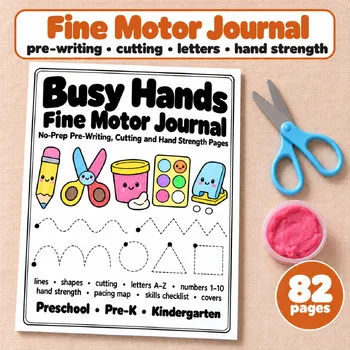 Fine Motor Journal PagesPreK, Kindergarten$6.49 · 82 pages
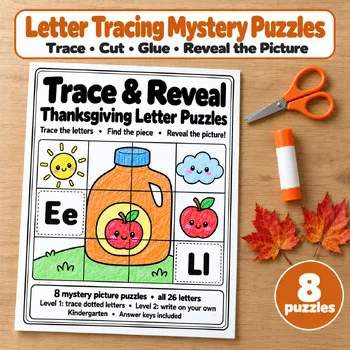 Thanksgiving Letter Tracing PuzzlesPre-K, Kindergarten (1st grade review)$5.49 · 41 pages
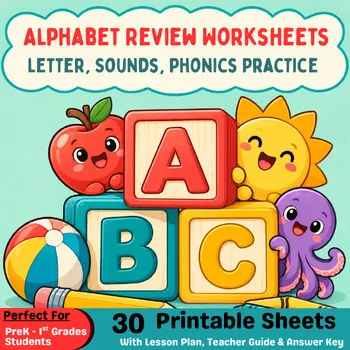 Alphabet Review WorksheetsPreschool, PreK, Kindergarten, 1st grade$3.25 · 30 pages
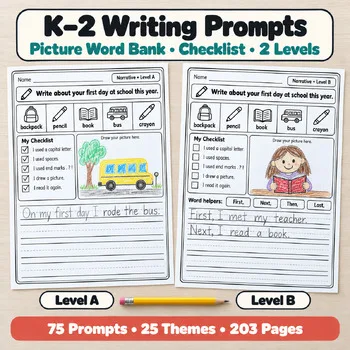 Year-Long K–2 Writing PromptsKindergarten, 1st, 2nd grade$14.49 · 203 pages
Frequently asked questions
What is the best handwriting program for kindergarten?
Handwriting Without Tears and Zaner-Bloser Handwriting both start in kindergarten, and Handwriting Without Tears also has the Get Set for School line for PreK and TK. For tablet practice, LetterSchool is designed for ages 3 to 8.
Are there handwriting apps that match D'Nealian or Zaner-Bloser letters?
Yes. Writing Wizard lists fonts that include Zaner-Bloser, D'Nealian and HWT-style letters, along with several international styles. LetterSchool follows the letter formation of your country's school curriculum.
What is the fastest way to teach cursive?
CursiveLogic groups lowercase letters by shared shapes and teaches all 26 lowercase letters in five weeks, within a 14-week workbook. Peterson Directed Handwriting uses a rhythm-based approach and offers a Cursive First option.
Can I make my own handwriting worksheets?
StartWrite is built for this. You type the words you want, then add dotted letters, start dots, stroke arrows and clip art. Writing Wizard can also create printable PDF worksheets from its tracing content.
Do handwriting apps replace pencil and paper practice?
No. Apps help with stroke order, motivation and feedback, but students still need regular pencil practice. Kaligo, for example, is designed so tablet progress transfers to paper writing.
Make a tool for teachers?
Built something teachers love? We keep these guides fresh, so send us a new tool, updated pricing or a featured spot request.
Request a listingDisclosure: no tool on this page paid to be included and we don't earn commissions from these links. Featured placements, if we ever offer them, will be clearly labeled "Sponsored". Details were checked on each provider's official website on October 29, 2026 and can change.