It is Friday morning, and the spelling test is over in ten minutes. Half the class spells because right, and the other half writes becaus or becouse — the same words they got right in Tuesday's practice. The gap is not effort; it is that the practice never made them hear the word, break it apart, and write it from memory.
The tools below close that gap in different ways. Some turn the week's list into games and tests children can repeat until the words stick. Others teach the rule behind the spelling, so a child can spell a new word instead of memorising it. A few are full programs with lessons and placement tests, and two are completely free, which matters when the whole class needs access at once.
How we picked: we started from a researched shortlist, then checked each tool's official website on November 1, 2026 and only describe features and plans we could see there. We weighted fit for elementary classrooms, whether the tool takes your own weekly list, and whether teachers can get started for free. Three of the tools follow UK spelling and curriculum, so we say so where it matters.
Key takeaways
- Best free option for a whole class: SpellingJoy, free for teachers with ready-made lists and progress tracking.
- Spelling Training is free with no sign-up and takes any custom list, but it has no class dashboard.
- Spelling Shed and Squeebles Spelling Connect are the strongest school options, with teacher data and homework tools.
- Simplex Spelling and All About Spelling teach the rule behind each word instead of drilling lists.
- Spelling Frame, Squeebles, and Spelling Shed follow UK spelling and curriculum, so US teachers should check the word lists first.
Quick comparison
| # | Tool | Best for | Grades / audience | Pricing | Free plan |
|---|---|---|---|---|---|
| 1 | free spelling practice for a whole class | K–6 (ages 4–11) | Free + paid | Free for teachers | |
| 2 | free custom-list practice with no sign-up | Grades 1–4 | Free | Yes | |
| 3 | a school spelling scheme with games built in | K–5 | Paid | No | |
| 4 | custom lists, homework, and tricky-word retests | UK Years 1–6 (ages 5–11) | Paid | Trial only | |
| 5 | syllable-based practice of curriculum spelling rules | UK Years 1–6 | Paid | unverified | |
| 6 | phonics-based spelling that teaches the why | Ages 4–11 | Paid | Yes | |
| 7 | spelling inside a full ELA practice library | Pre-K–12 (spelling skills from K) | Paid | unverified | |
| 8 | a complete multisensory spelling program | Levels 1–7 (starts at K) | Paid | No |
Make a tool for teachers?
Built something teachers love? We keep these guides fresh, so send us a new tool, updated pricing or a featured spot request.
Request a listingThe 8 best picks
- Pricing
- Free + paid
- Free plan
- Free for teachers
- Grades / audience
- K–6 (ages 4–11)
SpellingJoy is a free spelling practice platform for K–6. Teachers type in the week's list once or pick from ready-made lists, students practise with games and short tests for about ten minutes a day, and the teacher dashboard shows who is ready before Friday's test. Students join with a class code, so no email addresses are needed for children.
What we like
- Ready-made lists organised by grade, including phonics patterns and seasonal lists, plus custom lists you type yourself
- Unlimited spelling games and tests with progress tracking for each student
- Class codes let students join without email addresses, and up to 50 students fit in one class
- A short adaptive placement test finds the right starting list, with no sign-up needed
Watch out for
- SpellingJoy+ printables need the paid membership, so check what is included before promising printables to families.
- The placement test suggests a starting list, so adjust it to your own scope and sequence before assigning it.
Pricing: Spelling practice is free for teachers, students, and families, with no credit card; an optional SpellingJoy+ membership at $2.99 a month adds printable packs.
Spelling Training
Best for: free custom-list practice with no sign-up
- Pricing
- Free
- Free plan
- Yes
- Grades / audience
- Grades 1–4
Spelling Training is a plain, free website for early elementary spelling. You type your own words or pick a ready-made list by grade or theme, then choose a spelling test, a guided practice, or a game. Every word is read aloud slowly, syllable by syllable, and students can retest only the words they missed.
What we like
- Custom word lists you type yourself, plus ready-made lists by grade and theme
- A three-phase practice that moves from copying the word to typing it from hearing alone
- Games that use your own list, including Spelling Sharks, Hangman, and a word search
- Homophones are read out with a sentence, so students hear which meaning is meant
Watch out for
- There are no student accounts, so you cannot see results unless a student shows you the screen.
- The full version shows best on a computer; the mobile view is a limited version with fewer activities.
Pricing: Every game and activity on the site is free, with no account and no payment.
- Pricing
- Paid
- Free plan
- No
- Grades / audience
- K–5
Spelling Shed pairs a sequenced spelling scheme with a games platform. Word lists follow a progression of phonics and word-study skills from kindergarten to 5th grade, moving from letter-sound patterns to prefixes, suffixes, and Greek and Latin roots. Students play games to practise the week's words, and teachers see data on each spelling skill for the class.
What we like
- K–5 word lists that follow a systematic progression of phonics and word-study skills
- A set of spelling games, including a spelling bee game and four difficulty levels
- Teachers can create their own word lists and share them with other teachers
- Student data on activities and on specific spelling skills for the class
Watch out for
- The site's school pricing is listed per pupil, so ask for a quote for your school size before budgeting.
- The full scheme works best as a school purchase; buying the app alone does not include the scheme.
Pricing: School access is a paid subscription priced per pupil; the app is also sold as a paid download.
Squeebles Spelling Connect
Best for: custom lists, homework, and tricky-word retests
- Pricing
- Paid
- Free plan
- Trial only
- Grades / audience
- UK Years 1–6 (ages 5–11)
Squeebles Spelling Connect is the current spelling app from KeyStageFun, built around tests rather than drills. Teachers and parents set up custom lists or pick from more than 160 ready-made lists, record their own audio for any word, and set homework with a pass mark and a due date. Missed words are collected into a Tricky Words test that keeps retesting them until they stick.
What we like
- More than 160 ready-made spelling lists in four levels, plus custom lists with your own recorded audio
- Four test modes: ready-made lists, custom lists, tricky words, and set homework
- A parent and teacher area with per-word results, stats, and progress over time
- OpenDyslexic font, coloured overlays, and the option to switch timers off
Watch out for
- Prices are listed in pounds, so the cost in dollars depends on the exchange rate and app-store tax.
- Subscriptions are taken out through the app store, not on the website, and school accounts are paid by bank transfer.
Pricing: Family accounts cost £2.99 a month or £29.99 a year for up to four children, with a 7-day free trial; school accounts start at £25 a month for one class, with a one-month trial.
Spelling Frame
Best for: syllable-based practice of curriculum spelling rules
- Pricing
- Paid
- Free plan
- unverified
- Grades / audience
- UK Years 1–6
Spelling Frame is a UK website that organises spelling practice around the spelling rules for each year group. Each rule comes with games and a practice test, and every word is read aloud in a sentence and broken into syllables so children can see the pattern inside the word. Teachers set a rule for the week and students work through it at home or in class.
What we like
- Spelling rules and word lists for Years 1 to 6, following the National Curriculum in England
- Games that break words into syllables, including segment puzzles, sorting, and word searches
- Every word read aloud in a sentence, with a practice test before the final test
- Teachers can set a rule for the class and students log in with their own accounts
Watch out for
- The official site did not show its full content when we checked on November 1, 2026, so confirm the subscription details and current price there before buying.
- Pupils need individual logins, so plan a little setup time before the first week.
Pricing: Spelling Frame is a subscription site; the price was not shown on the pages we could open.
- Pricing
- Paid
- Free plan
- Yes
- Grades / audience
- Ages 4–11
Simplex Spelling is a series of iPad and iPhone apps that teach spelling through phonics rather than memorisation. Each word is broken into syllables and sounds, and a hint system sounds out the phonemes from left to right while a spelling rule explains why the word is spelled that way. The series runs from CVC words through two phonics levels to advanced phonograms.
What we like
- A reverse-phonics hint system that breaks each word into syllables and then into individual sounds
- Spelling rule hints that explain why a word is spelled the way it is
- Letter-by-letter feedback while the student is spelling each word
- Automatic progress tracking and support for up to 40 user accounts on one device
Watch out for
- You cannot create your own spelling lists in these apps, so they do not match a weekly class list.
- The price is shown in the App Store rather than on the developer's site, so check it there before buying.
Pricing: A free Lite version covers more than 50 high-frequency words; each full app is a one-time paid download on the App Store.
- Pricing
- Paid
- Free plan
- unverified
- Grades / audience
- Pre-K–12 (spelling skills from K)
IXL is a large practice platform where spelling sits inside a much wider English language arts library. Its spelling topic covers skills from short vowels and silent e through vowel teams, homophones, plurals, and contractions, organised by grade from pre-K to 12th grade. It suits schools that already use IXL for math or reading and want spelling practice in the same place.
What we like
- A dedicated spelling topic with 340 skills, from short vowels to homophones and plurals
- Word study and sight-word skills alongside spelling, organised by grade
- Skills arranged in a sequence that follows grade-level expectations
- The same membership covers math, language arts, science, and social studies
Watch out for
- Exact family prices were not shown on the IXL pages we could open, so check the membership page for the current rates.
- There is no separate spelling-only plan, so you pay for the wider subject bundle.
Pricing: IXL is a paid membership for families and schools, sold by subject bundle; school pricing is quoted separately.
All About Spelling
Best for: a complete multisensory spelling program
- Pricing
- Paid
- Free plan
- No
- Grades / audience
- Levels 1–7 (starts at K)
All About Spelling is a seven-level spelling program built on the Orton-Gillingham approach, made mostly for homeschool families and tutors. Lessons are scripted and open-and-go, students build words with letter tiles, and each level adds new phonograms and spelling rules in a set order. A placement test finds the right starting level, and free companion apps pronounce the phonograms.
What we like
- Seven levels of scripted, mastery-based lessons that build on each other in order
- Multisensory teaching with letter tiles, so students build words by sight, sound, and touch
- A placement test to find the right starting level instead of guessing by grade
- Free Phonogram Sounds app with clear pronunciation of all 72 basic phonograms
Watch out for
- Most students start at Level 1 even if they are older, so budget for the earlier levels too.
- There is no classroom dashboard, since it is built for one-to-one and home teaching.
Pricing: The program is sold by level, with letter tiles sold separately; the Phonogram Sounds app is free and the Letter Tiles app is a separate paid download.
How we chose
We started from tools PreK–6 teachers actually use and checked every one against its official website, pricing page and feature pages on November 1, 2026. We kept tools that fit elementary classrooms, noted whether a free plan exists, and wrote down honest limitations next to the strengths. Nobody paid to be included, and we don't use affiliate links on this page.
- Fit for PreK–6 classrooms, special education or homeschool
- Clear information on the official site about what the tool does and who it is for
- Free plan or free-for-teachers option noted where one exists
- Still active and maintained, with rebrands noted
How to choose the right tool
Start with your weekly list. If your spelling words come from your own sequence, pick a tool that takes custom lists — Spelling Training, SpellingJoy, Squeebles, and Spelling Shed all do — and skip the ones with fixed lists, like Simplex Spelling.
Decide whether you are teaching rules or drilling words. Simplex Spelling and All About Spelling explain the pattern behind each word, which suits students who keep missing the same kind of word. Games-first tools like SpellingJoy and Squeebles suit quick daily repetition.
Check the spelling conventions. Spelling Frame, Squeebles, and Spelling Shed are built around UK spelling and curriculum, so a US classroom should confirm the word lists match what it teaches before adopting one.
Match the tool to the device. Simplex Spelling is iPad and iPhone only, Spelling Training works best on a computer, and Squeebles and SpellingJoy run in a browser or as apps, so check what your room actually has.
Try the free route first. SpellingJoy and Spelling Training cost nothing, Simplex Spelling has a free Lite version, and Squeebles offers a free trial, so run one with a small group for a week before asking for a purchase.
Best pick by situation
- You want free spelling practice for the whole class with no sign-up: SpellingJoy — free for teachers, with class codes and ready-made lists
- You need a free site that takes this week's list with no accounts: Spelling Training — type your own words and start, with games included
- You want a sequenced spelling scheme with games for the whole school: Spelling Shed — K–5 word lists with teacher data on each skill
- You set weekly spelling homework and want to see the results: Squeebles Spelling Connect — assignments with pass marks and per-word results
- You want an app that teaches why words are spelled that way: Simplex Spelling — reverse-phonics hints and spelling rule explanations
- You teach spelling at home or one-to-one and want a full program: All About Spelling — seven scripted levels with a placement test
Pair it with printables
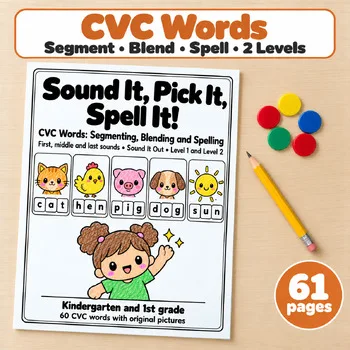
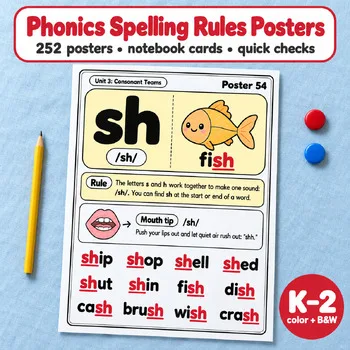
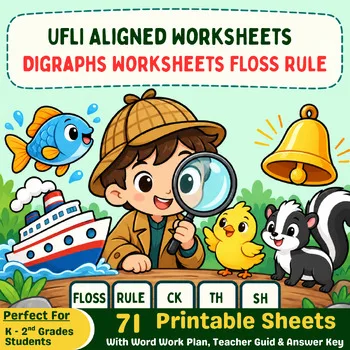
When you want hands-on spelling practice away from the screen, these Activity Express printables pair well with any of the apps and websites above.
Frequently asked questions
What is the best free spelling app for elementary students?
SpellingJoy and Spelling Training are both free. SpellingJoy adds class codes, ready-made lists, and progress tracking, while Spelling Training is the simpler choice when you only need a custom list and a few games with no accounts.
Can I use my own weekly spelling list?
Yes, with SpellingJoy, Spelling Training, Spelling Shed, and Squeebles Spelling Connect, which all take custom lists. Simplex Spelling does not let you create your own lists, and All About Spelling follows its own seven-level sequence.
Which spelling app is best for UK schools?
Spelling Frame follows the National Curriculum spelling rules for Years 1 to 6, Squeebles Spelling Connect uses lists based on the English school curriculum, and Spelling Shed offers a sequenced K–5 scheme. All three use British spelling, so check the lists if your pupils need American spelling.
Do any of these tools work without an account?
Spelling Training needs no account at all. SpellingJoy uses class codes instead of student emails, and Simplex Spelling tracks up to 40 users on one device. The rest need teacher or family accounts.
Is IXL good for spelling practice?
IXL includes a spelling topic with 340 skills, from short vowels to homophones, inside its wider language arts library. It fits best in schools that already use IXL, since there is no spelling-only plan.
Make a tool for teachers?
Built something teachers love? We keep these guides fresh, so send us a new tool, updated pricing or a featured spot request.
Request a listingDisclosure: no tool on this page paid to be included and we don't earn commissions from these links. Featured placements, if we ever offer them, will be clearly labeled "Sponsored". Details were checked on each provider's official website on November 1, 2026 and can change.