A parent emails at 8:40 on a Sunday night: where is the homework list, and what time is the field trip on Friday? If the answer lives on a class website, the parent finds it in ten seconds and you never see the email. If it lives in a paper handout at the bottom of a backpack, you are typing the reply.
This list collects website builders that work for a classroom, not for a business. Every one here lets a teacher put up a schedule, homework links, photos, and contact details without code, and six of the eight have a free plan. Two are built specifically for student publishing, so children can post their own work for a real audience.
We checked every builder on its official website on November 13, 2026, looking at the free plan, the paid prices, and what a teacher can actually build. Where a site did not state a price, we say so.
Key takeaways
- Google Sites is free and the fastest way to a working class site.
- Edublogs is free forever and built for safe student blogging.
- Wix has the most templates; WordPress.com has the most room to grow.
- Strikingly suits a single class page; Squarespace is the most polished and the priciest.
- Fanschool (formerly Kidblog) is the pick when students publish their own writing.
Quick comparison
| # | Tool | Best for | Grades / audience | Pricing | Free plan |
|---|---|---|---|---|---|
| 1 | a free class site in minutes | All grades | Free | Yes | |
| 2 | safe student blogs | All grades | Free + paid | Yes | |
| 3 | polished design with no code | All grades | Free + paid | Yes | |
| 4 |  WordPress.com |
a blog that grows with the class | All grades | Free + paid | Yes |
| 5 | a simple drag-and-drop class page | All grades | Free + paid | Yes | |
| 6 | a one-page class site | All grades | Free + paid | Yes | |
| 7 |  Squarespace |
the most polished class site | All grades | Paid | Trial only |
| 8 | student writing with a real audience | All grades | Paid | Trial only |
Make a tool for teachers?
Built something teachers love? We keep these guides fresh, so send us a new tool, updated pricing or a featured spot request.
Request a listingThe 8 best picks
- Pricing
- Free
- Free plan
- Yes
- Grades / audience
- All grades
Google Sites is Google's free website builder, and it is the fastest route to a working class page. A teacher can put up the weekly schedule, homework links, and a photo gallery in one sitting, then embed Docs, Slides, and Forms directly on the page. Because it is part of Google Workspace, edits sync automatically and colleagues can edit the same page at the same time.
What we like
- Embed Docs, Slides, Sheets, Forms, calendars, and maps on any page
- Edits sync automatically, and teammates can edit together in real time
- No hosting to buy — sites live on Google's infrastructure
- Works with the Google tools a school already uses
Watch out for
- A custom domain needs Google Workspace; personal Gmail accounts cannot connect one directly.
- Design options are simpler than paid builders, so pages can look plain.
Pricing: Free. Google Sites costs nothing to use with a Google account.
- Pricing
- Free + paid
- Free plan
- Yes
- Grades / audience
- All grades
Edublogs is a WordPress-based blogging platform built for schools. Each student can have a blog the teacher manages from one dashboard, and the free plan is free forever with 1 GB of storage, student management, and no ads. It is designed to be COPPA-compliant, so student work stays inside the privacy controls a teacher sets.
What we like
- Free plan includes 1 GB of storage, student management, and no ads
- My Class tool lets a teacher manage student blogs from one dashboard
- Pro adds a custom domain, 50 GB of storage, and visitor stats
- Built for schools, with privacy controls for student work
Watch out for
- The free plan cannot use a custom domain or search-engine indexing.
- It is a blogging platform first, so a full multi-page class site takes more setup.
Pricing: Free forever; Pro is $39.95 a year.
- Pricing
- Free + paid
- Free plan
- Yes
- Grades / audience
- All grades
Wix is a general website builder with one of the largest template libraries, and its drag-and-drop editor suits teachers who want a site that looks professionally designed. An AI builder can draft a first version from a few answers, and the built-in blog, SEO tools, and analytics cover the extras a class site needs. Hosting is included, so there is nothing else to buy.
What we like
- 2,000+ templates, including education and school designs
- Drag-and-drop editor with an AI builder that drafts a site from a few answers
- Built-in SEO tools, analytics, and a blog
- Hosting is included, and a custom domain is free for a year on annual Premium plans
Watch out for
- The free plan shows Wix ads and uses a Wix subdomain.
- The cheapest paid plan is still $17 a month, which adds up over a school year.
Pricing: Free plan $0; paid plans from $17 a month (Light) on annual billing, up to $159 a month (Business Elite).
- Pricing
- Free + paid
- Free plan
- Yes
- Grades / audience
- All grades
WordPress.com is the hosted version of WordPress, and it is the builder with the most room to grow. A teacher can start free with a simple blog, then move to a paid plan for a custom domain, plugins, and theme uploads — plugins have been open to every paid plan since April 2026. The media library and page system handle a full class site, not just posts.
What we like
- Free plan with 1 GB of storage on a wordpress.com address
- Paid plans start at Personal, with a custom domain free for the first year
- Plugins and theme uploads on every paid plan since April 2026
- Built-in blogging, pages, and media library
Watch out for
- The free plan shows WordPress.com ads and cannot use a custom domain.
- Renewal prices run higher than the first-year prices on annual plans.
Pricing: Free $0; Personal $4 a month and Premium $8 a month on annual billing ($9 and $18 month to month).
- Pricing
- Free + paid
- Free plan
- Yes
- Grades / audience
- All grades
Weebly is a simple drag-and-drop builder that stacks page content in rows, which makes a class page quick to lay out. It has more than 50 themes, a free plan with hosting included, and paid plans that add a custom domain and extra storage. Square, which owns Weebly, now steers new sites toward Square Online, but Weebly still operates in the United States.
What we like
- Grid-based editor that builds pages row by row
- 50+ themes to start from
- Free plan with hosting included
- Paid plans add a custom domain and more storage
Watch out for
- Square is winding Weebly down in 67 countries, though the US is not affected; new sites are steered toward Square Online.
- The mobile app was pulled in December 2025, so edits happen on a computer.
Pricing: Free $0; Personal $13 a month, Professional $15, and Performance $32 on annual billing ($16, $20, and $36 month to month).
- Pricing
- Free + paid
- Free plan
- Yes
- Grades / audience
- All grades
Strikingly builds one-page websites, which is exactly what a single class needs: the schedule, the homework, the contact details, and a few photos, all on one scrollable page. The free plan covers one site with 500 MB of storage, and the editor is simple enough that a teacher can finish a site in an evening. Paid plans add more sites and pages for teachers who run several classes.
What we like
- One-page sites that are quick to build and easy to read on a phone
- Free plan with 500 MB of storage and 5 GB of bandwidth
- Pro adds 3 sites, 20 pages per site, and a small store
- Simple editor with no code needed
Watch out for
- The free plan is limited to one site with 500 MB of storage.
- One-page sites suit a single class, not a whole school with many pages.
Pricing: Free $0; Limited $8 a month, Pro $16, and VIP $49 on annual billing.
- Pricing
- Paid
- Free plan
- Trial only
- Grades / audience
- All grades
Squarespace is the most polished builder on this list, with templates that look sharp on a phone and a design system that keeps pages consistent without effort. It includes hosting, SSL, unlimited bandwidth, SEO tools, and basic analytics, with a custom domain free for a year on annual billing. The trade-off is the price: there is no free plan, only a 14-day trial before the subscription starts.
What we like
- Mobile-optimized templates that look sharp on phones
- Custom domain free for a year on annual billing, with SSL and unlimited bandwidth
- Built-in SEO tools and basic analytics
- Blog, pages, and image galleries in one place
Watch out for
- There is no free plan, so the site stops working if the subscription lapses.
- It costs more than the other builders here for the same basic class page.
Pricing: No free plan; Basic $19 a month on annual billing ($25 month to month), Core $29, Plus $49, and Advanced $99. A 14-day free trial is available.
- Pricing
- Paid
- Free plan
- Trial only
- Grades / audience
- All grades
Fanschool, formerly Kidblog, is a publishing platform where students write for a real audience instead of only for the teacher. Each learner gets a profile and portfolio, classes gather in Spaces, and parents can follow along. Teachers moderate every post before it goes live, and the platform syncs with Google Classroom for rosters.
What we like
- Learner profiles and portfolios where students publish their work
- Spaces for classes, with games and parent involvement
- Teachers moderate all content before it goes live
- Syncs with Google Classroom
Watch out for
- There is no free plan after the 14-day trial.
- It is built for student publishing, not for a general school website.
Pricing: Teacher subscription $99 a year after a 14-day free trial ($79 for the first year); school subscription $1,500.
How we chose
We started from tools PreK–6 teachers actually use and checked every one against its official website, pricing page and feature pages on November 13, 2026. We kept tools that fit elementary classrooms, noted whether a free plan exists, and wrote down honest limitations next to the strengths. Nobody paid to be included, and we don't use affiliate links on this page.
- Fit for PreK–6 classrooms, special education or homeschool
- Clear information on the official site about what the tool does and who it is for
- Free plan or free-for-teachers option noted where one exists
- Still active and maintained, with rebrands noted
How to choose the right tool
Start with the budget question, because it narrows the list fast. Google Sites, Edublogs, Wix, WordPress.com, Weebly, and Strikingly all have real free plans. Squarespace and Fanschool start with a trial and then need a subscription, so they only make sense when the school pays or the features justify the cost.
Decide who the site is for before you pick a design. A parent-facing page needs the schedule, contact details, and homework links up front. A student-facing site needs class work, links, and a place to publish. Edublogs and Fanschool are built for student publishing; the others are built for the teacher's page first.
Check what your school already uses. A Google school gets the most from Google Sites, since Docs, Slides, and Forms embed directly. A Microsoft school may prefer a builder that plays well with OneDrive links. Matching the school's tools saves more time than any template.
Think about who updates the site in week 14. A builder with a simple editor — Google Sites or Strikingly — is one a teacher will actually update on a Sunday night. A complex builder with more settings is fine when one person owns the site for the year.
Plan for the end of the school year. A free plan on a builder's subdomain is easy to start over next fall, but a site with a custom domain and a year's worth of pages deserves a builder that will still exist in June. Check the builder's future before you invest a semester in it.
Best pick by situation
- You need a class site today and have no budget: Google Sites — free, and it embeds Docs, Slides, and Forms
- You want students to blog safely: Edublogs — teacher-managed student blogs with privacy controls
- You want the site to look professionally designed: Wix — 2,000+ templates and a drag-and-drop editor
- You want a blog that can grow into a full site: WordPress.com — free to start, with plugins on every paid plan
- You only need one simple page for your class: Strikingly — one-page sites that read well on a phone
- You want students to publish writing for a real audience: Fanschool — moderated portfolios with parent involvement
Pair it with printables
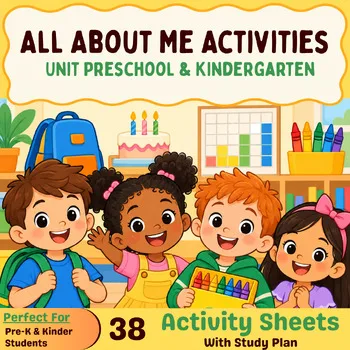
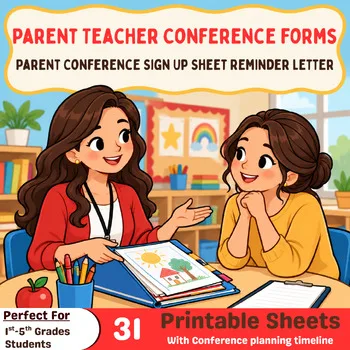
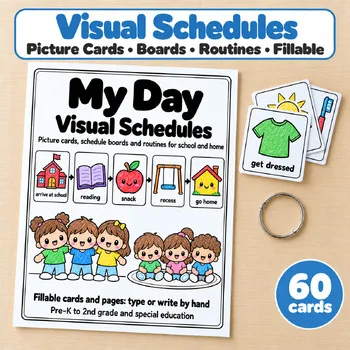
These Activity Express printables fit naturally on a class website: an All About Me page, conference sign-up forms, and the daily schedule families check each morning.
Frequently asked questions
What is the best free classroom website builder?
Google Sites is the best free starting point: it costs nothing, embeds Docs, Slides, Sheets, and Forms, and takes minutes to set up. Edublogs is the best free option when students will publish their own writing.
Can I use a custom domain with a free plan?
No. Google Sites needs Google Workspace for a custom domain, and Wix, WordPress.com, Weebly, and Strikingly all put custom domains on paid plans. Edublogs needs its $39.95-a-year Pro plan.
Which builder is best for student blogs?
Edublogs is built for teacher-managed student blogs, with privacy controls and a free plan. Fanschool (formerly Kidblog) is the other strong pick, with moderated portfolios and parent involvement.
Is Weebly still available for teachers?
Yes, in the United States. Square is winding Weebly down in 67 countries, but the US, UK, Canada, Australia, and Western Europe are not affected. New sites are steered toward Square Online, and the Weebly mobile app was pulled in December 2025.
Do I need to know code to build a class website?
No. Every builder on this list is drag-and-drop or form-based. Google Sites and Strikingly are the simplest; Wix and Squarespace add more design control without code.
Make a tool for teachers?
Built something teachers love? We keep these guides fresh, so send us a new tool, updated pricing or a featured spot request.
Request a listingDisclosure: no tool on this page paid to be included and we don't earn commissions from these links. Featured placements, if we ever offer them, will be clearly labeled "Sponsored". Details were checked on each provider's official website on November 13, 2026 and can change.