The class has finished its animal reports, and now every report needs a picture. One student found a perfect lion photo on a search engine, and it has a watermark across the middle. Another found a drawing on a random blog with no clue who owns it. The third just typed cute dog and printed the first result. This is the moment a list of free, legal image sites earns its keep.
This list collects image sites where a teacher or student can download a photo and use it in a class project without paying, signing up for a trial, or guessing about copyright. Every site here is free to use, and every one states its license in plain terms: free stock licenses, Creative Commons, or public domain. Some are huge libraries; two are small collections built for classrooms.
We checked every site on its official website on November 13, 2026, looking at what is actually free, what the license allows, and whether a student can find a picture without an account. Where a site did not state a price or a rule, we say so.
Key takeaways
- Pexels is free, and its license covers websites, print, and social media.
- Unsplash photos are free under the Unsplash License, with no attribution required; Unsplash+ is a separate paid collection.
- Pixabay covers photos, illustrations, vectors, videos, music, and sound effects under one free license.
- Wikimedia Commons holds more than 150 million freely usable files, each with its own license to check.
- Pics4Learning is the smallest library here and the only one built just for education.
Quick comparison
| # | Tool | Best for | Grades / audience | Pricing | Free plan |
|---|---|---|---|---|---|
| 1 |  Pexels |
everyday free photos and videos | All ages; classroom projects | Free | Yes |
| 2 |  Unsplash |
high-resolution photos | All ages; classroom projects | Free + paid | Yes |
| 3 | photos plus music, video, and illustrations | All ages; classroom projects | Free | Yes | |
| 4 | history, science, and reference images | All ages; research and history | Free | Free (nonprofit) | |
| 5 | Creative Commons search across many sources | All ages; classroom projects | Free | Yes | |
| 6 | copyright-safe images for young students | PreK–6; classroom projects | Free | Yes | |
| 7 | diverse photos of Black and Brown people | All ages; classroom projects | Free | Yes | |
| 8 | rights-free historical images | All ages; history and research | Free | Yes |
Make a tool for teachers?
Built something teachers love? We keep these guides fresh, so send us a new tool, updated pricing or a featured spot request.
Request a listingThe 8 best picks
- Pricing
- Free
- Free plan
- Yes
- Grades / audience
- All ages; classroom projects
Pexels is a free stock photo and video library where photographers share their work for anyone to download and use. A teacher can search for a subject, download a photo in seconds, and drop it into a slideshow, worksheet, or class website. The library covers everyday subjects like animals, food, seasons, and cities, so it fits most classroom projects.
What we like
- Free photos and videos, all downloadable without payment
- License covers websites, blogs, apps, print, and social media
- Search covers everyday classroom subjects from animals to seasons
- Video clips sit beside photos, so one search covers both
Watch out for
- Some photos show recognizable people, brands, or artwork, so pick images that fit a school setting
- The free license does not cover selling an unaltered photo as a product
Pricing: Free, with no subscription and no payment for downloads.
- Pricing
- Free + paid
- Free plan
- Yes
- Grades / audience
- All ages; classroom projects
Unsplash is a large library of high-resolution photos shared by photographers around the world. Its free photos can be downloaded and used for personal and commercial purposes without permission or attribution, under the Unsplash License. Teachers use it when a project needs one strong, beautiful image rather than a dozen ordinary ones.
What we like
- Free high-resolution photos under the Unsplash License
- Commercial use included, with no attribution required
- Search by subject across a large photographer community
- Unsplash+ adds a separate members-only collection
Watch out for
- Photos cannot be sold without significant modification, and cannot be compiled into a competing image service
- Unsplash does not guarantee that people or property visible in a photo have cleared their rights
Pricing: Free to download and use under the Unsplash License; Unsplash+ is a separate paid subscription, and its price was not stated on the official site.
- Pricing
- Free
- Free plan
- Yes
- Grades / audience
- All ages; classroom projects
Pixabay is a free media library that covers photos, illustrations, vector graphics, videos, music, sound effects, and more, all under one license. A class making a video can find the pictures, the background music, and the sound effects in the same search. The Pixabay Content License allows free use for personal and commercial projects without attribution.
What we like
- Photos, illustrations, vectors, videos, music, and sound effects in one place
- Free for commercial and non-commercial use, with no attribution required
- Illustrations and vectors work well for worksheets and slides
- Music and sound effects for class videos
Watch out for
- Sponsored partner tiles in search results are not Pixabay media and are not covered by the free license
- AI-generated images sit alongside photographs in the library, so check what you are downloading
Pricing: Free. There is no subscription, and downloads cost nothing.
- Pricing
- Free
- Free plan
- Free (nonprofit)
- Grades / audience
- All ages; research and history
Wikimedia Commons is a collection of more than 150 million freely usable media files, run by the nonprofit behind Wikipedia. It holds photographs, maps, diagrams, videos, sounds, and 3D models, with strong coverage of history, science, animals, and places. Every file carries its own free license, so the license to check is the one on the file page, not a single site-wide rule.
What we like
- More than 150 million freely usable media files
- Images, videos, sounds, and 3D models in one collection
- Featured and quality image collections for strong examples
- Browse by topic, from animals and fossils to flags and maps
Watch out for
- License terms differ from file to file, and some require attribution
- The search is built for a huge archive, so a simple subject search can return a long, mixed list
Pricing: Free. Wikimedia Commons is run by a nonprofit and costs nothing to use.
- Pricing
- Free
- Free plan
- Yes
- Grades / audience
- All ages; classroom projects
Openverse is a search engine for openly licensed images and audio, built by WordPress as the successor to Creative Commons Search. It searches across more than 800 million works from public repositories and the Common Crawl dataset, and every result is under a Creative Commons license or in the public domain. A one-click attribution tool copies the credit line for the work you choose.
What we like
- More than 800 million openly licensed images and audio tracks
- One-click attribution copies the credit line for a work
- Searches many public repositories at once
- Video results come through linked external sources
Watch out for
- Licensing information is not verified per work, so a result still needs a quick license check
- Audio is the only other media type searched directly; video comes from external sources
Pricing: Free. Openverse is a free search tool with no account and no subscription.
- Pricing
- Free
- Free plan
- Yes
- Grades / audience
- PreK–6; classroom projects
Pics4Learning is a curated image library built for education, run by Tech4Learning. Teachers and students can use its copyright-friendly photos and illustrations for classroom projects, websites, videos, and portfolios. The collection is organized into school-friendly categories such as animals, countries, food, education, space, geography, biomes, and weather.
What we like
- Curated photos and illustrations that are safe and free for education
- Categories built around school subjects, from biomes to space
- Images can be used for class projects, websites, videos, and portfolios
- Teachers and students can contribute their own images
Watch out for
- The collection is small, so search a broad subject before a narrow one
- New images depend on contributors, so the library grows slowly
Pricing: Free. Pics4Learning is a user-supported collection with no charge to use.
- Pricing
- Free
- Free plan
- Yes
- Grades / audience
- All ages; classroom projects
Nappy is a small stock photo site with one clear focus: beautiful photos of Black and Brown people, free to download and use. It fills a gap the big libraries leave open, where a search for everyday people often returns the same few faces. Teachers use it when a project, poster, or slideshow needs photos that look like the students in the room.
What we like
- Free photos of Black and Brown people
- Browse by trending topics on the homepage
- Photos cover everyday life, work, family, and celebration
- A small, focused library that is quick to search
Watch out for
- The collection is narrow by design, so unusual subjects may not be covered
- Photos show real people, so choose images that fit the classroom context
Pricing: Free. Photos on Nappy are free to download and use.
- Pricing
- Free
- Free plan
- Yes
- Grades / audience
- All ages; history and research
The Library of Congress Free to Use and Reuse page gathers more than 100 sets of rights-free images from the nation's oldest federal cultural institution. Each set holds 25 to 50 historical photographs, posters, maps, or movies, grouped by topic, from classic children's books and the Civil War to dinosaurs, dragons, and jazz. The images come mostly from the Prints and Photographs Division and are free to use in student projects.
What we like
- More than 100 sets of rights-free images, 25 to 50 items each
- Historical photographs, posters, maps, and movies
- Topics from the Civil War and baseball cards to dragons and dinosaurs
- Sets built for browsing, with a short introduction to each topic
Watch out for
- Older items can carry historical wording that needs context before sharing with a class
- Each set is a small selection, so a deep research topic may need the main Library catalog too
Pricing: Free. The Library of Congress is a public institution and the images cost nothing to use.
How we chose
We started from tools PreK–6 teachers actually use and checked every one against its official website, pricing page and feature pages on November 13, 2026. We kept tools that fit elementary classrooms, noted whether a free plan exists, and wrote down honest limitations next to the strengths. Nobody paid to be included, and we don't use affiliate links on this page.
- Fit for PreK–6 classrooms, special education or homeschool
- Clear information on the official site about what the tool does and who it is for
- Free plan or free-for-teachers option noted where one exists
- Still active and maintained, with rebrands noted
How to choose the right tool
Start with the license, not the picture. A photo that is free to download is not always free to print on a poster and sell at a school fair. Pexels, Unsplash, and Pixabay all bar selling unaltered images; Wikimedia Commons and Openverse need a license check on each file.
Match the site to the subject: history belongs on the Library of Congress or Wikimedia Commons, everyday photos on Pexels, Unsplash, or Pixabay, and diverse faces on Nappy.
Teach students to read the license line. Openverse copies the attribution for you, and Wikimedia Commons shows the license on each file page. Make checking the license part of the assignment, not an afterthought.
Keep one site for the youngest students. Pics4Learning is curated for education, so a PreK–2 search stays inside safe, school-friendly images. Save the big open libraries for older students who can handle a mixed search.
Download the size you need. A small web image looks fine on a slide and blurry on a poster. Pick the largest download when a photo will be printed, and the smaller one when it only lives on screen.
Save the source with the photo. A file name that keeps the site and the photographer saves a scramble later when a parent or principal asks where an image came from.
Best pick by situation
- Your students need photos for animal reports and you want zero copyright worries: Pexels — free photos with a license that covers school websites and print
- You need one dramatic, high-resolution photo for a class slideshow: Unsplash — free high-resolution photos under a license that needs no attribution
- Your class video needs music and sound effects as well as pictures: Pixabay — photos, videos, music, and sound effects under one free license
- You teach history and need old photographs, posters, and maps: Library of Congress — more than 100 sets of rights-free historical images
- Your students keep finding images you cannot legally use: Pics4Learning — a curated library that is safe and free for education
- You need a photo of a Black or Brown person for a class project: Nappy — free photos of Black and Brown people
Pair it with printables
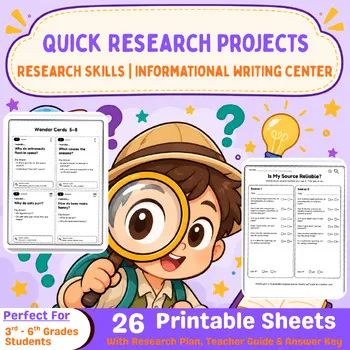
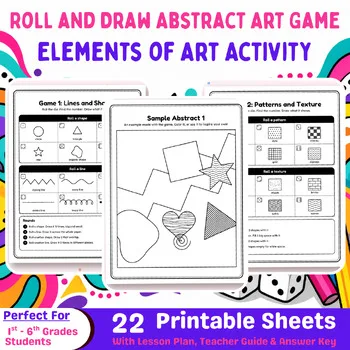
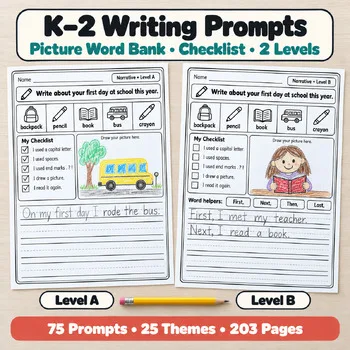
When the picture is found, these Activity Express printables give students the project, the art activity, or the writing prompt to put it in.
Frequently asked questions
Which free image site is safest for elementary students?
Pics4Learning, because it is curated for education and its images are copyright-friendly. The Library of Congress sets are also safe, since librarians chose them. The big stock sites suit older students with a teacher checking the search.
Do students need an account to download photos?
Browsing is free everywhere on this list, and most sites let you download without signing in. Pixabay asks for a free account for full-resolution downloads.
Can students use these photos in a project they publish online?
Yes, with the license in mind. Pexels, Unsplash, and Pixabay allow commercial and school use without attribution. Openverse and Wikimedia Commons need a license check on each file, and Openverse copies the attribution for you.
What is the difference between a stock photo site and Wikimedia Commons?
Stock sites like Pexels, Unsplash, and Pixabay host new photos under one site-wide license. Wikimedia Commons is an archive of more than 150 million files, each with its own license, and it is strongest for history, science, and reference images.
Can I print these photos for a classroom display?
Yes. Pexels, Unsplash, and Pixabay allow printing for school use, and the Library of Congress sets are rights-free. Do not sell an unaltered photo, and check the license note on any image from Openverse or Wikimedia Commons first.
Make a tool for teachers?
Built something teachers love? We keep these guides fresh, so send us a new tool, updated pricing or a featured spot request.
Request a listingDisclosure: no tool on this page paid to be included and we don't earn commissions from these links. Featured placements, if we ever offer them, will be clearly labeled "Sponsored". Details were checked on each provider's official website on November 13, 2026 and can change.