It is Friday afternoon, and the writing block is nearly over. One student has filled three pages, another is still staring at a blank one, and a third has drawn a dragon in the margin instead of writing a sentence. The difference is not talent. The student with three pages had a picture to start from, a voice to record, and a book to finish, and that is exactly what a good storytelling tool gives a stuck writer: a way in.
This list collects tools built for students making stories: picture books, comics, narrated tales, and puppet shows. Every tool here is made for young writers, not for adult authors or video editors, and each one was checked on its own official website on November 11, 2026. Some are free, some charge for printing or a classroom plan, and one works only on iPads.
We picked tools that fit PreK–6 classrooms and homeschool families, that a teacher can set up without a training day, and that let students finish something they can share. Where a site did not state a price, we say so instead of guessing, and where a once-popular tool has shut down or changed hands, we left it out.
Three familiar names are missing on purpose. Toontastic 3D, Little Bird Tales, and Shadow Puppet Edu all appear in older recommendation lists, but Toontastic's site now redirects to Google, Little Bird Tales now serves unrelated spam, and Shadow Puppet Edu's site no longer loads, so none of them belongs in a list a teacher will open tomorrow. If a colleague recommends one of them, check the link before you plan a lesson around it.
Key takeaways
- WriteReader and StoryJumper let a class start storytelling without paying.
- My Storybook is free to create and share, with an Educator plan at $28 a month for classroom printing.
- Pixton turns retells and reports into comics, with lesson ideas and a 30-day trial for teachers.
- Puppet Pals lets young children act out stories with puppets and record their voices, but it works on iPad and iPhone only.
- Printed books cost extra on StoryJumper and My Storybook, so check print prices before promising a copy to every child.
Quick comparison
| # | Tool | Best for | Grades / audience | Pricing | Free plan |
|---|---|---|---|---|---|
| 1 | turning student writing into real books | All ages, K–12 | Free + paid | Free for teachers | |
| 2 | young writers making their first books | PreK–3, early readers and writers | Freemium | Yes | |
| 3 | publishing a class storybook in print | Ages 7+ | Free + paid | Yes | |
| 4 | a free start with a printed book at the end | All ages | Freemium | Yes | |
| 5 | comics, storyboards, and graphic stories | Ages 9+ | Paid | Trial only | |
| 6 | acting out stories with puppets | PreK–5 | Freemium | Yes |
Make a tool for teachers?
Built something teachers love? We keep these guides fresh, so send us a new tool, updated pricing or a featured spot request.
Request a listingThe 6 best picks
- Pricing
- Free + paid
- Free plan
- Free for teachers
- Grades / audience
- All ages, K–12
Book Creator is an online book-making tool where students build pages from text, drawings, photos, audio, and video. A teacher sets up a library, students join with a QR code, and each child makes a book that can be published online, shared with a link, or printed as a PDF. It works for any subject: a story, a science report, a class anthology, or a portfolio that grows across the year.
What we like
- Starter plan free for individual teachers, with 1 library and up to 40 books
- Pages hold text, images, audio, and video; students can record themselves reading
- Publish books online, share a link to a single page, or print as a PDF
- Real-time collaboration, co-teachers, and a Class View on Premium
Watch out for
- Premium prices were not listed on the pricing page we checked.
- The free plan covers one library, so separate classes need separate libraries.
Pricing: Starter is free for individual teachers (1 library, up to 40 books); Premium adds unlimited libraries and 1,000 books, and school licenses are quoted, but no dollar price is listed.
- Pricing
- Freemium
- Free plan
- Yes
- Grades / audience
- PreK–3, early readers and writers
WriteReader is a book-making tool built for early literacy, where students write their own books page by page with pictures, voice recordings, and read-aloud support. It runs in any browser with no install, and teachers can follow progress, leave feedback, and print finished books as booklets for the classroom shelf. The method is grounded in the Science of Reading, with book templates that help early readers sound out words.
What we like
- Voice recording and read-aloud on every page
- Classroom monitoring, customization, and feedback on student writing
- Booklet printing to display finished books in the classroom
- Works in any browser with no install; COPPA, FERPA, and GDPR compliant
Watch out for
- The pricing page has moved, so confirm the current plans on WriteReader's site before budgeting.
- Booklet printing needs paper and printer time, so plan for it.
Pricing: WriteReader offers free and paid teacher plans, with school and district pricing by quote; dollar prices were not listed on the pages we checked.
- Pricing
- Free + paid
- Free plan
- Yes
- Grades / audience
- Ages 7+
StoryJumper turns students into published authors. They write, illustrate, and narrate a storybook page by page, then share it online or order a printed copy to hold. Children can design custom characters, upload their own pictures, record their voice on each page, and co-author a book with classmates. The printed copy matters: children who have held their own hardcover book take the next draft more seriously.
What we like
- Free to create and share books online, with templates to start from
- Custom characters, uploaded images, and voice narration on every page
- Class projects where students co-author one book together
- Printed hardcover and paperback books, plus PDF and video downloads
Watch out for
- There is no freehand drawing tool, so drawings must be made elsewhere and uploaded.
- A PDF download costs $2.99, so free sharing means reading on screen.
Pricing: Creating and sharing books online is free; a hardcover is $27.99 for up to 16 pages, a paperback $14.99, and a PDF eBook $2.99.
- Pricing
- Freemium
- Free plan
- Yes
- Grades / audience
- All ages
My Storybook is a simple online storybook maker where writers of any age write pages, add illustrations and characters, and share the finished book. It takes very little setup: students create a storybook, write and illustrate it, and share it with a link. The Educator plan adds classroom tools and printing for every student, and a finished book can become a booklet printed at home or a Photobook ordered through Google Photos.
What we like
- Create and share storybooks for free, with writing, illustrations, and characters
- Educator plan with classroom tools and printing for all students
- Print a booklet at home or order a Photobook through Google Photos
- 30-day money-back guarantee on paid plans
Watch out for
- The Educator plan is $28 a month, so it costs more than some classroom tools.
- Printed Photobooks go through Google Photos, which needs a Google account.
Pricing: Creating and sharing stories is free; the Author plan starts at $10 a month and the Educator plan is $28 a month, with a 7-day free trial.
- Pricing
- Paid
- Free plan
- Trial only
- Grades / audience
- Ages 9+
Pixton is a comic-making platform where students build comics, graphic novels, storyboards, and books from drawn characters, backgrounds, and props. Teachers use it for retells, story structure, and writing across subjects. The site offers lesson modules, story starters, and webinars, so a class can start with a guided comic before anyone works alone.
What we like
- Comic maker with characters, outfits, expressions, actions, and backgrounds
- Lesson modules, story starters, and classroom ideas for every subject
- 30-day trial for new educator accounts
- School and district plans with implementation support
Watch out for
- School and district pricing is by quote, so there is no published price to compare.
- Students work with Pixton's own characters and backgrounds, not their own drawings.
Pricing: New educator accounts get a 30-day trial; after that, educator plans are paid subscriptions and school pricing is by quote, with no dollar price listed.
- Pricing
- Freemium
- Free plan
- Yes
- Grades / audience
- PreK–5
Puppet Pals is an iPad and iPhone app where children pick puppet characters and backdrops, move them around the screen, and record their own voices to act out a story. There is no account to set up, so a young child can start in minutes, and the finished show saves as a video to share with families. A School Edition is sold for classroom use.
What we like
- Animated stories made by moving puppets and recording voices
- Puppet characters and backdrops to choose from, with extra content in the app
- No account or sign-up needed to start telling a story
- School Edition made for classroom use
Watch out for
- The app is iOS only, so a class without iPads cannot use it.
- The Puppet Pals website now redirects to an empty landing page, so check the developer's site for news.
Pricing: Puppet Pals 2 is free to download, with extra characters and content as in-app purchases, and a paid School Edition in the App Store; Polished Play's site does not list prices.
How we chose
We started from tools PreK–6 teachers actually use and checked every one against its official website, pricing page and feature pages on November 11, 2026. We kept tools that fit elementary classrooms, noted whether a free plan exists, and wrote down honest limitations next to the strengths. Nobody paid to be included, and we don't use affiliate links on this page.
- Fit for PreK–6 classrooms, special education or homeschool
- Clear information on the official site about what the tool does and who it is for
- Free plan or free-for-teachers option noted where one exists
- Still active and maintained, with rebrands noted
How to choose the right tool
Start with the story, not the format. If the goal is writing, pick a book maker such as Book Creator, WriteReader, or StoryJumper. If the goal is retelling, a comic tool such as Pixton fits better. If the goal is speaking, Puppet Pals lets children perform the story instead of writing it.
Match the tool to the youngest writer in the room. Puppet Pals and WriteReader suit PreK and early elementary children, while Pixton and StoryJumper fit older students who can handle more steps. When in doubt, try the simpler tool first: a finished short story beats an abandoned ambitious one.
Check what is actually free before you plan a unit. WriteReader, StoryJumper, and My Storybook are free to start, and Book Creator's Starter plan is free for one teacher. Pixton needs a paid plan after its trial, so do not build a term around it without a budget. Run one lesson on the trial before you ask anyone for money.
Count the devices before you count the students. Book Creator, WriteReader, StoryJumper, My Storybook, and Pixton all run in a browser on Chromebooks and computers. Puppet Pals runs on iPad and iPhone only, so it is the wrong pick for a Chromebook classroom.
Decide about printing early. A digital book costs nothing to share, but a printed copy does not. StoryJumper lists its print prices up front, and My Storybook prints through Google Photos or a home printer. If every child is promised a book to take home, agree the budget first.
Plan the sharing step, not just the making step. A story that only the teacher sees is a draft, not a publication. Pick a tool whose finished work can be read aloud, shown on the screen, or sent home, and set aside ten minutes for a real audience.
Best pick by situation
- Your reluctant writers will not start a story: My Storybook — they write and illustrate a simple book in one lesson
- You want every student to publish a real book: Book Creator — libraries, QR-code join, and online publishing or PDF printing
- Your youngest students are telling stories out loud: Puppet Pals — they move puppets and record their voices, with no account needed
- Your class is retelling a story as a comic: Pixton — characters, panels, and story starters built for retells
- You want a printed book for each child to take home: StoryJumper — hardcover and paperback printing from $14.99
- You need a free book-making tool that works in any browser: WriteReader — free and paid plans, no install, with read-aloud built in
Pair it with printables
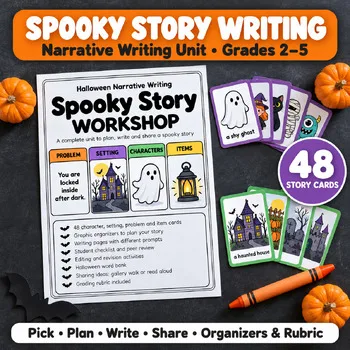
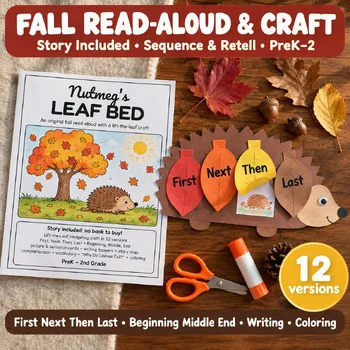
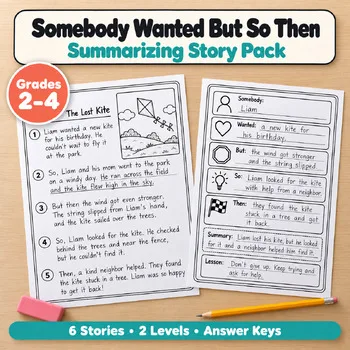
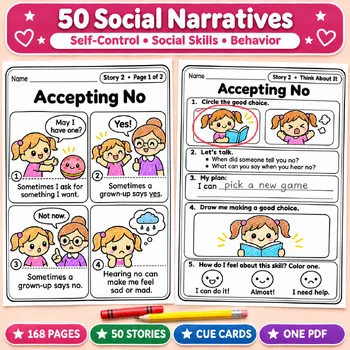
Before students open a storytelling app, these Activity Express printables help them plan, retell, and draft the story on paper.
Frequently asked questions
Which storytelling tool is completely free?
StoryJumper and My Storybook are free for creating and sharing books online, and Book Creator's Starter plan is also free for individual teachers. WriteReader offers free and paid plans. Printing, extra books, and classroom extras are where the paid plans begin.
What is the best storytelling tool for kindergarten and first grade?
Puppet Pals suits the youngest storytellers, because children act out a story with puppets and record their voices instead of typing. WriteReader is the best book-making pick for early readers, with pictures, voice recording, and read-aloud support. Both work with very little setup, which matters when the class is young.
Can students print their stories as real books?
Yes. StoryJumper prints hardcover books from $27.99 and paperbacks from $14.99, both for up to 16 pages. My Storybook prints a booklet at home or a Photobook through Google Photos, and Book Creator prints any book as a PDF. Order one copy first to check quality before ordering a class set.
Do these tools work on Chromebooks?
Book Creator, WriteReader, StoryJumper, My Storybook, and Pixton all run in a web browser, so they work on Chromebooks and computers. Puppet Pals is the exception: it runs on iPad and iPhone only. All five browser tools need an internet connection and a class login, so check your school's sign-in rules first.
Which tool is best for turning a story into a comic?
Pixton. Students build comics, graphic novels, and storyboards from drawn characters, backgrounds, and props, and the site adds lesson modules and story starters for retells. Book Creator can also hold a comic, but Pixton is built for panels, speech, and visual storytelling.
Make a tool for teachers?
Built something teachers love? We keep these guides fresh, so send us a new tool, updated pricing or a featured spot request.
Request a listingDisclosure: no tool on this page paid to be included and we don't earn commissions from these links. Featured placements, if we ever offer them, will be clearly labeled "Sponsored". Details were checked on each provider's official website on November 11, 2026 and can change.