The question is not whether an elementary classroom needs a learning management system. It is which one, because the wrong choice means a teacher spends the year fighting the platform instead of teaching. A good LMS puts assignments, grades, and family messages in one place that a seven-year-old can actually use.
This list covers the systems that genuinely serve elementary classrooms, from free classroom hubs to full district platforms. Some are free for a single teacher, some are school purchases priced by quote, and two are built specifically for young learners. Every entry was checked on its official website.
We checked every tool on its official website on November 13, 2026, looking at the free plan, the price, and the features an elementary teacher actually touches: assignments, grading, portfolios, and parent communication. Where a site did not state a price, we say so.
Key takeaways
- Google Classroom is free and the best starting point for most elementary schools.
- Seesaw is the pick for PreK–2, with portfolios and family sharing.
- Schoology Basic and Canvas Lite are free ways into a full LMS.
- Moodle is free open-source software, with hosting from $160 a year.
- Otus and Itslearning are school purchases, priced by quote.
Quick comparison
| # | Tool | Best for | Grades / audience | Pricing | Free plan |
|---|---|---|---|---|---|
| 1 | schools already using Google | K–12 | Free | Yes | |
| 2 | young learners and family sharing | PreK–6 | Free + paid | Free for teachers | |
| 3 | a full LMS with a free start | K–12 | Free + paid | Yes | |
| 4 | a full LMS with strong grading | K–12 | Free + paid | Free for teachers | |
| 5 | schools that want full control | K–12 and beyond | Free + paid | Yes | |
| 6 | schools already using Microsoft 365 | K–12 | Free | Yes | |
| 7 | standards-based grading in one place | K–12 | School license | No | |
| 8 | lesson planning tied to grading | K–12 | School license | No |
Make a tool for teachers?
Built something teachers love? We keep these guides fresh, so send us a new tool, updated pricing or a featured spot request.
Request a listingThe 8 best picks
- Pricing
- Free
- Free plan
- Yes
- Grades / audience
- K–12
Google Classroom is Google's free classroom hub for schools using Google Workspace for Education. Teachers post assignments, grade work with rubrics, and keep a gradebook, while students turn work in from Docs, Drive, and Forms. It is the simplest system on this list, and for many elementary schools it is all the LMS they need.
What we like
- Assignments, grading, rubrics, and a gradebook in one place
- Connects with Docs, Drive, Forms, Sites, and Gmail
- Students see due dates and their grades in the class stream
- Class rosters sync with the school's Google accounts
Watch out for
- It is not a full LMS — there is no built-in SIS or parent portal beyond Guardian summaries.
- A school needs Google Workspace for Education to use it.
Pricing: Free for schools with Google Workspace for Education.
- Pricing
- Free + paid
- Free plan
- Free for teachers
- Grades / audience
- PreK–6
Seesaw is a digital portfolio and family communication platform built for younger students. Children post drawings, photos, voice recordings, and videos, and families see the work and message the teacher in the same app. The free Starter plan covers individual teachers, while paid plans are school and district licenses quoted by enrollment.
What we like
- Students post drawings, photos, voice recordings, and videos to a portfolio
- Families see work and message the teacher in the app
- Teachers can assign activities and give feedback
- Works on tablets, Chromebooks, and computers
Watch out for
- The free Starter plan was rescoped on June 30, 2026, so some features moved to paid plans.
- Paid plans are school or district licenses only — a single teacher cannot buy an upgrade.
Pricing: Free Starter plan for individual teachers; school and district plans are licensed by enrollment, with no individual teacher upgrade.
- Pricing
- Free + paid
- Free plan
- Yes
- Grades / audience
- K–12
Schoology, now part of PowerSchool, is a full learning management system for K–12. The free Basic plan covers course management, assignments, and a gradebook for individual teachers, while Enterprise adds SIS integration, analytics, standards alignment, and admin tools for whole schools and districts.
What we like
- Courses, assignments, discussions, and a gradebook
- Assessment tools with standards alignment
- Groups for classes, clubs, and professional learning
- Mobile apps for teachers, students, and families
Watch out for
- The free Basic plan lacks SIS integration, analytics, and admin tools.
- Enterprise pricing is by quote, so the cost is not public.
Pricing: Basic is free; Enterprise is priced by quote.
- Pricing
- Free + paid
- Free plan
- Free for teachers
- Grades / audience
- K–12
Canvas by Instructure is a full learning management system used by schools and districts, with modules, assignments, a gradebook, and SpeedGrader for fast feedback. Individual educators can use Canvas Lite for free, while the full Canvas LMS is a school purchase priced by quote.
What we like
- Modules that organize lessons, files, and assignments in order
- Gradebook with SpeedGrader for fast feedback
- Quizzes, discussions, and rubrics built in
- Canvas Lite is free for individual educators
Watch out for
- The full Canvas LMS is a school purchase, not a single-teacher subscription.
- Setting up a full Canvas course takes more time than a lighter tool like Google Classroom.
Pricing: Canvas Lite is free for individual educators; the full Canvas LMS for schools is priced by quote.
- Pricing
- Free + paid
- Free plan
- Yes
- Grades / audience
- K–12 and beyond
Moodle is free, open-source learning management software under the GPL, and it is the only system on this list a school can own outright. Schools can host it themselves or use MoodleCloud, which starts at $160 a year for 50 users and runs to $2,090 a year for 750 users with a custom domain. It covers courses, quizzes, assignments, forums, and a gradebook.
What we like
- The software itself is free and open source under the GPL
- Courses, quizzes, assignments, forums, and a gradebook
- MoodleCloud hosting starts at $160 a year for 50 users
- Thousands of plugins for self-hosted sites
Watch out for
- MoodleCloud has no permanent free plan, only a free trial.
- MoodleCloud prices are listed in Australian dollars on the official site, and custom plugins are not allowed on hosted plans.
Pricing: The Moodle software is free and open source; MoodleCloud hosting starts at $160 a year for 50 users.
- Pricing
- Free
- Free plan
- Yes
- Grades / audience
- K–12
Microsoft Teams for Education is the classroom hub inside Microsoft 365 Education, free with an A1 licence for eligible schools. Each class team has Assignments with a Grades tab, a OneNote Class Notebook with a content library and private sections for every student, plus channels, chat, and video meetings in the same app.
What we like
- Assignments with due dates, rubrics, and a Grades tab
- OneNote Class Notebook with a content library and private student sections
- Class channels, chat, and video meetings in one app
- Free with Microsoft 365 Education A1 for eligible schools
Watch out for
- It works best inside Microsoft 365; schools on Google Workspace will find less value.
- The interface is busy, with channels, tabs, and apps competing for attention.
Pricing: Free with Microsoft 365 Education A1 for eligible schools.
- Pricing
- School license
- Free plan
- No
- Grades / audience
- K–12
Otus is a K–12 learning management system built around assessment and data. Its standards-based gradebook tracks mastery rather than points, and assessments, rubrics, analytics, and family communication sit in the same platform. It is sold to schools and districts on custom pricing, with no free plan or free trial.
What we like
- A standards-based gradebook that tracks mastery, not just points
- Assessments, rubrics, and analytics in the same platform
- Family and student portals for grades and messages
- Integrates with common student information systems
Watch out for
- There is no free plan or free trial, so a school commits before trying it.
- It is a district purchase, not a tool a single teacher can buy.
Pricing: Pricing is by quote; no public prices on the official site.
- Pricing
- School license
- Free plan
- No
- Grades / audience
- K–12
Itslearning is a European learning management system designed for teaching. Lesson plans link to assignments and an exportable gradebook, and parent communication and a planner sit in the same platform. Pricing is a yearly licence fee based on the number of users, quoted per school, with no free version or free trial.
What we like
- Lesson plans linked to assignments and the gradebook
- Exportable gradebook and assessment tools
- Parent communication and a planner in one place
- Integrates with Google Workspace, Microsoft 365, and Teams
Watch out for
- No free version or free trial, so schools buy before they can try it in class.
- The gradebook and planner are built for school-wide use, so a single teacher gains less from it.
Pricing: Pricing is by quote — a yearly licence fee based on the number of users; no public prices on the official site.
How we chose
We started from tools PreK–6 teachers actually use and checked every one against its official website, pricing page and feature pages on November 13, 2026. We kept tools that fit elementary classrooms, noted whether a free plan exists, and wrote down honest limitations next to the strengths. Nobody paid to be included, and we don't use affiliate links on this page.
- Fit for PreK–6 classrooms, special education or homeschool
- Clear information on the official site about what the tool does and who it is for
- Free plan or free-for-teachers option noted where one exists
- Still active and maintained, with rebrands noted
How to choose the right tool
Start with what your school already runs. A Google school gets the most from Google Classroom, a Microsoft school from Teams for Education, and a school with a student information system from an LMS that integrates with it, such as Schoology, Canvas, or Otus. Fighting the school's platform costs more time than any feature saves.
Match the LMS to the age of the students. PreK–2 children need big buttons, drawings, voice recordings, and family sharing — that is Seesaw's home ground. Older elementary students can handle assignments, quizzes, and a gradebook, which is where Google Classroom, Schoology, and Canvas shine.
Check the free tier before you plan a lesson around it. Google Classroom, Seesaw Starter, Schoology Basic, and Canvas Lite are free, but each has limits. Seesaw's paid plans are school licenses only, and Canvas Lite is not the full Canvas LMS, so know where the free tier ends.
Ask who does the setup. Google Classroom and Seesaw take minutes for one teacher. Canvas, Moodle, Otus, and Itslearning are school-wide systems that need an administrator, training, and time. A single teacher should not adopt a district LMS alone.
Think about grading from day one. If your school grades by standards, Otus and Canvas handle standards-based grading well. If parents expect to see grades online, check that the LMS has a family portal or guardian summaries before you commit.
Best pick by situation
- Your school runs on Google Workspace: Google Classroom — assignments, grading, and Docs in one place
- You teach PreK–2 and want families to see the work: Seesaw — portfolios children can build with drawings and voice
- You need a full LMS but have no budget yet: Schoology — Basic is free, with courses, assignments, and a gradebook
- You want strong grading tools for older elementary students: Canvas — Gradebook and SpeedGrader for fast feedback
- Your school wants to own its LMS outright: Moodle — free open-source software, with low-cost hosting
- Your school runs on Microsoft 365: Microsoft Teams for Education — Assignments and Class Notebook in one app
- You grade by standards, not points: Otus — a standards-based gradebook tied to assessments
Pair it with printables
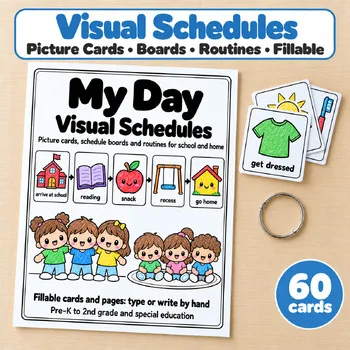
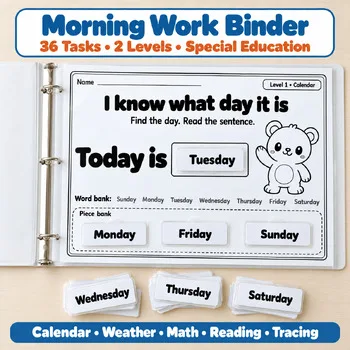
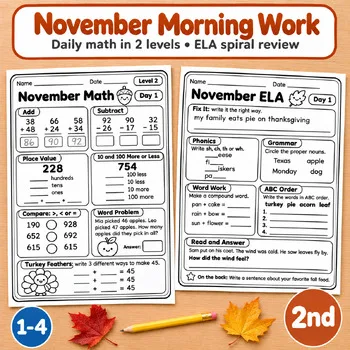
Morning work and daily schedules are the assignments elementary teachers post first in an LMS — these Activity Express printables are ready to upload.
Frequently asked questions
Which LMS is best for elementary school?
Google Classroom is the best starting point for most elementary schools, because it is free and built around assignments and grading. Seesaw is the better pick for PreK–2, where portfolios and family sharing matter more than a gradebook.
Is there a free LMS for elementary teachers?
Yes. Google Classroom is free for schools with Google Workspace for Education, Seesaw has a free Starter plan for individual teachers, Schoology Basic is free, and Canvas Lite is free for individual educators. Microsoft Teams for Education is free for eligible schools.
What is the difference between Google Classroom and a full LMS?
Google Classroom is a classroom hub for assignments, grading, and communication. A full LMS such as Schoology, Canvas, or Moodle adds course structures, a deeper gradebook, SIS integration, and school-wide administration — and usually needs a school purchase.
Can parents see their child's work in an LMS?
Seesaw is built for it, with family accounts that show portfolios and messages. Schoology and Canvas have family access, and Google Classroom sends Guardian summaries. Otus and Itslearning include parent communication too.
Do I need an LMS if my school already uses Google Classroom?
Not necessarily. Google Classroom covers assignments and grading for most elementary classes. A full LMS earns its place when a school needs course templates, standards-based reporting, or one system for every grade level.
How much does an LMS cost for a school?
It varies widely. Google Classroom, Seesaw Starter, Schoology Basic, and Canvas Lite are free to start. MoodleCloud hosting starts at $160 a year. Schoology Enterprise, Canvas, Otus, and Itslearning are priced by quote, so the cost depends on the size of the school.
Make a tool for teachers?
Built something teachers love? We keep these guides fresh, so send us a new tool, updated pricing or a featured spot request.
Request a listingDisclosure: no tool on this page paid to be included and we don't earn commissions from these links. Featured placements, if we ever offer them, will be clearly labeled "Sponsored". Details were checked on each provider's official website on November 13, 2026 and can change.