Keeping families in the loop takes more time than most teachers expect. Reminders about field trips, photos from a science lesson, a quick note about a tough day, conference sign-ups: it adds up, and it gets harder when families speak different languages or do not check email. On the other side of the table, homeschooling parents need their own way to plan lessons, track attendance, and keep records.
This list covers both groups. The first six tools help classroom teachers, schools, and preschools talk with families, from free class messaging apps to district platforms with translation and forms. The last three are homeschool planners that handle scheduling, grades, and transcripts for families teaching at home.
We checked each tool on its official website on October 29, 2026, and kept PreK–6 teachers and families in mind. We note which tools are free for teachers, which are sold to schools by quote, and which offer only a free trial.
Key takeaways
- Free for classroom teachers: ClassDojo, plus a free Seesaw teacher account and free Remind Chat.
- Best for multilingual families without smartphones or apps: TalkingPoints, which works over text with human and AI translation.
- Remind is now part of ParentSquare; K-12 schools and districts are directed to ParentSquare.
- Bloomz, TalkingPoints, and brightwheel are sold to schools or centers, with pricing by quote or on request.
- The three homeschool planners offer free trials, then paid monthly or yearly plans; My School Year lists unlimited students.
Quick comparison
| # | Tool | Best for | Grades / audience | Pricing | Free plan |
|---|---|---|---|---|---|
| 1 | free class messaging, photos, and points | K–12 teachers and families | Free + paid | Free for teachers | |
| 2 | student portfolios families actually see | PreK–6 | Freemium | Free for teachers | |
| 3 | multilingual families who prefer text | PreK–12 schools and families | School license | unverified | |
| 4 | simple free group messaging | Teachers, coaches, and youth organizations | Free + paid | Yes | |
| 5 | schools wanting one communication platform | K–12 schools, preschools, Head Start | School license | unverified | |
| 6 | preschool reports, check-in, and billing | Preschools and childcare (PreK) | Paid | unverified | |
| 7 | pre-built lesson plans for popular curricula | Homeschool families | Paid | Trial only | |
| 8 | simple, low-cost homeschool record keeping | Homeschool families | Paid | Trial only | |
| 9 | multi-child families who need transcripts | Homeschool families, through high school | Paid | Trial only |
Make a tool for teachers?
Built something teachers love? We keep these guides fresh, so send us a new tool, updated pricing or a featured spot request.
Request a listingThe 9 best picks
- Pricing
- Free + paid
- Free plan
- Free for teachers
- Grades / audience
- K–12 teachers and families
ClassDojo is a classroom app that connects teachers with families through messages, a private class feed, and student portfolios. An elementary teacher might post photos from a morning activity, give points for class expectations, and message a parent about a pickup change, all from a phone.
What we like
- Messaging between teachers, families, and staff, with automatic translation into 190+ languages
- Class Story feed for photos, videos, and updates that families can view
- Student portfolios so children can share their own work with family
- Shared event calendar with automatic reminders, plus a Teacher Toolkit with timers and attendance sheets
Watch out for
- Points systems are a classroom management choice; decide how visible you want them to be to families.
- Check whether your school already uses a school-wide ClassDojo setup before starting your own class.
Pricing: Free for teachers; ClassDojo Plus is an optional paid subscription for families, with a 7-day free trial and no price shown.
- Pricing
- Freemium
- Free plan
- Free for teachers
- Grades / audience
- PreK–6
Seesaw is an elementary learning platform built around student portfolios, family messaging, and instruction. Young students can snap a photo of a math mat or record themselves reading, and families see that work along with teacher messages that can be translated.
What we like
- Student portfolios designed for PreK–6 that show growth year over year
- Voice recording and photo and video capture of student work
- Family messaging and announcements with translation
- Integrations with Google Classroom, Canvas, Schoology, and Microsoft sign-in
Watch out for
- The homepage does not state the limits of the free teacher account.
- Many features, such as standards-based reporting, are part of school and district products.
Pricing: A free teacher account is available; school and district packages are listed on a separate pricing page without prices on the homepage.
- Pricing
- School license
- Free plan
- unverified
- Grades / audience
- PreK–12 schools and families
TalkingPoints is a nonprofit family engagement platform built around translated two-way messaging. Families receive and reply to messages by text, so a teacher can reach a parent who has no app, Wi-Fi, or email, and both sides read the conversation in their own language.
What we like
- Translation in 150+ languages using human and AI-powered translation
- One-way and two-way messaging between schools and families
- Works by text message, with no app, Wi-Fi, email, or login needed for families
- Run by a 501(c)(3) nonprofit
Watch out for
- Pricing requires a quote request.
- It focuses on communication, not portfolios or classroom management.
Pricing: Pricing is by quote for districts, schools, and classrooms.
- Pricing
- Free + paid
- Free plan
- Yes
- Grades / audience
- Teachers, coaches, and youth organizations
Remind is a messaging service for teachers, coaches, and organizations to reach families and students. A teacher or coach can use free Remind Chat for small-group and two-way messages with real-time notifications and translation, while youth organizations can move up to the paid Remind Hub.
What we like
- Remind Chat offers free two-way messaging in families' preferred languages
- Real-time notifications on any device
- Small-group communication in Chat
- Remind Hub adds oversight controls and message history logs for organizations
Watch out for
- If your school uses ParentSquare, check whether you should use it instead of a separate Remind account.
- Hub is aimed at organizations outside K-12, such as sports programs and nonprofits.
Pricing: Remind Chat is free; Remind Hub pricing is through sales.
- Pricing
- School license
- Free plan
- unverified
- Grades / audience
- K–12 schools, preschools, Head Start
Bloomz is a school communication and engagement platform that combines messaging, conference scheduling, forms, behavior tools, and more. At the classroom level, a teacher can use it to send translated class posts, schedule parent-teacher conferences, and collect signed permission slips.
What we like
- Messages in 250+ languages across app, push, email, and SMS
- Parent-teacher conference scheduling and volunteer coordination
- Forms, polls, and eSignatures, including permission slips with payment
- PBIS tools with recognition points and SEL check-ins
Watch out for
- The homepage lists no free plan or specific prices.
- The full platform includes many modules, which can be more than a single classroom needs.
Pricing: Sold to schools and districts, with pricing on request.
- Pricing
- Paid
- Free plan
- unverified
- Grades / audience
- Preschools and childcare (PreK)
brightwheel is a childcare management platform for preschools, childcare centers, in-home providers, and camps. Staff record activities through the day and send daily reports, photos, and messages to families, while directors handle check-in, attendance, and billing in the same system.
What we like
- Messaging with families plus shared milestones, photos, and videos
- Daily reports of each child's activities
- Digital check-in, attendance, health checks, and room ratio tracking
- Automated invoices, online family payments, and lesson planning tools
Watch out for
- Subscription prices are not listed on the homepage.
- Most features are center-wide, so the decision usually sits with a director, not a single teacher.
Pricing: Pricing varies and is available on request or on the pricing page.
Homeschool Planet
Best for: pre-built lesson plans for popular curricula
- Pricing
- Paid
- Free plan
- Trial only
- Grades / audience
- Homeschool families
Homeschool Planet is an online planner that keeps home, school, and work schedules in one calendar. A parent can load a lesson plan for a published curriculum, let assignments reschedule themselves when a day is missed, and track grades and attendance for report cards and transcripts.
What we like
- Over 4,000 integrated lesson plans for popular homeschool curricula, plus a Lesson Plan Marketplace
- Assignments that reschedule themselves when plans change
- Grades, attendance, report cards, and transcripts
- Mobile app for checking off assignments
Watch out for
- Marketplace lesson plans are only useful if you use one of the supported curricula.
- Direct homeschool support during the school year is listed as an annual-member benefit.
Pricing: 30-day free trial with no credit card, then $9.95 per month or $84.95 per year.
Homeschool Manager
Best for: simple, low-cost homeschool record keeping
- Pricing
- Paid
- Free plan
- Trial only
- Grades / audience
- Homeschool families
Homeschool Manager is browser-based software for scheduling, grading, and record keeping. Parents drag lessons to a new day when life happens, print a weekly checklist for students to mark off, and keep report cards, transcripts, and attendance ready for an evaluator.
What we like
- Weekly schedule with drag-and-drop rescheduling and printable student checklists
- Gradebook with a dashboard of overdue and ungraded work
- Attendance, book lists, and volunteer hour logs
- Report cards and transcripts you can print for evaluators
Watch out for
- The pricing page does not state how many students each plan includes.
- Returning customers who already used a trial do not get another.
Pricing: 30-day free trial for new accounts, then $5.99 per month or $49 per year.
- Pricing
- Paid
- Free plan
- Trial only
- Grades / audience
- Homeschool families, through high school
My School Year is an online homeschool planner and record keeper that covers lesson planning, attendance, grading, and high school transcripts. A parent with several children can track each one's progress on homeroom charts and send daily or weekly lesson plan emails to each student.
What we like
- Unlimited students on one account
- Lesson plan tools with daily or weekly lesson plan emails, plus shared plans from other members
- Attendance and instructional hour tracking
- Automated grading, report cards, course descriptions, and transcripts
Watch out for
- Its strength is records and planning, not ready-made curriculum.
- Families with only young children may not need its high school transcript tools.
Pricing: One-month free trial, then $40 per year with a price lock or $5 per month.
How we chose
We started from tools PreK–6 teachers actually use and checked every one against its official website, pricing page and feature pages on October 29, 2026. We kept tools that fit elementary classrooms, noted whether a free plan exists, and wrote down honest limitations next to the strengths. Nobody paid to be included, and we don't use affiliate links on this page.
- Fit for PreK–6 classrooms, special education or homeschool
- Clear information on the official site about what the tool does and who it is for
- Free plan or free-for-teachers option noted where one exists
- Still active and maintained, with rebrands noted
How to choose the right tool
Start with your school's existing system. Many districts already pay for a platform such as ParentSquare, Bloomz, or TalkingPoints, and families respond better to one channel than to several.
List the languages your families use and how they prefer to be reached. If many families rely on text messages rather than apps, TalkingPoints is designed for that; ClassDojo, Remind Chat, and Bloomz also translate messages.
Decide whether you need communication only or student work too. ClassDojo and Seesaw add portfolios and class feeds; Remind and TalkingPoints focus on messaging.
For preschools, look at whole-center tools. brightwheel bundles family messaging with daily reports, check-in, and billing, which classroom apps do not cover.
Homeschool families should use the free trials with a real week of lessons. Homeschool Planet suits families using a supported published curriculum, Homeschool Manager is the lower-cost record keeper, and My School Year covers unlimited students and transcripts.
Best pick by situation
- You teach second grade and want a free app for class photos, messages, and behavior points: ClassDojo — free for teachers, with class stories, messaging, and points
- You want families to see student work, with recorded voice and photos, all year: Seesaw — portfolios designed for PreK–6 with family messaging
- Many of your families speak languages other than English and rarely use apps: TalkingPoints — text-based messaging translated into 150+ languages
- You coach a team or run a club and need simple group messaging: Remind — Remind Chat is free and aimed at teachers and coaches
- You direct a preschool and want daily reports, check-in, and billing in one place: brightwheel — built for preschools and childcare centers
- You homeschool and use a published curriculum you would like pre-scheduled: Homeschool Planet — over 4,000 integrated lesson plans for popular curricula
- You homeschool several children and need transcripts on a tight budget: My School Year — unlimited students with transcripts and report cards
Pair it with printables
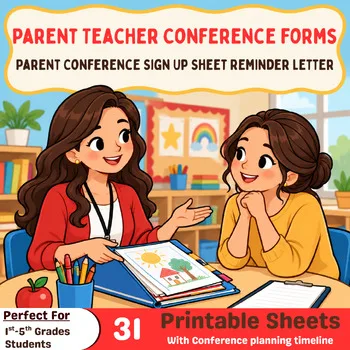
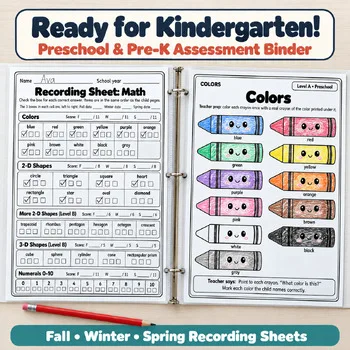
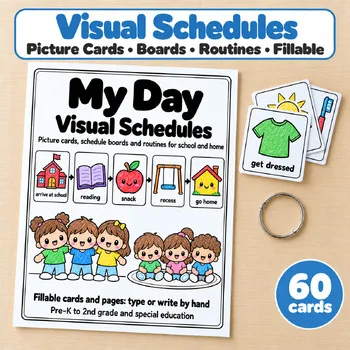
To go with these apps, these Activity Express printables give teachers and homeschool families paper conference forms, assessment records, visual schedules, and ready-to-use practice packets.
Frequently asked questions
Is ClassDojo free for teachers?
Yes. ClassDojo states it is free for teachers. ClassDojo Plus is an optional paid subscription for families that adds features such as scheduled messages, read receipts, and calendar sync.
Is Remind still available?
Yes. Remind Chat is free for teachers, coaches, and individual users. Remind is now part of ParentSquare, and K-12 schools and districts are directed to ParentSquare.
Which parent communication tool works without an app?
TalkingPoints works by text message, so families do not need an app, Wi-Fi, email, or login. Messages are translated in 150+ languages.
What is the best app for preschool parent communication?
brightwheel is built for preschools and childcare centers, combining family messaging with daily reports, check-in, and billing. Bloomz also lists childcare, preschools, and Head Start among the programs it serves.
How much do homeschool planners cost?
On the official sites today, Homeschool Planet was $9.95 per month or $84.95 per year, Homeschool Manager was $5.99 per month or $49 per year, and My School Year was $5 per month or $40 per year. All three offer a free trial.
Make a tool for teachers?
Built something teachers love? We keep these guides fresh, so send us a new tool, updated pricing or a featured spot request.
Request a listingDisclosure: no tool on this page paid to be included and we don't earn commissions from these links. Featured placements, if we ever offer them, will be clearly labeled "Sponsored". Details were checked on each provider's official website on October 29, 2026 and can change.