It is writing time, and half the class is staring at a blank page. A few students have a sentence. One has a title and nothing else. The problem is rarely that children have nothing to say — it is that a blank page gives them nowhere to start, and no reason to keep going once they do.
The tools on this list give students a starting point and a finish line. Some open the lesson with a picture or a film clip and ask for a story. Some turn writing into a game, a class book, or a blog post with a real audience. A few are free, a few charge only when you print a book, and one is a paid platform for student publishing.
How we picked: we started from a researched shortlist, then checked each tool's official website on November 1, 2026 and only describe features and plans we could see there. We weighted fit for elementary classrooms, whether the tool gets students writing quickly, and whether teachers can get started for free.
Key takeaways
- Best free starting point for publishing student books: Book Creator's Starter plan, free for individual teachers.
- WriteReader and Pobble are free to start, with paid plans that add templates, printing, and archives.
- Night Zookeeper and BoomWriter turn writing into a game or a group project, with a real audience for the finished work.
- StoryJumper and BoomWriter charge only when you print a book, so the writing itself costs nothing.
- Fanschool is the only option here built around moderated student blogs and portfolios, and it is paid after a 14-day trial.
Quick comparison
| # | Tool | Best for | Grades / audience | Pricing | Free plan |
|---|---|---|---|---|---|
| 1 | turning student writing into real books | All ages, K-12 | Free + paid | Free for teachers | |
| 2 | young writers making their first books | All ages, built for classrooms | Freemium | Yes | |
| 3 | a fresh writing prompt every morning | Primary schools (ages 4-11) | Freemium | Yes | |
| 4 | game-based creative writing practice | Ages 6-12 | Paid | Free for teachers | |
| 5 | publishing a class storybook in print | Students, parents, and teachers | Free + paid | Yes | |
| 6 | a class writing one book together | Upper elementary and up | Free + paid | Yes | |
| 7 | student blogs with a real audience | All ages, K-12 | Paid | Trial only | |
| 8 | video prompts that start a story | Primary (UK KS1-KS2, roughly K-5) | Free + paid | Yes |
Make a tool for teachers?
Built something teachers love? We keep these guides fresh, so send us a new tool, updated pricing or a featured spot request.
Request a listingThe 8 best picks
- Pricing
- Free + paid
- Free plan
- Free for teachers
- Grades / audience
- All ages, K-12
Book Creator is a simple book-making app where students combine text, drawings, photos, audio, and video on the page. A class can use it for story writing, research reports, or a portfolio of work across the year, and finished books can be published online, shared with a link, or printed as a PDF. Teachers set up a library, invite students in with a QR code, and watch new books appear as students write.
What we like
- Starter plan free for individual teachers, with 1 library and up to 40 books
- Students add text, images, audio, and video to pages, or record themselves reading
- Publish books online, share a link to a single page, or print as a PDF
- Real-time collaboration and co-teachers on the Premium plan
Watch out for
- Premium prices were not listed on the pricing page we checked.
- The free plan covers one library, so separate classes need separate libraries or a paid plan.
Pricing: Starter is free for individual teachers (1 library, up to 40 books); Premium adds unlimited libraries and 1,000 books, and school and district licenses are quoted.
- Pricing
- Freemium
- Free plan
- Yes
- Grades / audience
- All ages, built for classrooms
WriteReader is a book-creation tool built around early literacy, where students write their own books page by page with pictures, voice recordings, and read-aloud support. It works in any browser with no install, and teachers can watch progress, leave feedback, and print finished books as booklets for the classroom shelf. The templates follow Science of Reading ideas, with short-vowel and long-vowel book frames on the paid plans.
What we like
- Free plan forever, with up to 40 books per class and voice recording
- Safe image search, camera, and read-aloud built in
- Teacher feedback and notifications on student books
- Google Classroom integration and class-code or QR-code login
Watch out for
- The Science of Reading template library is only on the Teacher Plus plan.
- School and district plans start at 10 teacher accounts.
Pricing: Free and paid plans are available, with school plans by quote; dollar prices were not listed on the pages we checked.
- Pricing
- Freemium
- Free plan
- Yes
- Grades / audience
- Primary schools (ages 4-11)
Pobble 365 gives primary classrooms one new writing prompt every day, each with an image and a short hook, so the lesson starts with writing instead of a blank page. Every prompt is written and reviewed by working teachers, and the free daily prompt stays free. Pobble Premium opens the full archive of prompts plus the slides that help students build ideas and skills.
What we like
- A new teacher-written writing prompt every day, free
- Prompts cover many themes and levels, with extra teaching slides on Premium
- Built by primary teachers, with each prompt reviewed before it goes out
- Premium for an individual teacher or a whole school
Watch out for
- Only the current day's prompt is free; the archive needs Premium.
- Premium prices were not listed on the pages we checked.
Pricing: The daily prompt is free; Pobble Premium unlocks every prompt, level, and theme, with prices not shown on the pages we checked.
- Pricing
- Paid
- Free plan
- Free for teachers
- Grades / audience
- Ages 6-12
Night Zookeeper turns writing practice into an adventure in the Night Zoo, where children invent their own animal characters and write stories, reports, and poems to help them. The program covers spelling, punctuation, grammar, and vocabulary alongside the creative writing, and tutors give feedback on student work. Teachers get a weekly writing challenge, printable worksheets, and a dashboard for the class.
What we like
- Creative writing inside a game world, with characters children invent themselves
- Tutor feedback on student writing, plus a weekly class writing challenge
- Covers spelling, punctuation, grammar, and vocabulary as well as stories
- Classroom writing features are free for teachers
Watch out for
- School and district prices are customized, not listed on the site.
- The free classroom account starts with a 14-day trial of the full program, then drops to the free writing features.
Pricing: Family plans start at $9.99 a month on the yearly plan after a 7-day free trial; classroom writing features are free, and school prices are quoted.
- Pricing
- Free + paid
- Free plan
- Yes
- Grades / audience
- Students, parents, and teachers
StoryJumper lets students write, illustrate, and narrate their own storybooks, then share them online or order a printed copy. Children can design custom characters, upload their own pictures, record their voice on each page, and work on a book together with classmates. Teachers can run a class project where everyone co-authors one book, or set private individual projects.
What we like
- Free to create and share books online, with templates to start from
- Custom characters, uploaded images, and voice narration on every page
- Class projects where students co-author one book together
- Printed hardcover and paperback books, plus PDF and video book downloads
Watch out for
- There is no freehand drawing tool, so drawings must be made elsewhere and uploaded.
- A PDF download costs $2.99, so free sharing means reading on screen.
Pricing: Creating and sharing books online is free; a printed hardcover is $27.99 for up to 16 pages, a paperback $14.99, and a PDF eBook $2.99.
- Pricing
- Free + paid
- Free plan
- Yes
- Grades / audience
- Upper elementary and up
BoomWriter runs collaborative writing projects where the class builds one book chapter by chapter. The teacher picks a story start written by a published author, or writes one of their own, and each student writes the next chapter. The class then votes anonymously on the best chapter, and the winner becomes part of the book, so every student writes for a real audience. Each child also gets their own ending published as an alternative ending in their own book.
What we like
- Story starts by published authors such as Jeff Kinney and Nick Bruel
- Anonymous class voting picks the chapter that continues the story
- Every child gets their own ending published in their own book
- Teachers can give feedback directly in the app as students write
Watch out for
- Books take several writing rounds to finish, so it suits a unit rather than a single lesson.
- Printed books are ordered per child, so check the budget for a full class set.
Pricing: Using BoomWriter costs nothing; the only charge is $12.99 per printed book (plus postage), paid by the school or the family.
- Pricing
- Paid
- Free plan
- Trial only
- Grades / audience
- All ages, K-12
Fanschool, formerly Kidblog, is a safe publishing space where students share their writing with classmates, families, and other schools. Teachers moderate everything, so nothing goes live until it is approved, and each student builds a digital portfolio of their work over time. Parents can follow along and comment, which gives young writers a real audience beyond the teacher's desk.
What we like
- Teacher moderation on all student work before it goes live
- Each student keeps a personal portfolio of their writing
- Families can follow, view, and comment on their child's work
- No ads and no selling of student data
Watch out for
- There is no free plan beyond the 14-day trial.
- The $79 first-year teacher price is a discount on the $99 annual rate.
Pricing: Teachers pay $99 a year after a 14-day free trial ($79 for the first year with the discount shown on the site); families pay $49.
- Pricing
- Free + paid
- Free plan
- Yes
- Grades / audience
- Primary (UK KS1-KS2, roughly K-5)
Literacy Shed is a library of short films and animations sorted into themed collections, or sheds, that teachers use as writing prompts. A class watches a film trailer, a ghost story, or a robot animation, then writes the story it suggests, with the video giving reluctant writers something concrete to describe. The collections cover many genres, from fairytales and myths to science fiction and sport, and Literacy Shed Plus adds extra planning resources.
What we like
- Themed video collections for many genres, from fairytales to science fiction
- Short films and animations that give writers a scene to describe
- Poetry, history, and story collections alongside the film sheds
- Part of the EdShed family, with Spelling Shed and Phonics Shed
Watch out for
- It provides prompts and films, not a writing app, so students still need somewhere to write.
- Literacy Shed Plus prices were not shown on the pages we checked.
Pricing: The prompt collections on the free site are open to use; Literacy Shed Plus is a paid add-on, with prices not shown on the pages we checked.
How we chose
We started from tools PreK–6 teachers actually use and checked every one against its official website, pricing page and feature pages on November 11, 2026. We kept tools that fit elementary classrooms, noted whether a free plan exists, and wrote down honest limitations next to the strengths. Nobody paid to be included, and we don't use affiliate links on this page.
- Fit for PreK–6 classrooms, special education or homeschool
- Clear information on the official site about what the tool does and who it is for
- Free plan or free-for-teachers option noted where one exists
- Still active and maintained, with rebrands noted
How to choose the right tool
Start with the writing you already teach. If the goal is narrative writing, a story starter or a book-making tool fits best; if it is daily fluency, a fresh prompt each morning matters more than any feature list.
Decide who the audience is. Book Creator, StoryJumper, and BoomWriter end with a book a child can hold, while Fanschool ends with a blog post classmates and families can read and comment on. A real audience changes how carefully students write.
Check the free path before you promise anything. Book Creator, WriteReader, Pobble, StoryJumper, and BoomWriter all let a class write for free; Night Zookeeper's classroom writing features are free, and Fanschool is paid after its trial.
Match the tool to the age. WriteReader and Pobble suit the youngest writers, Night Zookeeper is built for ages 6 to 12, and BoomWriter and Fanschool stretch into the upper grades.
Plan for the printing budget. StoryJumper and BoomWriter only charge for printed books, so agree in advance who pays — the school, or families — before the class finishes a book.
Best pick by situation
- You need a free way for students to publish their writing: Book Creator — Starter plan is free for teachers, with 40 books per library
- Your class freezes at a blank page every morning: Pobble — a new teacher-written prompt every day, free
- You want your youngest writers to make their own books: WriteReader — page-by-page book creation with voice recording and read-aloud
- You want writing practice to feel like a game: Night Zookeeper — creative writing inside a game world, with tutor feedback
- You want the class to write one book together: BoomWriter — anonymous voting picks each next chapter
- You want students writing for readers beyond the classroom: Fanschool (formerly Kidblog) — teacher-moderated blogs and portfolios with family comments
Pair it with printables
When you want pencil-and-paper writing practice to go with the apps, these Activity Express printables pair well with any of the tools above.
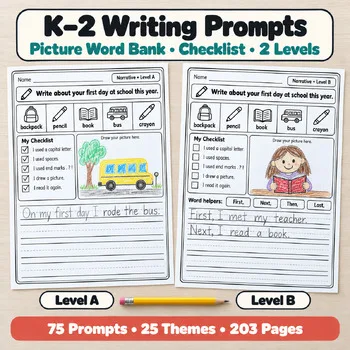 Year-Long K–2 Writing PromptsKindergarten, 1st, 2nd grade$14.49 · 203 pages
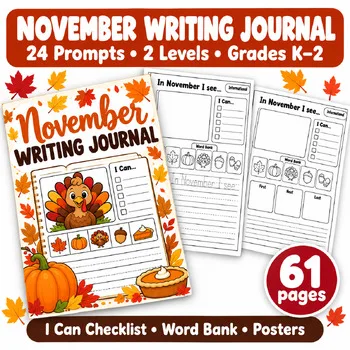 November Writing Prompts JournalKindergarten, 1st grade, 2nd grade$5.49 · 61 pages
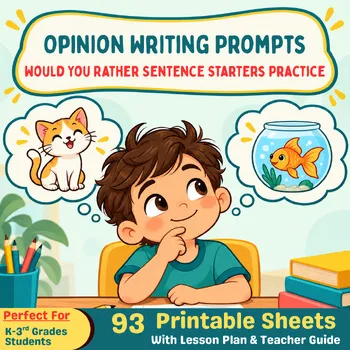 Would You Rather Opinion WritingKindergarten, 1st, 2nd and 3rd grade$5.49 · 93 pages
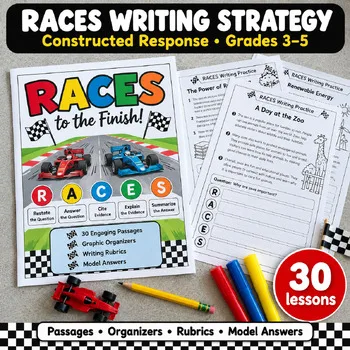 RACES Writing Strategy3rd, 4th, 5th grade (strong 2nd grade writers)$9.49 · 89 pages
Frequently asked questions
What is the best free writing tool for elementary students?
Book Creator is a strong free starting point: its Starter plan is free for individual teachers, with 1 library and up to 40 books. WriteReader is free forever with up to 40 books per class, and Pobble's daily writing prompt is free.
Can students publish a real printed book?
Yes. StoryJumper prints hardcover books from $27.99 and paperbacks from $14.99, and BoomWriter prints each child's book for $12.99 plus postage. Book Creator books can be printed as PDFs instead.
Which tool is best for reluctant writers?
Pobble gives the class a new image and hook every morning, so nobody starts from a blank page. Night Zookeeper hides the writing inside a game world, with characters children invent themselves and tutor feedback on their work.
Do these tools work for the whole class or only at home?
Most are built for classrooms: Book Creator, WriteReader, Pobble, BoomWriter, and StoryJumper all run class projects, Night Zookeeper's classroom writing features are free for teachers, and Fanschool is organized around teacher spaces and classes.
Is there a writing tool with teacher feedback built in?
Yes. WriteReader lets teachers leave feedback and notifications on student books, BoomWriter lets teachers comment in the app as students write, and Night Zookeeper has tutors who give feedback on student work.
Make a tool for teachers?
Built something teachers love? We keep these guides fresh, so send us a new tool, updated pricing or a featured spot request.
Request a listingDisclosure: no tool on this page paid to be included and we don't earn commissions from these links. Featured placements, if we ever offer them, will be clearly labeled "Sponsored". Details were checked on each provider's official website on November 11, 2026 and can change.