Some students read slowly, some cannot read print at all, and some read well but lose the thread halfway down the page. Text-to-speech does not fix any of those things — it works around them, turning written words into spoken ones so a student can keep up with the class, finish the chapter, and join the discussion.
This list collects eight text-to-speech and accessibility tools made for students, not voiceover software for video makers. Every tool here reads real school material — PDFs, worksheets, web pages, and ebooks — out loud, and most of them highlight the words as they go. Some are free, some are subscriptions, and two do not publish their prices on their own sites, which we say plainly.
We checked every tool on its official website on November 11, 2026, looking for a real fit with K–12 classrooms, clear information about what is free, and features a teacher can set up in minutes. Where a site did not state a price, we say so rather than guessing.
Key takeaways
- Microsoft Immersive Reader is free inside Edge, Word, OneNote, and Teams, with read-aloud and line focus.
- Read&Write is free for K-12 teachers and works across Google Docs, Word, and PDFs.
- Natural Reader has a free plan; paid plans start at $13.90 a month, and school licences start at $299 a year for 5 users.
- Speechify Premium is $29 a month or $139 a year, with a free plan and a free trial.
- Voice Dream Reader and Capti Voice do not publish prices on their own sites, so check the app store before buying.
Quick comparison
| # | Tool | Best for | Grades / audience | Pricing | Free plan |
|---|---|---|---|---|---|
| 1 | a free plan with unlimited listening on device voices | Grades 3–12 | Free + paid | Free plan | |
| 2 | natural voices and fast listening for older students | Grades 6–12 | Free + paid | Free plan | |
| 3 | offline reading on iPhone and Mac | Grades 3–12 | Free + paid | Free download | |
| 4 | schools that need one reader across every app | Grades K–12 | Free + paid | Free for K-12 teachers | |
| 5 | free reading support already in your apps | Grades K–12 | Free | Free | |
| 6 | a simple reader that syncs across devices | Grades 3–12 | Free + paid | Free trial | |
| 7 | a cheap one-time reader with no subscription | Grades 4–12 | Free + paid | Free version with daily limits | |
| 8 | a free reader with no account and no download | Grades 3–12 | Free + paid | Free |
Make a tool for teachers?
Built something teachers love? We keep these guides fresh, so send us a new tool, updated pricing or a featured spot request.
Request a listingThe 8 best picks
Natural Reader
Best for: a free plan with unlimited listening on device voices
- Pricing
- Free + paid
- Free plan
- Free plan
- Grades / audience
- Grades 3–12
Natural Reader is an AI text-to-speech app that turns text, PDFs, images, web pages, and even a photo of a printed page into spoken audio. It reads with an immersive reader that highlights words as they are spoken, and it offers a dyslexia-friendly font. A free plan gives unlimited listening on device voices, and paid plans add natural AI voices, MP3 download, and school group licences.
What we like
- Reads text, PDFs, images, web pages, and physical books aloud
- Dyslexia-friendly font and an immersive reader with highlighting
- OCR camera scanner that turns a printed page into audio
- MP3 download and group licences for schools
Watch out for
- The free plan uses device voices, which sound less natural than the paid AI voices.
- Prices differ by plan, so check which tier your school needs.
Pricing: Free plan with unlimited listening on device voices; Lite $13.90 a month or $79 a year; Plus $20.90 a month or $119 a year; Pro $25.90 a month or $159 a year; Plus EDU from $299 a year for 5 users.
- Pricing
- Free + paid
- Free plan
- Free plan
- Grades / audience
- Grades 6–12
Speechify is a text-to-speech app with more than 1,000 voices in 60+ languages, built for students who listen to long reading assignments. It reads PDFs, web pages, and ebooks, and it can scan a printed page with the camera. The free plan includes voice typing and dictation, and Premium adds faster speeds, offline listening, and the full voice library.
What we like
- 1,000+ voices in 60+ languages
- Voice typing and dictation on the free plan
- OCR scan of printed pages
- Offline listening for Premium subscribers
Watch out for
- The free plan caps speed at 1.5x and offers only basic voices.
- Premium is dearer than most readers on this list.
Pricing: Premium $29 a month or $139 a year; free plan with 10 basic voices and a free trial of Premium.
- Pricing
- Free + paid
- Free plan
- Free download
- Grades / audience
- Grades 3–12
Voice Dream Reader is an accessibility-focused reading app for iPhone, iPad, and Mac that turns PDFs, EPUBs, Word and PowerPoint files, and web pages into audio. It highlights words as they are read, keeps notes and bookmarks in sync through iCloud, and works fully offline. It has full VoiceOver support, Dynamic Type, and braille display support, and it reads Bookshare and DAISY formats.
What we like
- Imports PDF, EPUB, Word, PowerPoint, and web pages
- Highlighting, notes, and bookmarks that sync across devices
- Offline listening with the screen locked
- Full VoiceOver support, Dynamic Type, and braille display support
Watch out for
- The official site does not publish prices, so check the App Store listing first.
- iOS and macOS only — there is no Android or Windows version.
Pricing: Not stated on the official site — sold as a subscription through the App Store; check the listing before buying.
- Pricing
- Free + paid
- Free plan
- Free for K-12 teachers
- Grades / audience
- Grades K–12
Read&Write, from Texthelp, is a literacy support toolbar for schools that works inside Google Docs, Word, PDFs, and the browser. It reads text aloud with dual-colour highlighting, and it adds a screenshot reader, picture and text dictionaries, Simplify and Rewordify, speech-to-text, word prediction, and a testing mode for exams. It is free for K-12 teachers, and it runs on Windows, Mac, Chromebook, iPad, iPhone, and Android.
What we like
- Read-aloud with dual-colour highlighting
- Screenshot reader that turns images of text into speech
- Picture and text dictionaries, Simplify, and Rewordify
- Speech-to-text, word prediction, and a testing mode
Watch out for
- The full toolbar can overwhelm a new user, so start with two or three tools.
- Some features vary by platform, so check your devices first.
Pricing: Free for K-12 teachers; paid plans from $2.75 per seat.
Microsoft Immersive Reader
Best for: free reading support already in your apps
- Pricing
- Free
- Free plan
- Free
- Grades / audience
- Grades K–12
Microsoft Immersive Reader is a free reading tool built into Edge, Word, OneNote, Teams, and other Microsoft apps. It reads text aloud with word highlighting, narrows the view with line focus, splits words into syllables, and translates text into 60+ languages. Students can also change text size, spacing, font, and background colour, which makes it a strong first step for any student who struggles with print.
What we like
- Read aloud with word highlighting and speed control
- Line focus that shows one, three, or five lines at a time
- Syllable splitting and parts of speech
- Translation in 60+ languages and text preferences for size, spacing, and background
Watch out for
- It is not a separate app, so you open it from inside Word, Edge, or OneNote.
- Some features, such as the picture dictionary, vary between apps.
Pricing: Free, built into Edge, Word, OneNote, Teams, and other Microsoft apps.
- Pricing
- Free + paid
- Free plan
- Free trial
- Grades / audience
- Grades 3–12
Capti Voice is a literacy and reading support tool from Charmtech Labs that reads documents, web pages, and ebooks aloud, with word-by-word highlighting. It syncs across Mac, Windows, iOS, Android, and the browser, and it works with VoiceOver on iOS and with screen readers on desktop. A free trial is available, and the company also makes a diagnostic reading assessment for schools.
What we like
- Reads documents, web pages, and ebooks aloud
- Word-by-word highlighting while it reads
- Syncs across Mac, Windows, iOS, and Android
- Works with VoiceOver on iOS and screen readers on desktop
Watch out for
- The official site now leads with a reading assessment product, so the reader is harder to find.
- It does not export audio files.
Pricing: Free trial; paid plans available — price not stated on the official website.
- Pricing
- Free + paid
- Free plan
- Free version with daily limits
- Grades / audience
- Grades 4–12
Speech Central is a text-to-speech reader built for serious reading, with no subscription, no ads, and no data collection. It reads PDFs, web pages, ebooks, and documents aloud, works offline, and lets the reader change pitch and speed or jump ahead with a Read Fast button. The free version limits how many items you can add each day, and Pro removes the limit with a one-time purchase. It is free for blind users and for schools that deploy it as a managed app.
What we like
- Reads PDFs, web pages, ebooks, and documents aloud
- Works offline with adjustable pitch and speed
- Read Fast button for skimming long text
- Free for blind users and for managed school deployments
Watch out for
- The free version limits how many articles you can add each day.
- A licence bought on one platform does not cover another.
Pricing: Free to download; Pro is a one-time purchase — the official blog lists $8.
- Pricing
- Free + paid
- Free plan
- Free
- Grades / audience
- Grades 3–12
TTSReader is a free web text-to-speech reader that needs no download and no login. Paste text, open a PDF or ebook, or read a web page, and it reads aloud with the words highlighted, remembering your place when you pause. Your device's built-in voices are free and unlimited, and Premium adds about 580 natural AI voices in 80+ languages, MP3 export, and a pronunciation dictionary.
What we like
- Reads text, PDFs, ebooks, and web pages in the browser
- Remembers your place, even if you close the browser
- About 580 natural AI voices in 80+ languages with Premium
- MP3 export and a Chrome extension for reading web pages
Watch out for
- MP3 export and the AI voices need Premium.
- The site is a web tool, so it needs a browser and a connection.
Pricing: Free with device voices; Premium $10.99 a month or $99 a year; one-time credit packs from $19.
How we chose
We started from tools PreK–6 teachers actually use and checked every one against its official website, pricing page and feature pages on November 11, 2026. We kept tools that fit elementary classrooms, noted whether a free plan exists, and wrote down honest limitations next to the strengths. Nobody paid to be included, and we don't use affiliate links on this page.
- Fit for PreK–6 classrooms, special education or homeschool
- Clear information on the official site about what the tool does and who it is for
- Free plan or free-for-teachers option noted where one exists
- Still active and maintained, with rebrands noted
How to choose the right tool
Start with where the reading happens. If students read in Word, OneNote, or Edge, Microsoft Immersive Reader is already there and free. If they read PDFs and ebooks on a phone, an app such as Voice Dream Reader or Speech Central fits better.
Check what is actually free before you plan a lesson. Immersive Reader costs nothing, TTSReader is free with device voices, and Read&Write is free for K-12 teachers. Speechify and Natural Reader need paid plans for their best voices.
Match the voice to the reader. Younger students do better with a slower, clearer voice and word highlighting. Older students often prefer a natural-sounding voice at a faster speed, so let them try a few.
Test the file types your class uses. Some readers open PDFs, Word files, and ebooks easily, while others only read pasted text or web pages. Try a real worksheet, not a demo paragraph.
Plan for offline days. Voice Dream Reader and Speech Central keep working without Wi-Fi, so a student can listen on the bus or at home without a connection.
Let students choose their own tool. A reader a student picks themselves gets used far more than one assigned to them, so offer two or three and let them compare.
Best pick by situation
- Your student reads in Word or Edge and needs help now: Microsoft Immersive Reader — it is built in and free, with read-aloud and line focus
- You need a school-wide reader for Google Docs and PDFs: Read&Write — it works across Docs, Word, and PDFs, and is free for K-12 teachers
- Your student reads on an iPhone with no Wi-Fi: Voice Dream Reader — it works offline and syncs the library across devices
- You want a free reader with no account and no download: TTSReader — paste text or open a PDF in the browser and it reads aloud
- Your student needs a natural voice for long textbook chapters: Speechify — it has more than 1,000 voices and reads at up to 4.5x speed
- You want a cheap one-time reader, not another subscription: Speech Central — it is free to download, and Pro is a one-time purchase
Pair it with printables
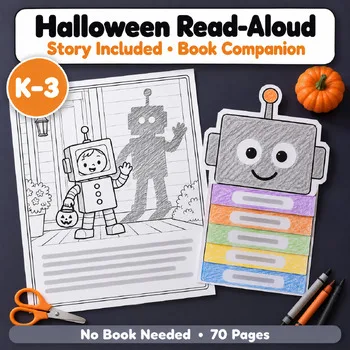
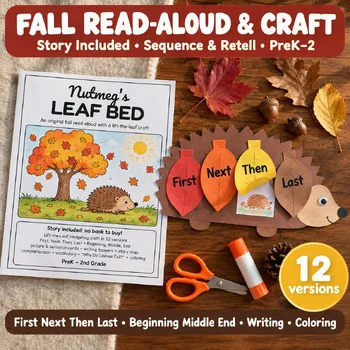
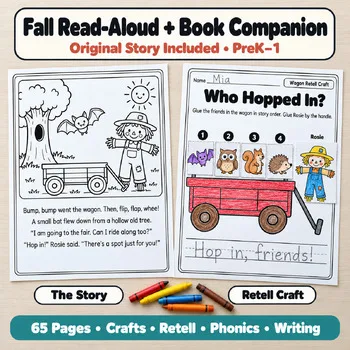
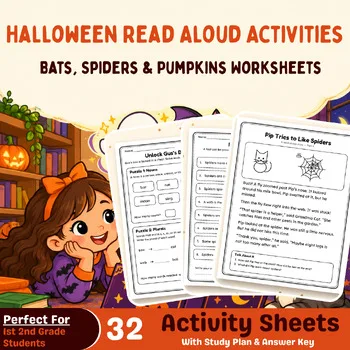
For read-aloud practice that pairs with listening, these Activity Express read-aloud packs give students a story to hear, retell, and craft about.
Frequently asked questions
Which text-to-speech tool is completely free?
Microsoft Immersive Reader is free inside Edge, Word, OneNote, and Teams. TTSReader is free with your device's built-in voices, and Natural Reader has a free plan with unlimited listening on device voices.
What is the best text-to-speech app for school?
Read&Write is built for schools, with tools for Google Docs, Word, and PDFs, and it is free for K-12 teachers. Natural Reader and Speechify suit older students who read on their own.
Can text-to-speech help a student with dyslexia?
Yes. Hearing text while seeing the words highlighted helps a dyslexic reader follow along and keep up with class reading. It supports access, but it does not teach decoding — pair it with phonics teaching.
Do these tools work offline?
Voice Dream Reader and Speech Central both work offline, which matters on a bus or a plane. Most web-based readers need a connection, so check before a trip.
How much do text-to-speech tools cost?
Immersive Reader and TTSReader are free. Natural Reader starts at $13.90 a month. Speechify Premium is $29 a month or $139 a year. Voice Dream Reader and Capti Voice do not publish prices on their own sites.
Make a tool for teachers?
Built something teachers love? We keep these guides fresh, so send us a new tool, updated pricing or a featured spot request.
Request a listingDisclosure: no tool on this page paid to be included and we don't earn commissions from these links. Featured placements, if we ever offer them, will be clearly labeled "Sponsored". Details were checked on each provider's official website on November 11, 2026 and can change.