Review days, test prep, and the last ten minutes before lunch all go better with a game students actually want to play. This list is for elementary teachers who want a quick way to turn their own questions into a whole-class game, a self-checking center, or a full interactive lesson, without spending a weekend building it.
The tools here fall into three groups. Some are review game hosts, such as Blooket, Kahoot!, Gimkit, and Baamboozle, that run a live game on the board. Others, including Boom Learning and Wordwall, are activity builders that work as centers or homework. Nearpod, Wayground, and Deck.Toys sit in between, letting you build whole lessons with questions built in.
We checked each tool's official website on November 3, 2026 and only mention features and plans we saw there or that were confirmed in our research notes. We put tools that fit PreK-6 classrooms and offer a real free plan near the top, and noted where a tool has been renamed, such as Quizizz becoming Wayground.
Key takeaways
- Best for no-device classrooms: Baamboozle, which plays from one screen with no student devices needed.
- Best for self-checking centers and SPED: Boom Learning, with self-grading Boom Cards and IEP goal monitoring.
- Wordwall turns one set of content into interactive games or printable worksheets; its free Basic plan allows 3 activities.
- Quizizz is now Wayground, with a free teacher plan and 25+ built-in accommodations.
- Every tool on this list has some free starting point, but most limit features until you upgrade.
Quick comparison
| # | Tool | Best for | Grades / audience | Pricing | Free plan |
|---|---|---|---|---|---|
| 1 | self-checking centers, SPED, and speech | PreK and up | Freemium | Yes | |
| 2 | high-energy whole-class review games | Early elementary to high school | Freemium | Yes | |
| 3 | review games with no student devices | K-12 (all ages) | Freemium | Yes | |
| 4 | one activity in digital and printable form | All ages (grades not stated) | Freemium | Yes | |
| 5 | self-paced lesson paths with built-in games | K-12 | Freemium | Yes | |
| 6 | classic live quizzes and self-paced challenges | All ages | Freemium | Yes | |
| 7 | quizzes with accommodations and AI support | K-12 | Freemium | Free for teachers | |
| 8 | full interactive lessons with formative checks | K-12 | Freemium | Free for teachers | |
| 9 | strategy-style review games for older elementary | Grades not stated | Freemium | Yes |
Make a tool for teachers?
Built something teachers love? We keep these guides fresh, so send us a new tool, updated pricing or a featured spot request.
Request a listingThe 9 best picks
Boom Learning (Boom Cards)
Best for: self-checking centers, SPED, and speech
- Pricing
- Freemium
- Free plan
- Yes
- Grades / audience
- PreK and up
Boom Learning hosts Boom Cards, interactive digital task card decks that check answers as students work. Teachers buy ready-made decks from the Boom Store or build their own, then assign them for centers, intervention, or homework. Because many TPT sellers also publish Boom decks, it is easy to find decks that match a printable you already use.
What we like
- Self-checking decks, so you can see who has mastered a skill without grading each lesson
- Boom Store of ready-to-use decks, plus Boom Studio for building your own with audio, images, and video
- Hide or show cards and change difficulty to fit individual students
- Real-time progress insight, including monitoring goals such as IEPs, and a print option on every deck
Watch out for
- Plan prices are shown as images or by quote, so check the pricing page carefully.
- Some integrations, such as Clever and ClassLink, are limited to school-purchased accounts.
Pricing: You can join free, individual educators choose from paid tiers such as Core and Premium, and schools can request a quote for Boom Passport or Boom Access+.
- Pricing
- Freemium
- Free plan
- Yes
- Grades / audience
- Early elementary to high school
Blooket is a trivia and review game platform. The teacher hosts a question set on the board, students join on their own devices with a Game ID, and the class plays through one of several game modes. Teachers can build sets, import them, or borrow sets other users made.
What we like
- A variety of game modes, plus limited-time seasonal and event modes
- Set Builder for your own questions, convertor tools for importing, and a Discover page of community sets
- Score reports and question-level analysis to spot topics that need review
- Blook characters that students can unlock as they play
Watch out for
- No public pricing page for Plus was found on the site, so confirm Plus features and price there before upgrading.
- Community-made sets vary, so preview any set before playing it with your class.
Pricing: Blooket is free to use, with a paid Plus upgrade for extra features.
- Pricing
- Freemium
- Free plan
- Yes
- Grades / audience
- K-12 (all ages)
Baamboozle is a team game you run from a single screen, so students do not need their own devices. Teachers pick a ready-made game or make their own, split the class into teams, and play as a warm-up, a filler, or a review before a test. It was founded by a teacher and is a natural fit for PreK, kindergarten, and ESL classes.
What we like
- Play from one screen with no student devices needed
- Library of over 4 million teacher-made games to play or adapt
- Make and play your own games for free
- Free game of the day with most paid features unlocked to try
Watch out for
- The paid plan has no free trial, only the free game of the day and a money-back guarantee.
- Multi-teacher licenses are yearly only and handled through sales.
Pricing: The Basic plan is free, and Baamboozle+ is $4.99 a month billed yearly or $7.99 monthly, with a 30-day money-back guarantee.
- Pricing
- Freemium
- Free plan
- Yes
- Grades / audience
- All ages (grades not stated)
Wordwall turns your own word lists and questions into games from templates such as match up, quiz, spin the wheel, and group sort. You can play an activity on the board, let students play on devices, or print it as a worksheet. Switching the same content to another template takes one click, which is handy for spelling and vocabulary.
What we like
- Templates including quiz, match up, flash cards, type the answer, spin the wheel, and group sort
- Any interactive activity can be printed as a worksheet for class or homework
- Switch content to a different template with one click
- Searchable library of teacher-created activities to play, share, and edit
- Generate lesson content instantly with AI on Standard and Pro plans
Watch out for
- The free Basic plan allows only 3 activities and 12 templates.
- Some templates are Pro-only.
Pricing: Basic is free for up to 3 activities, Standard costs $57.60 a year (or $7.20 monthly), Pro costs $86.40 a year, and school plans are available.
- Pricing
- Freemium
- Free plan
- Yes
- Grades / audience
- K-12
Deck.Toys lets teachers build lessons as a path on a map, with activities students complete in order at their own pace. You can add slides, PDFs, and videos, lock the next step until a question is answered, and offer separate routes for extra practice or challenge. It also includes whole-class arcade games built from one Study Set.
What we like
- Map-style lesson paths with optional routes for practice or challenge
- Activities such as flashcards, match, crossword, drawing responses, and Number Lock checkpoints
- Teacher Sync to bring everyone to the same slide, with live progress showing who needs a hand
- Arcade games played as a class from a single Study Set
Watch out for
- Building a lesson path takes more setup time than a simple quiz game.
- It comes from a small team, so check support options before a school-wide rollout.
Pricing: The Free plan includes 2 classrooms and 1 private deck, Pro is $8 a month or $96 a year, and schools can buy discounted bundles of 10 or more Pro subscriptions.
- Pricing
- Freemium
- Free plan
- Yes
- Grades / audience
- All ages
Kahoot! is a game-based quiz platform where the class answers on devices while questions appear on the board. Beyond live games, teachers can assign student-paced kahoots for homework and remove time limits so students can revisit harder topics. AI tools can draft a quiz from a topic, URL, or uploaded file.
What we like
- Live games plus assigned, student-paced challenges
- Question types including quiz, puzzle, type answer, drop pin, scale, and slider
- Quiz creation from a topic, URL, Wikipedia article, or uploaded file
- Reports to assess student learning, with advanced reports on the top tier
Watch out for
- Fast timed questions can favor quick readers, so adjust timers for younger students.
- Kahoot! offers many products for business and study, so pick the school plans.
Pricing: Kahoot! Go is free, and paid Kahoot!+ plans start at $3 a month billed annually for up to 50 participants, with EDU plans for schools.
Wayground (formerly Quizizz)
Best for: quizzes with accommodations and AI support
- Pricing
- Freemium
- Free plan
- Free for teachers
- Grades / audience
- K-12
Wayground is the new name for Quizizz, and quizizz.com now redirects to wayground.com. Teachers create assessments, presentations, flashcards, and homework, often starting from AI drafts, and can run any assessment as a competitive game or a quiet exam. Built-in accommodations make it useful for classes with a wide range of readers.
What we like
- 25+ built-in accommodations, including read-aloud, translation, and dyslexia fonts
- Generate a full activity from a topic, document, standard, or upload
- Run assessments as a game or an exam, live or self-paced
- Auto-graded homework that shows missed questions before class
Watch out for
- Many features, such as Common Assessments and district reports, are aimed at school and district plans.
- The feature set is large, so new users may need time to find the simple quiz tools.
Pricing: Teachers can sign up free, and schools and districts request a quote for plans with LMS, rostering, and SSO integration.
- Pricing
- Freemium
- Free plan
- Free for teachers
- Grades / audience
- K-12
Nearpod turns a lesson into an interactive presentation with polls, drawing, and other checks built in. You can teach it live while students follow on their devices, assign it student-paced, or play a video in Front of Class mode without student devices. Its library of ready-made lessons is useful when you need a complete lesson quickly.
What we like
- Library of 22,000+ standards-aligned lessons, videos, and activities
- 20+ formative assessment types, including Polls, Draw It, Drag and Drop, and Open-Ended Questions
- Time to Climb game for quick checks and exit tickets
- Live, Student-Paced, and Front of Class delivery modes, with post-session reports
Watch out for
- Building a full Nearpod lesson takes longer than a single quiz game.
- Live and student-paced modes require student devices.
Pricing: Teachers can sign up for free, and schools and districts request a quote for a site license.
- Pricing
- Freemium
- Free plan
- Yes
- Grades / audience
- Grades not stated
Gimkit is a live classroom game show where students answer questions and use knowledge, teamwork, and strategy to win. It works best as an end-of-unit review for older elementary students who enjoy a strategic layer on top of the questions.
What we like
- 10+ unique game modes, with more in development
- Students earn in-game cash for correct answers and spend it on upgrades and power-ups
- Assign Kits as homework, graded automatically
- KitCollab lets students submit their own questions for the class game
Watch out for
- The site does not state a grade range.
- Plan limits and prices were unverified during our check.
Pricing: You can get started for free; paid plan details could not be verified on the official site.
How we chose
We started from tools PreK–6 teachers actually use and checked every one against its official website, pricing page and feature pages on November 5, 2026. We kept tools that fit elementary classrooms, noted whether a free plan exists, and wrote down honest limitations next to the strengths. Nobody paid to be included, and we don't use affiliate links on this page.
- Fit for PreK–6 classrooms, special education or homeschool
- Clear information on the official site about what the tool does and who it is for
- Free plan or free-for-teachers option noted where one exists
- Still active and maintained, with rebrands noted
How to choose the right tool
Count the devices first. If your students share iPads or have none, Baamboozle and Nearpod's Front of Class mode play from one screen. Blooket, Kahoot!, Gimkit, and Wayground work best when every student has a device.
Match the tool to the job. A review game on the board builds energy, but a self-checking Boom Cards deck or Wordwall activity works better in a quiet center, and Nearpod or Deck.Toys fit when you want a whole lesson rather than a quiz.
Look at the free plan limits. Wordwall's free Basic plan allows 3 activities, Deck.Toys allows 1 private deck, and Kahoot! limits participants by tier. Try the exact game you plan to run before the day you need it.
Think about younger readers. For PreK-2, choose tools with audio or teacher-read questions, such as Boom Cards built in Boom Studio with audio or Wayground's read-aloud accommodation, and avoid short timers.
Plan for paper. Wordwall prints any activity as a worksheet and Boom decks have a print option, which helps when the Wi-Fi drops or a student is absent.
Check data and licensing. Several tools route school features through district quotes, and Boom individual plans cannot be shared between teachers.
Best pick by situation
- You teach PreK or K and students do not have their own devices: Baamboozle — teams play from one shared screen
- You run a special education or speech caseload and track IEP goals: Boom Learning (Boom Cards) — self-checking decks with progress monitoring
- You want the same activity on screen today and on paper tomorrow: Wordwall — any interactive activity can print as a worksheet
- Your 3rd-6th graders want a high-energy review game on Friday: Blooket — game modes hosted on the board with a Game ID
- You need accommodations like read-aloud and dyslexia fonts on quizzes: Wayground (formerly Quizizz) — 25+ accommodations built in
- You want students to work through a lesson path at their own pace: Deck.Toys — map-style lessons with route choices
Pair it with printables
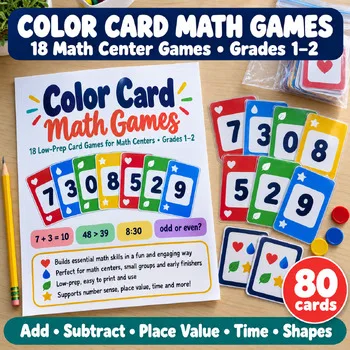
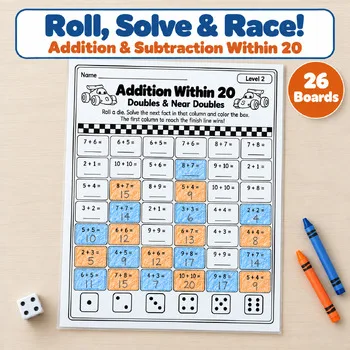
For review days when you want games without screens, these Activity Express printables give students the same game energy on paper.
Frequently asked questions
What is the best review game for students without devices?
Baamboozle is built to play from one screen with no student devices needed. Nearpod's Front of Class mode also lets the class watch and discuss without devices.
Is Quizizz still available?
Quizizz has been renamed Wayground, and quizizz.com now redirects to wayground.com. Teachers can still sign up free.
Are Boom Cards free?
You can join Boom Learning for free, and paid individual tiers and school plans unlock more features, such as adding student seats on a Premium account.
Which tool lets me print the same activity?
Wordwall can print any interactive activity as a worksheet, and Boom Cards decks include a print option.
Which tools work as full lessons rather than quizzes?
Nearpod and Deck.Toys are built for full lessons. Nearpod adds polls, drawing, and other checks to a presentation, and Deck.Toys lays out activities as a path students follow at their own pace.
Make a tool for teachers?
Built something teachers love? We keep these guides fresh, so send us a new tool, updated pricing or a featured spot request.
Request a listingDisclosure: no tool on this page paid to be included and we don't earn commissions from these links. Featured placements, if we ever offer them, will be clearly labeled "Sponsored". Details were checked on each provider's official website on November 5, 2026 and can change.