An exit ticket only helps if you can read the results before tomorrow's lesson. This list is for elementary teachers who want a faster way to check understanding during or at the end of a lesson, sort students into reteach groups, and skip the stack of sticky notes on the corner of the desk.
The tools here work in different ways. Plickers needs only printed cards and the teacher's phone. Whiteboard.fi, Classkick, and Formative show every student's work live while they solve. Pear Deck adds questions to slides you already teach from, Socrative and Quizalize run quick quizzes with instant reports, and Edpuzzle puts check-in questions inside a video.
We checked each tool's official website on October 29, 2026 and only describe features and plans we saw there. Tools that fit K-6 classrooms and have a real free starting point are near the top. Where a vendor did not show a price, we say so instead of guessing.
Key takeaways
- Best when students have no devices: Plickers, where students hold up printed cards and the teacher scans them with a phone.
- Best free live whiteboard: Whiteboard.fi, a free tool that shows every student's board at once.
- Socrative's free plan includes 1 room, up to 50 students per activity, and 5 quizzes, with exit tickets built in.
- Pear Deck's free teacher plan covers interactive questions, polls, and Student-Paced mode on your own slides.
- Every tool on this list has a free way to start, but most limit classes, quizzes, or question types until you upgrade.
Quick comparison
| # | Tool | Best for | Grades / audience | Pricing | Free plan |
|---|---|---|---|---|---|
| 1 | quick checks with no student devices | K-12 | Freemium | Yes | |
| 2 | watching student responses live as they work | K-12 | Freemium | Yes | |
| 3 | adding check-ins to slides you already teach | K-12 (certified content for grades 3-12) | Freemium | Yes | |
| 4 | seeing every student's work on one screen | Grades not stated | Free | Yes | |
| 5 | ready-made exit tickets and quick quizzes | K-12 and higher ed | Freemium | Yes | |
| 6 | live feedback on uploaded worksheets | Examples shown for grades 3-12 | Freemium | Yes | |
| 7 | mastery data by skill and follow-up practice | All grade levels (not specified) | Freemium | Yes | |
| 8 | checking understanding during a video lesson | Grades not stated | Freemium | Yes |
Make a tool for teachers?
Built something teachers love? We keep these guides fresh, so send us a new tool, updated pricing or a featured spot request.
Request a listingThe 8 best picks
- Pricing
- Freemium
- Free plan
- Yes
- Grades / audience
- K-12
Plickers is a card-based check for understanding. Each student gets a printed card, you show a multiple-choice question, and students hold up their card turned to their answer. You scan the room with the Plickers app on your phone and see the results right away, which makes it a natural fit for a two-question exit check before recess.
What we like
- Students need no devices, only a printed card, so it works in K-2 rooms and on days the Chromebooks are dead
- One scan with the teacher's phone captures the whole class's answers at once
- Mobile apps for both iOS and Android
- Free to sign up and start using, with an optional Plickers Pro upgrade for individuals or schools
Watch out for
- Pro plan details and pricing were not shown on the pages we could open.
- You need to print and manage a set of cards for each class.
Pricing: Plickers is free to sign up, and its help center describes a Plickers Pro plan for teachers or schools, but we did not see Pro prices on the site.
- Pricing
- Freemium
- Free plan
- Yes
- Grades / audience
- K-12
Formative lets you build an assignment, send it to students, and watch their answers arrive in real time on your screen. Teachers use it for warm-ups, exit tickets, and short quizzes, then give feedback right inside the response so students can fix mistakes before the lesson ends.
What we like
- Real-time monitoring of student responses while students work
- Dozens of question types, with auto-grading on many of them
- Teacher feedback in real time and standards tagging on questions
- Luna AI tools to help generate activities, plus Student Practice for independent work
Watch out for
- Many of the advanced item types and dashboards are paid features.
- The old goformative.com address now redirects to formative.com, so older tutorials may look different.
Pricing: Formative offers a free plan with assignment creation, basic question types, and student responses; the Classroom plan is $249 per year for one teacher with under 100 students, and school and district plans cost more or are quoted.
- Pricing
- Freemium
- Free plan
- Yes
- Grades / audience
- K-12 (certified content for grades 3-12)
Pear Deck turns a slide presentation into an interactive lesson. You add questions, polls, or quick quizzes between your teaching slides, students answer on their devices, and their responses appear on your dashboard. Many teachers drop a final question slide at the end of a lesson and use it as an exit ticket.
What we like
- Free teacher plan includes interactive questions, polls, quizzes, and formative assessments
- Student-Paced mode so students can work through a deck on their own
- Anonymous student answers can be shown to the class to start discussion
- Ready-to-teach lessons and templates, plus Locks and Timers to manage pacing
Watch out for
- Pear Deck is now part of a product family under Pear Deck Learning, with separate Pear Assessment and Pear Practice plans that are easy to confuse.
- Named response views and teacher feedback require Premium.
Pricing: Pear Deck Teacher Free costs $0, Teacher Premium is listed at $149 per year with the educator discount, and school and district plans are quoted.
- Pricing
- Free
- Free plan
- Yes
- Grades / audience
- Grades not stated
Whiteboard.fi gives each student a blank online whiteboard while you see all of them at once on your screen. It works well for show-me moments, such as writing a sight word, drawing a fraction, or solving one problem as a final check. You can respond to an individual student's board without the rest of the class seeing it.
What we like
- Live overview of every student's whiteboard for instant formative assessment
- Targeted, individual feedback sent to one student at a time
- Works for in-person classrooms and remote teaching
- FERPA, COPPA Safe Harbor, and California Student Privacy Certified, and part of the Kahoot! group
Watch out for
- Students need a device, and drawing is easier on a touchscreen or with a stylus.
- We could not confirm whether any paid plans exist or what they add.
Pricing: The site describes Whiteboard.fi as a free online whiteboard tool for teachers; we did not see paid tiers or prices on the page we checked.
- Pricing
- Freemium
- Free plan
- Yes
- Grades / audience
- K-12 and higher ed
Socrative, from Showbie, is a quick quiz and response tool with an exit ticket activity built in. You can launch an exit ticket in the last few minutes of class, run a Space Race for team review, or give a short quiz with instant feedback. Results land in a report you can export or print.
What we like
- Built-in exit tickets to gauge understanding before class ends
- Space Races for team-based review
- Instant feedback for students and automated grading that flags who needs support
- Customizable reports and exports, plus AI tools that build quizzes from a description or existing content
Watch out for
- Rooms and saved quizzes are capped on the free and Essentials plans.
- The product serves K-12 through higher ed and corporate users, so some features are not designed with young children in mind.
Pricing: The free plan includes 1 room, up to 50 students per activity, and 5 quizzes; Essentials is $120 per year and Pro is $200.04 per year per seat with a 2-seat minimum.
- Pricing
- Freemium
- Free plan
- Yes
- Grades / audience
- Examples shown for grades 3-12
Classkick lets you upload a PDF, slides, images, or a Google Doc and turn it into an assignment students complete on their devices. While they work, you watch the whole class in real time and leave feedback on a single student's page or for everyone, so mistakes get fixed during the lesson instead of after grading.
What we like
- Real-time view of every student's work as they think and solve
- Feedback during learning, for the whole class or individual students
- Import existing PDFs, slides, images, and Google Docs as assignments
- AI Student Helper for students who get stuck and AI Assignment Create for building assignments
Watch out for
- Free plan limits and paid prices were not visible to us.
- Students need devices, and writing on screen is easier with a touchscreen.
Pricing: Teachers can sign up for free, and schools can request paid plans, but plan prices were not shown on the pages we could open.
- Pricing
- Freemium
- Free plan
- Yes
- Grades / audience
- All grade levels (not specified)
Quizalize runs quizzes as classic quizzes or as team games on the board, and it tags each question to a learning objective. That means you see which skill each student has mastered, not just a percentage, and you can assign follow-up resources based on the score. It is useful for a weekly skills check that feeds into small groups.
What we like
- Mastery dashboard that shows skill-by-skill results for each student
- Differentiated follow-up activities and per-student difficulty
- Browser-based team games such as Goalzz, Hoopzz, and Battlerzz with no installs
- Sync with Google Classroom and Microsoft Teams
Watch out for
- Mastery dashboards and differentiated follow-ups are in the paid Standard plan.
- Standard pricing was not listed on the page, so you may need to sign up or request a quote to see it.
Pricing: The Basic plan is free with 1 class, up to 20 students, 5 saved quizzes, and 3 AI quizzes per month; the paid Standard plan has a 30-day trial, but its price was not displayed.
- Pricing
- Freemium
- Free plan
- Yes
- Grades / audience
- Grades not stated
Edpuzzle turns a video into an interactive lesson with check-in points and progress tracking. Teachers use it for flipped lessons, science and social studies videos, or a mini-lesson students rewatch at home, then look at the results to see who understood the key idea before the next class.
What we like
- Interactive video lessons that integrate with your LMS
- Analytics to track each student's progress through a video
- Record your own voiceover on uploaded videos and add audio notes
- Free for teachers and students, with extra saved slots earned by referring colleagues
Watch out for
- Voiceovers only work on videos uploaded to Edpuzzle, not on YouTube videos.
- The 20-activity limit on the free plan fills up fast if you build a video every week.
Pricing: The free Basic plan lets teachers save up to 20 activities, with 3 more slots for each referred teacher; Pro Teacher and Pro School plans add unlimited content, but prices were not shown.
How we chose
We started from tools PreK–6 teachers actually use and checked every one against its official website, pricing page and feature pages on October 29, 2026. We kept tools that fit elementary classrooms, noted whether a free plan exists, and wrote down honest limitations next to the strengths. Nobody paid to be included, and we don't use affiliate links on this page.
- Fit for PreK–6 classrooms, special education or homeschool
- Clear information on the official site about what the tool does and who it is for
- Free plan or free-for-teachers option noted where one exists
- Still active and maintained, with rebrands noted
How to choose the right tool
Start with devices. If your students share iPads or have none, Plickers is the clear fit because students only hold up a card. Whiteboard.fi, Classkick, Formative, Pear Deck, Socrative, Quizalize, and Edpuzzle all need a device for each student.
Decide whether you need to see thinking or just answers. For a K-2 class showing a drawn number line or a written word, a live board such as Whiteboard.fi or Classkick shows the process. For a fast right-or-wrong check, Plickers or a Socrative exit ticket is quicker to read.
Count how often you will use it. Free plans are capped: Socrative allows 5 quizzes, Quizalize allows 5 saved quizzes and 20 students, and Edpuzzle allows 20 saved activities. A daily exit ticket habit can outgrow those limits within weeks.
Fit it into what you already teach from. If your lessons live in Google Slides, Pear Deck adds checks without rebuilding anything. If your lessons live in PDF worksheets, Classkick lets you upload them as they are.
Look at what the data is for. If you plan to regroup students by skill, Quizalize's mastery dashboard and Formative's standards tagging are built for that, though both put the deeper reports behind paid plans.
Check with your school first. Several of these tools sell school and district plans, and your school may already pay for one, which often unlocks the premium features at no cost to you.
Best pick by situation
- Your K-2 students do not have their own devices: Plickers — students answer with printed cards scanned by your phone
- You want to watch every student solve a math problem at once: Whiteboard.fi — live overview of every student's board
- You already teach from Google Slides and want quick checks inside them: Pear Deck — interactive questions added to your presentation
- You need a ready exit ticket you can launch in seconds: Socrative — exit tickets are a built-in activity
- You want to upload a worksheet PDF and give feedback while students work: Classkick — import PDFs and see work in real time
- You want skill-by-skill mastery data, not just a score: Quizalize — questions are tagged to learning objectives
- You flip a lesson with a short video and want to know who watched: Edpuzzle — interactive video lessons with progress tracking
Pair it with printables
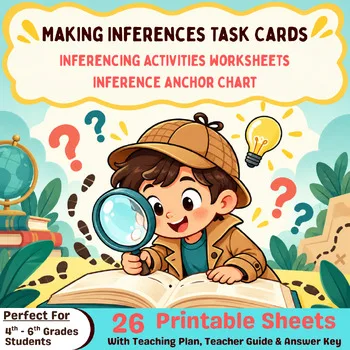
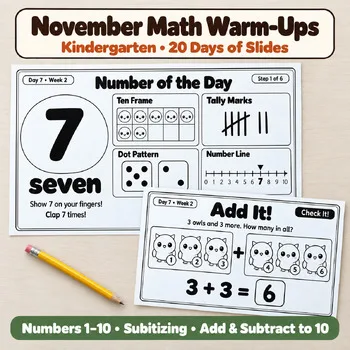
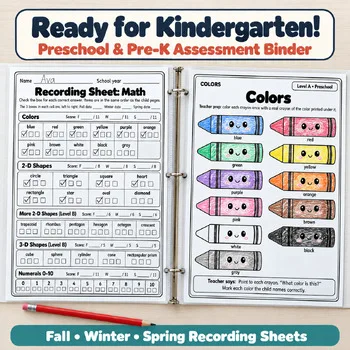
When you want a quick check on paper instead of a screen, these Activity Express printables work as warm-ups, exit slips, and skill checks you can sort into reteach groups.

Frequently asked questions
What is the best free exit ticket tool for elementary teachers?
Socrative has an exit ticket activity built in, and its free plan includes 1 room, up to 50 students per activity, and 5 quizzes. Plickers and Whiteboard.fi are also free to start and work well for a quick end-of-lesson check.
Which formative assessment tool works without student devices?
Plickers is designed for that. Students hold up printed cards and the teacher scans the room with the Plickers phone app to see everyone's answer at once.
Is Pear Deck free for teachers?
Yes. Pear Deck Teacher Free costs $0 and includes interactive questions, polls, quizzes, Student-Paced mode, and templates. Premium is listed at $149 per year with the educator discount and adds features like Drawing and Draggable responses.
Can I see students' work live instead of just their final answers?
Yes. Whiteboard.fi, Classkick, and Formative all show student work in real time, so you can spot a mistake and send feedback while the student is still working.
How many quizzes can I save on free plans?
On the plans we checked, Socrative's free plan allows 5 quizzes, Quizalize Basic allows 5 saved quizzes, and Edpuzzle Basic allows 20 saved activities. Paid plans remove or raise these limits.
Make a tool for teachers?
Built something teachers love? We keep these guides fresh, so send us a new tool, updated pricing or a featured spot request.
Request a listingDisclosure: no tool on this page paid to be included and we don't earn commissions from these links. Featured placements, if we ever offer them, will be clearly labeled "Sponsored". Details were checked on each provider's official website on October 29, 2026 and can change.