The morning after a lunar eclipse, every hand in the room goes up at once. Who saw it? Why did the Moon turn red? Is the Moon following us? A space unit starts itself — the hard part is finding material that answers those questions honestly without drowning young readers in numbers they cannot picture yet.
The tools below do that job in different ways. Some are libraries of short articles, games and crafts. Some are live models of the solar system you can spin, rewind and fast-forward. Two are phone apps that name the stars above the schoolyard in real time. All of them were checked on their own official sites on November 3, 2026, and every one of them has something a teacher can use for free.
We picked tools that fit PreK–6 classrooms and homeschool families: free NASA and ESA sites, a free open-source planetarium, and a few small apps made by people who love the night sky. No tool here needs a telescope, and none of them was paid to appear.
Key takeaways
- Best free starting point: NASA Space Place, with articles, games, crafts and monthly skywatching tips.
- NASA Eyes turns real mission data into 3D trips through the solar system, asteroids and exoplanets.
- Stellarium is a free desktop planetarium with more than 600,000 stars and constellations from 40+ cultures.
- Solar System Scope and Star Walk 2 show the sky as it looks tonight, from any place on Earth.
- ESA Kids and National Geographic Kids keep space friendly for younger readers with stories and video.
Quick comparison
| # | Tool | Best for | Grades / audience | Pricing | Free plan |
|---|---|---|---|---|---|
| 1 | free classroom space reading | Elementary students | Free | Yes | |
| 2 | following real NASA missions | Grades 3–6 and up | Free | Yes | |
| 3 | a free classroom planetarium | Teachers and grades 3–6 | Free | Yes | |
| 4 | a live model of the solar system | Elementary and up | Free + paid | Yes | |
| 5 | naming stars on a stargazing night | All ages | Freemium | Yes | |
| 6 | space stories for younger kids | Elementary students | Free | Yes | |
| 7 | short space videos to open a lesson | Elementary students | Free | Yes | |
| 8 | planning a real observing night | Teachers and grades 5–6 | Paid | unverified |
Make a tool for teachers?
Built something teachers love? We keep these guides fresh, so send us a new tool, updated pricing or a featured spot request.
Request a listingThe 8 best picks
- Pricing
- Free
- Free plan
- Yes
- Grades / audience
- Elementary students
NASA Space Place is NASA's website for kids, with short articles, games, crafts, activities and videos about the Moon, the planets, rockets and the night sky. A teacher can pull one article — how far away the Moon is, what the Moon's phases are, how we launch things into space — and build a lesson around it in minutes.
What we like
- Short illustrated articles on the Moon, planets, rockets and the solar system
- Games, crafts, activities and videos, plus a glossary of space words
- Monthly skywatching tips on what is up in the night sky
- A monthly art challenge where kids draw what they would see on Mars
Watch out for
- Written for kids to read on their own, so younger students may need the text read aloud
- No accounts or progress tracking — it is a library, not a course
Pricing: Free — the whole site is free to read and use.
- Pricing
- Free
- Free plan
- Yes
- Grades / audience
- Grades 3–6 and up
NASA Eyes is a set of 3D views that run in a web browser and use real NASA data. Eyes on the Solar System lets a class fly past the planets, follow more than 150 missions from launch to today, and rewind or fast-forward time from 1950 to 2050. There are matching views for asteroids, exoplanets, Earth and the Deep Space Network.
What we like
- Eyes on the Solar System: a 3D solar system with 150+ NASA missions to follow
- Eyes on Asteroids: track more than 30,000 near-Earth asteroids and the next five closest approaches
- Eyes on Exoplanets: explore more than 5,500 confirmed exoplanet systems
- DSN Now: see which spacecraft are communicating with Earth, live
Watch out for
- Needs a computer with a modern browser and a steady connection
- The reading level suits grades 3 and up better than PreK–2
Pricing: Free — all of the Eyes apps run in a browser at no cost.
- Pricing
- Free
- Free plan
- Yes
- Grades / audience
- Teachers and grades 3–6
Stellarium is a free, open-source planetarium for the computer that turns the classroom screen into the night sky. It shows the stars, planets and constellations as they look from your town on any date, and it can simulate eclipses, sunrises and sunsets. Teachers use it to show why the sky looks different in winter than in summer.
What we like
- A default catalogue of more than 600,000 stars and 80,000 deep-sky objects
- Constellations and sky stories from more than 40 cultures
- Time control to show the sky on any date, past or future
- Eclipse simulation, a realistic Milky Way, and telescope control
Watch out for
- The full star catalogues are large downloads
- The interface has more controls than a simple sky app, so plan a short demo first
Pricing: The desktop planetarium is free; the mobile app is a separate paid download.
- Pricing
- Free + paid
- Free plan
- Yes
- Grades / audience
- Elementary and up
Solar System Scope is a real-time model of the solar system, the night sky and outer space, with the planets in their accurate positions and facts about each object. The online version runs in a browser on a desktop computer, and there are mobile and desktop versions too. It answers the question every space unit raises: where are the planets right now?
What we like
- A real-time solar system model with accurate planet positions
- A night sky view for finding constellations
- A Messier objects explorer, a distance meter and a Milky Way view
- A mobile version that finds constellations by pointing the device at the sky
Watch out for
- The online version does not run on tablets or phones
- The desktop version is a one-time $9.80 purchase
Pricing: The online version is free; the desktop version costs $9.80, and the mobile version is free with optional in-app purchases.
- Pricing
- Freemium
- Free plan
- Yes
- Grades / audience
- All ages
Star Walk 2 is a phone app that shows a real-time interactive sky map: point the phone at the sky and it labels the stars, planets and constellations above you. It also lists what is visible from your location tonight, keeps an encyclopedia of the sky with photos and 3D models, and posts astronomy news about eclipses, meteor showers and planet parades.
What we like
- A real-time sky map that labels stars, planets and constellations
- A what's-up list showing what is visible from your location and the best time to look
- An encyclopedia of the sky with photos and 3D models of sky objects
- Astronomy news, a time-travel view of any date, and a free space quiz
Watch out for
- The Plus price is not listed on the official site — check the app store before buying
- Needs a phone or tablet, not a classroom computer
Pricing: A free version is available with a paid Plus upgrade; the Plus price is not stated on the official site.
- Pricing
- Free
- Free plan
- Yes
- Grades / audience
- Elementary students
ESA Kids is the European Space Agency's site for children, hosted by Paxi, an alien explorer. It tells the stories of real ESA missions — Rosetta and Philae, BepiColombo's trip to Mercury, the JUICE mission to Jupiter — through cartoons, articles and art contests, plus posters and wallpapers to print.
What we like
- Paxi the alien explorer, with stories and a regular cosmic art contest
- Cartoon adventures of the Rosetta and Philae missions
- Mission stories, including BepiColombo, JUICE and the Webb telescope
- Printable space posters and wallpapers
Watch out for
- Some pages link out to ESA's main site, which is written for adults
- New contests open on ESA's schedule, not the school year
Pricing: Free — the whole site is free to read and use.
National Geographic Kids
Best for: short space videos to open a lesson
- Pricing
- Free
- Free plan
- Yes
- Grades / audience
- Elementary students
National Geographic Kids runs a space hub called Passport to Space, with short videos and articles for children. Its Spaced Out video series looks at the Hubble Space Telescope and other space topics in a few minutes — a good hook at the start of a lesson before the class moves on to reading or hands-on work.
What we like
- A Passport to Space hub of videos and articles about space
- Spaced Out video episodes, including a look at the Hubble Space Telescope
- Short, visual explanations that suit a lesson opener
- Kid-friendly articles alongside the videos
Watch out for
- The page is built around video, so it needs a screen and speakers
- Space is one section of a bigger kids' site, so bookmark the space hub directly
Pricing: Free to read on the site.
- Pricing
- Paid
- Free plan
- unverified
- Grades / audience
- Teachers and grades 5–6
SkySafari is a stargazing and astrophotography app from Simulation Curriculum. Its Tonight at a Glance view pulls together Sun and Moon times, the evening's best deep-sky targets and standout planets, and its calendar tracks meteor showers and eclipses. It also has an orbit mode for flying between planets and tools for controlling a telescope.
What we like
- Tonight at a Glance: Sun and Moon info and the evening's best targets
- A calendar of meteor showers, eclipses and deep-sky events
- An orbit mode for travelling between planets from a spacecraft view
- Telescope control and observing logs for planned sessions
Watch out for
- No price is listed on the official site — check the app store before buying
- The Pro database and telescope tools are aimed at hobbyists, not young students
Pricing: A paid app; no price is listed on the official site.
How we chose
We started from tools PreK–6 teachers actually use and checked every one against its official website, pricing page and feature pages on November 3, 2026. We kept tools that fit elementary classrooms, noted whether a free plan exists, and wrote down honest limitations next to the strengths. Nobody paid to be included, and we don't use affiliate links on this page.
- Fit for PreK–6 classrooms, special education or homeschool
- Clear information on the official site about what the tool does and who it is for
- Free plan or free-for-teachers option noted where one exists
- Still active and maintained, with rebrands noted
How to choose the right tool
Match the tool to the moment. A reading lesson wants NASA Space Place or ESA Kids. A model of the planets wants Solar System Scope or NASA Eyes. A night under the real sky wants Star Walk 2 or SkySafari.
Start free. NASA Space Place, NASA Eyes, ESA Kids and the National Geographic Kids space hub cost nothing, and the Stellarium desktop planetarium is free too. Try those before spending anything.
Check the device first. NASA Eyes and Solar System Scope need a desktop computer and a steady connection. Star Walk 2 needs a phone or tablet. Stellarium needs software installed, so check your school's install rules.
Mind the reading level. NASA Space Place and ESA Kids are written for children. NASA Eyes and SkySafari suit grades 3 and up, and SkySafari is really written for adults who stargaze.
Pair the screen with the real sky. The apps are at their best when students look up afterwards — a moon journal, a count of visible planets, or a family stargazing night makes the model stick.
Best pick by situation
- You need a free space lesson for tomorrow: NASA Space Place — articles, games and crafts ready to use
- Your class is learning the planets in order: Solar System Scope — a real-time model with accurate positions
- You want students to follow a real NASA mission: NASA Eyes — more than 150 missions in 3D
- You are planning a family stargazing night: Star Walk 2 — point a phone at the sky to name stars
- You teach younger kids and want stories, not data: ESA Kids — Paxi the alien explorer and cartoons
- You want a short video to open a space lesson: National Geographic Kids — Spaced Out episodes and Hubble features
- You already stargaze and want a planning tool: SkySafari — tonight's best targets and event calendar
Pair it with printables
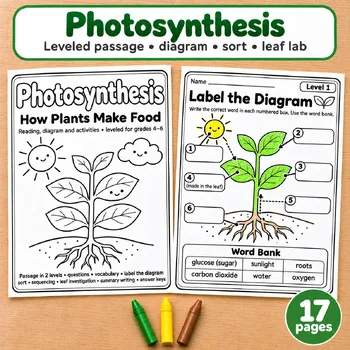
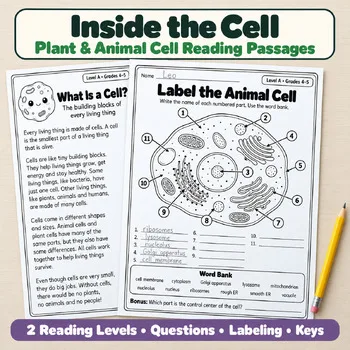
Our store does not have a space printable yet — these two science reading passages are the closest companions for a space unit, since both build the same read-and-answer skills with science texts.
Frequently asked questions
What is the best free space tool for elementary school?
NASA Space Place is the strongest free starting point, with short articles, games, crafts and videos written for kids. ESA Kids is the next one to try for younger readers who like stories.
Can I use these without a telescope?
Yes. Every tool here works on a screen with no telescope at all. Only SkySafari's telescope-control features need one, and those are optional.
Which tool shows tonight's sky?
Star Walk 2 and Stellarium show the sky as it looks from your location on any date. SkySafari's Tonight at a Glance lists the evening's best targets and times.
Are these safe for kids to explore on their own?
NASA Space Place and ESA Kids are made for children to browse. The 3D tools — NASA Eyes, Solar System Scope and Stellarium — are best explored together as a class the first time.
Do any of these cost money?
The NASA sites, ESA Kids and the National Geographic Kids space hub are free, and the Stellarium desktop planetarium is free. Solar System Scope is free online with a $9.80 desktop version, Star Walk 2 has a free version with a paid Plus upgrade, and SkySafari is a paid app with no price listed on its site.
Make a tool for teachers?
Built something teachers love? We keep these guides fresh, so send us a new tool, updated pricing or a featured spot request.
Request a listingDisclosure: no tool on this page paid to be included and we don't earn commissions from these links. Featured placements, if we ever offer them, will be clearly labeled "Sponsored". Details were checked on each provider's official website on November 3, 2026 and can change.