Coding in elementary school rarely looks like typing lines of code. In kindergarten it is a child arranging arrow cards so a robot reaches a picture, and in fourth grade it is a student snapping blocks together to make a sprite jump when a key is pressed. Underneath both is the same thinking: breaking a task into steps, spotting patterns, and fixing what goes wrong. The tools on this list help you teach that thinking, plus the hands-on science that sits next to it in most STEM blocks.
The list opens with free coding platforms, then covers an unplugged option, paid curricula, a family-style app, a screen-free robot, and a K–5 science program.
Every tool was checked on its official website on October 29, 2026. We looked for a clear fit with PreK–5 learners, honest pricing information, and a way to begin for free. When a site did not show a price, an age range, or a feature, we say that rather than fill the gap with a guess.
Key takeaways
- Free K–5 computer science curriculum with a teacher dashboard and built-in professional learning: Code.org.
- Free creative coding from the Scratch Foundation: ScratchJr for ages 5–7 and Scratch for ages 8 and up, with teacher accounts for student logins.
- No devices needed: CS Unplugged offers free, open-source computer science activities, most aimed at ages 5–10.
- Kodable and Tynker both offer free starting points, with school plans for full content; Kodable lists its school prices publicly.
- Mystery Science is sold through school, district, and homeschool memberships, with a limited free Classroom Scholarship for single teachers.
Quick comparison
| # | Tool | Best for | Grades / audience | Pricing | Free plan |
|---|---|---|---|---|---|
| 1 | a free, full K–5 computer science course | K–5 (plus middle and high school) | Free | Yes | |
| 2 | first coding projects with pre-readers | Ages 5–7 (K–2) | Free | Yes | |
| 3 | older elementary students designing their own games | Ages 8–13+ (grades 3–5 and up) | Free | Yes | |
| 4 | teaching computer science with no devices | Ages 5–10 for most topics (some to 14) | Free | Yes | |
| 5 | a K–5 coding curriculum with typing included | K–5 | Freemium | Yes | |
| 6 | open-and-go elementary science lessons | K–5 | School license | Trial only | |
| 7 | a path from blocks to Python | Ages 5–18 (K–12) | Freemium | Yes | |
| 8 | wordless coding games for young children | Ages 3–10 | Paid | Trial only | |
| 9 | screen-free robot coding in PreK–2 | Early learning and elementary | Paid | No |
Make a tool for teachers?
Built something teachers love? We keep these guides fresh, so send us a new tool, updated pricing or a featured spot request.
Request a listingThe 9 best picks
- Pricing
- Free
- Free plan
- Yes
- Grades / audience
- K–5 (plus middle and high school)
Code.org publishes free computer science and AI curricula from elementary through high school. In an elementary classroom, a teacher typically assigns a Computer Science Fundamentals course from the teacher dashboard and lets students work through block-based puzzles. Third through fifth graders can also try short AI units.
What we like
- Computer Science Fundamentals is a free set of elementary curricula for grades K–5 with flexible pacing
- Computer Science Connections (grades 3–5) ties coding to math, language arts, science, and social studies
- A teacher dashboard shows classes, lessons, and student progress in one place
- Courses include built-in professional learning, either self-paced or facilitator-led
Watch out for
- Students need a device and internet access for the online courses.
- The online courses directory includes some third-party listings, so check that a specific course is free before assigning it.
Pricing: The curriculum and tools are listed as free, with no add-ons or extra cost.
- Pricing
- Free
- Free plan
- Yes
- Grades / audience
- Ages 5–7 (K–2)
ScratchJr is a free app from the Scratch Foundation, developed with the MIT Media Lab, that lets young children program their own stories and games. Children snap together picture-based blocks to make characters move, jump, dance, and sing, so they can build projects before they can read instructions. A kindergarten teacher might model a two-block animation on the board and then have pairs retell a story by animating its characters.
What we like
- Icon-based blocks mean children who cannot yet read can still build programs
- Free app for iPad, Android, and Chromebook according to the MIT Media Lab project page
- Projects auto-save, and the iPad version can share projects by email and AirDrop
- The Scratch Foundation's Learning Library includes activity guides and support for ScratchJr
Watch out for
- ScratchJr is an app, not a website, so it must be installed on each tablet or Chromebook.
- The app is designed for ages 5–7, so older students will outgrow it and move to Scratch.
Pricing: The app is free; the Scratch Foundation asks for optional donations.
- Pricing
- Free
- Free plan
- Yes
- Grades / audience
- Ages 8–13+ (grades 3–5 and up)
Scratch is the full block-based coding environment from the Scratch Foundation, where students build stories, games, and animations and can share them in an online community. Upper-elementary teachers often use it for open-ended projects: a math game that asks multiplication questions, an animated book report, or a science model. Teacher accounts let you set up and manage logins for a whole class.
What we like
- Free for everyone, supported by donations
- Teacher accounts make it easy to create and manage student accounts
- An offline app runs on Windows, macOS, ChromeOS, and Android for classrooms with unreliable internet
- A Learning Library of activity guides, videos, and tutorials for teaching with Scratch
Watch out for
- The suggested age range starts at 8, so younger students are better served by ScratchJr.
- The Windows offline app is currently available only through the Microsoft Store.
Pricing: Scratch is free.
- Pricing
- Free
- Free plan
- Yes
- Grades / audience
- Ages 5–10 for most topics (some to 14)
CS Unplugged is a free collection of games and puzzles that teach computer science ideas without a computer. A class might learn binary numbers by flipping dot cards, or act out the Kidbots lesson by giving a classmate step-by-step movement instructions. It is a good fit for classrooms with limited devices, or as a warm-up before students code on screens.
What we like
- Topics for ages 5–10 include binary numbers, image representation, error detection, Kidbots, and searching algorithms
- Free and open source under a Creative Commons Attribution-ShareAlike license
- Curriculum integration ideas for connecting lessons to other subjects
- Run by the Computer Science Education Research Group at the University of Canterbury, New Zealand
Watch out for
- Most activities need some printing and simple supplies such as cards.
- The site lists seven topics, so it works best as a supplement rather than a full-year course.
Pricing: All materials are free.
- Pricing
- Freemium
- Free plan
- Yes
- Grades / audience
- K–5
Kodable is a K–5 platform of games for coding, typing, and digital skills. Younger students start with Kodable Basics, and students in second grade and up can move into Creator, where they design their own games. Teachers assign self-guided lessons and follow progress on a dashboard, which makes it practical for a center rotation or computer lab block.
What we like
- Several apps: Kodable Basics (K and up), Creator (grade 2 and up), Kodable Typing, and Bug World for older students
- Teacher dashboard for tracking progress, with Google Classroom, Clever, and class-code rostering
- Described as ad-free and no-prep, and runs on Chromebooks, iPads, and web browsers
- Premium+ school plans add 80+ standards-aligned lesson plans and Kodable Academy professional development
Watch out for
- The Premium tier limits premium content to weekday school hours.
- Parent plan pricing was not shown on the pages we checked.
Pricing: A free Kickstart plan covers introductory lessons; school plans are listed from $1,750 a year for up to 250 students, with higher tiers at $2,500 and $3,500.
- Pricing
- School license
- Free plan
- Trial only
- Grades / audience
- K–5
Mystery Science is a K–5 science curriculum built around phenomena and hands-on investigations. A teacher opens a lesson, plays the short video that poses a question, and runs the activity with simple supplies.
What we like
- 200+ lessons, with full lesson-plus-activity units and 5-minute mini-lessons
- Phenomena-driven lessons with hands-on investigations
- Written and 3D assessments
- Standards-alignment guides for every state
Watch out for
- Hands-on investigations need supplies that you or your school will have to gather.
- Homeschool memberships run through June 30, 2027, rather than for a rolling 12 months.
Pricing: Memberships are sold to schools and districts (Science Only listed at $2,199) and to homeschool families (listed at $199), with a free Classroom Scholarship for eligible teachers through June 30, 2027.
- Pricing
- Freemium
- Free plan
- Yes
- Grades / audience
- Ages 5–18 (K–12)
Tynker teaches coding through game-like lessons that start with blocks and move into JavaScript and Python. Its elementary courses cover block-based and icon-based coding, game design, digital citizenship, and an intro to AI, plus activities for pre-readers.
What we like
- 31 elementary courses, with 39 CSTA standards aligned to more than 30 K–5 courses
- Icon-based coding for pre-readers and a transition to JavaScript and Python
- Automatic grading and dashboards for tracking class progress
- Minecraft-themed courses and support for micro:bit and LEGO WeDo
Watch out for
- Free content is a subset of the full course library.
- Home plan prices were not shown on the pages we could load.
Pricing: Free courses and a free Hour of Code section are available; school plans are by quote, and home plans come in quarterly, yearly, and lifetime options for up to three children.
- Pricing
- Paid
- Free plan
- Trial only
- Grades / audience
- Ages 3–10
codeSpark is a learn-to-code app for ages 3 to 10, now part of Begin (codespark.com redirects to Begin's site). Its wordless, drag-and-drop puzzles start with sequencing and build to loops and conditionals, so even preschoolers can play, and older children can build their own games.
What we like
- Wordless interface, so children can start before they read
- Puzzles progress from sequencing to loops, events, variables, and conditionals
- Children can create, share, and remix their own games and stories
- Available on Apple and Google Play, with a kidSAFE seal
Watch out for
- It is an app for tablets and phones, so plan for device access.
- Membership is bundled with Begin perks, which matter more to families than to classrooms.
Pricing: A free trial is offered; the membership price was not listed on the pages we checked.
- Pricing
- Paid
- Free plan
- No
- Grades / audience
- Early learning and elementary
Sphero indi is a small, screenless robot designed for early learners. Classroom kits pair the robot with color tiles, a color card kit, and code mats, so students practice sequencing and problem solving on the floor instead of on a device. Sphero frames it around computational thinking and play-based learning, and its Code Mat comes with literacy cards for connecting coding to reading.
What we like
- Screenless design for young students, with color tiles and a color card kit
- Code Mat and Literacy Cards for combining coding with literacy
- Free lessons through Sphero Central, plus standards-alignment and funding pages
- Self-guided professional development and an educator guide
Watch out for
- Plan for charging and storage between lessons.
- The product page does not give a specific age range.
Pricing: Listed at $150 for a Single Student Kit and $1,500 for an 8-robot Class Pack, with accessories sold separately.
How we chose
We started from tools PreK–6 teachers actually use and checked every one against its official website, pricing page and feature pages on November 5, 2026. We kept tools that fit elementary classrooms, noted whether a free plan exists, and wrote down honest limitations next to the strengths. Nobody paid to be included, and we don't use affiliate links on this page.
- Fit for PreK–6 classrooms, special education or homeschool
- Clear information on the official site about what the tool does and who it is for
- Free plan or free-for-teachers option noted where one exists
- Still active and maintained, with rebrands noted
How to choose the right tool
Start with your devices. If every student has a Chromebook or iPad, Code.org, Kodable, Tynker, and Scratch all work in the browser or as apps. If you have a few shared devices, lean on CS Unplugged for whole-class lessons and rotate small groups onto the screens.
Match the tool to reading level. Pre-readers need icon-based or wordless tools such as ScratchJr, codeSpark, or Sphero indi. By third grade, most students can handle Scratch and the text in Code.org courses.
Decide whether you need a curriculum or a creative space. Code.org, Kodable, and Tynker give you sequenced lessons and dashboards. Scratch and ScratchJr are open-ended studios, which work best when you supply the project prompt.
Read the pricing model carefully. Code.org, Scratch, ScratchJr, and CS Unplugged are free. Kodable and Tynker have free starting points with paid school plans, and Mystery Science is sold by school or homeschool membership.
Count the hidden costs of hands-on STEM. Robots need charging and accessories, and science investigations need supplies. Budget for those before committing to a full unit.
Best pick by situation
- You teach kindergarten and want students to make their first animated story on iPads: ScratchJr — free, icon-based blocks built for pre-readers ages 5–7
- Your school wants a free, sequenced K–5 computer science course with teacher training: Code.org — free CS Fundamentals courses with built-in professional learning
- You have one shared device cart and want coding lessons that work at tables: CS Unplugged — games and puzzles that teach computer science without a computer
- Your fourth and fifth graders are ready to design and share their own games: Scratch — free, with teacher accounts and an offline app
- Your PreK or kindergarten class needs a robot that works without a screen: Sphero indi — a screenless robot designed for early learners
- You want a coding platform that also covers keyboarding: Kodable — includes Kodable Typing alongside its K–5 coding apps
- You need ready-to-teach science lessons with hands-on investigations: Mystery Science — 200+ phenomena-driven K–5 lessons with activities
Pair it with printables
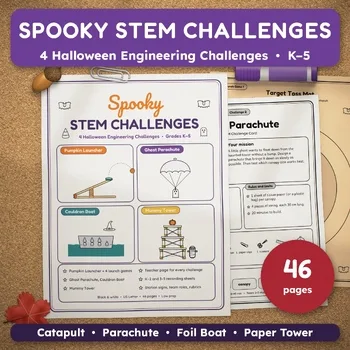
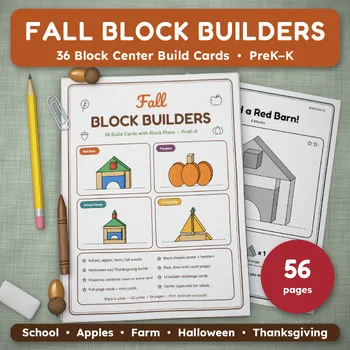
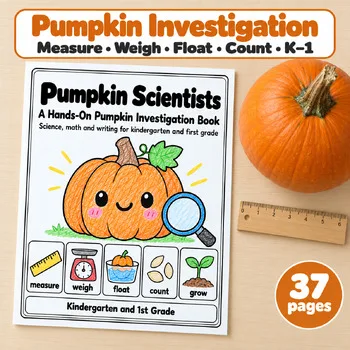
For STEM time away from screens, these Activity Express printables give students hands-on building challenges and science investigations that pair well with the tools above.
Frequently asked questions
What is the best free coding program for elementary school?
Code.org's Computer Science Fundamentals courses for grades K–5 are free and include a teacher dashboard and built-in professional learning. ScratchJr and Scratch are also free, and CS Unplugged offers free lessons that need no devices.
Can kindergartners learn to code?
Yes. ScratchJr is designed for ages 5–7 and uses picture-based blocks, codeSpark uses a wordless interface for ages 3–10, and Sphero indi is a screenless robot designed for early learners.
What is the difference between Scratch and ScratchJr?
ScratchJr is a free app for ages 5–7 with icon-based blocks. Scratch is a fuller coding environment suggested for ages 8–13 and up, with an online community, teacher accounts, and an offline app.
How can I teach coding without computers?
CS Unplugged offers free games and puzzles on topics such as binary numbers, Kidbots, and searching algorithms, most aimed at ages 5–10. Screen-free robots like Sphero indi are another option.
Is Mystery Science free for teachers?
Not generally. It is sold through school, district, and homeschool memberships. Eligible teachers can apply for a free Classroom Scholarship that runs through June 30, 2027, but the number per school is limited.
Make a tool for teachers?
Built something teachers love? We keep these guides fresh, so send us a new tool, updated pricing or a featured spot request.
Request a listingDisclosure: no tool on this page paid to be included and we don't earn commissions from these links. Featured placements, if we ever offer them, will be clearly labeled "Sponsored". Details were checked on each provider's official website on November 5, 2026 and can change.