Making a classroom resource is one job. Turning it into a product that sells on Teachers Pay Teachers is another, and it brings its own to-do list: licensed clip art and fonts, a clean layout, a cover and preview images, a PDF that is compressed and secured, and maybe a digital version for buyers who teach on devices.
This list covers the tools teacher-authors reach for at each of those steps. It includes TPT's own Easel tool, a free professional design app, two independent clip art studios with written terms for teacher-sellers, a font and graphics marketplace with clear commercial tiers, a mockup tool for listing images, and two PDF utilities. Canva and handwriting-style teacher fonts are covered in our worksheet creation tools guide, so they are not repeated here.
Each feature, license detail and price below was checked on the official website on October 29, 2026. Licensing matters more than anything else when you sell, so where a site did not show its terms clearly, we say so.
Key takeaways
- Best free way to offer a digital version: Easel by TPT, free for all teachers.
- Best free design app: Affinity (by Canva), free for individuals on Mac and Windows.
- Clearest seller license among the clip art shops: Whimsy Clips, which names TPT, Easel and Boom Cards.
- For fonts and graphics, buy the Commercial tier on Creative Market (up to 5,000 end products for sale).
- For PDFs: iLovePDF for free merge, compress and protect jobs; Adobe Acrobat for full editing.
Quick comparison
| # | Tool | Best for | Grades / audience | Pricing | Free plan |
|---|---|---|---|---|---|
| 1 | adding a digital version to PDF listings | Teachers and TPT sellers; students complete work | Free | Yes | |
| 2 | free pro-level layout and illustration | Teacher-authors and designers (adult tool) | Free | Yes | |
| 3 | clip art with clear TPT seller terms | Teacher-authors and educators | Paid | Yes | |
| 4 | hand-drawn clipart for primary resources | Teachers, teacher-authors, crafters | Paid | No | |
| 5 | fonts and graphics with tiered commercial licenses | Designers and teacher-authors | Paid | Yes | |
| 6 | quick mockups and promo graphics | Sellers and small businesses | Freemium | Yes | |
| 7 | free merge, compress and protect tasks | Anyone working with PDFs | Freemium | Yes | |
| 8 | full PDF editing and security | Anyone working with PDFs | Paid | No |
Make a tool for teachers?
Built something teachers love? We keep these guides fresh, so send us a new tool, updated pricing or a featured spot request.
Request a listingThe 8 best picks
Easel by TPT
Best for: adding a digital version to PDF listings
- Pricing
- Free
- Free plan
- Yes
- Grades / audience
- Teachers and TPT sellers; students complete work
Easel is the digital layer built into Teachers Pay Teachers. Buyers can open a resource in Easel, add answer boxes and other elements, and assign it to students through Google Classroom or a link pasted into any LMS. For a seller, that means a printable PDF can also show up for buyers who filter TPT search for Easel Activities, without building a separate digital product from scratch.
What we like
- Easel Activity and Easel Assessment labels appear on TPT listings, and buyers can filter search by them
- Self-checking quizzes in multiple choice, true-false and poll formats with results by student and by question
- Assign through Google Classroom or by pasting a link into any LMS
- Basic membership includes the creation tools and building activities from scratch
Watch out for
- The overview page did not explain the seller workflow for attaching Easel versions to listings.
- Students who don't use Google Classroom need a free Easel account.
Pricing: TPT describes Easel as free, with a basic membership available to all teachers and no trial period.
- Pricing
- Free
- Free plan
- Yes
- Grades / audience
- Teacher-authors and designers (adult tool)
Affinity combines vector design, photo editing and page layout in one desktop app, and the official site now lists it as free for individuals. Teacher-authors can lay out a multi-page packet, draw simple borders or icons, and clean up a product photo without paying for separate design software. It is a step up in control from browser-based design tools, with a learning curve to match.
What we like
- Vector, pixel (photo editing) and page layout tools in one app
- Free for individuals, with a Canva login used for downloads
- Runs natively on Mac (Apple silicon and Intel) and Windows
- Extras such as a Blend tool, in-app scripting and RAW development
Watch out for
- The iPad version was listed as coming soon, with pre-orders open.
- Desktop design software takes longer to learn than template-based tools.
Pricing: Free for individuals; Canva AI tools inside Affinity need a Canva premium plan, and organizations contact Canva for enterprise or education licensing.
- Pricing
- Paid
- Free plan
- Yes
- Grades / audience
- Teacher-authors and educators
Whimsy Clips is an independent clip art shop with collections for school topics, ELA and phonics, seasons, holidays, animals and food, plus backgrounds, templates and free clip art. Its standard license is written with teacher-sellers in mind: it names TPT, Easel, Boom Cards, Google Slides and even Amazon KDP print books for small teacher-author businesses. That makes it easier to know what you can sell before you build a product around the art.
What we like
- Standard license covers lessons, centers and activities sold on TPT, Etsy or your own site
- Movable pieces allowed in TPT Easel and Boom Cards without an extra license
- Free Clip Art and Free Coloring Pages collections
- Collections organized by school subject, season and holiday
Watch out for
- Clip art can't be used in books sold for profit, except the narrow Amazon KDP allowance for teacher-authors.
- Digital slides must have the art flattened into a fixed background.
Pricing: Clip art is sold per set and bundle; a free clip art collection is also available.
Kate Hadfield Designs
Best for: hand-drawn clipart for primary resources
- Pricing
- Paid
- Free plan
- No
- Grades / audience
- Teachers, teacher-authors, crafters
Kate Hadfield Designs is a small UK studio selling high-resolution, hand-drawn clipart for teachers, digital scrapbookers and crafters. Alongside kits and bundles, the shop sells alphabets, digital stamps, templates and printable colour-in crafts. Its help center has a full section on using the illustrations, including whether you can create teaching resources to sell and how to credit the studio.
What we like
- Hand-drawn clipart kits, bundles, elements and alphabets
- Help articles on selling teaching resources, flattening art and crediting
- Separate guidance for classroom use, yearbooks and freebies
- Newsletter subscribers get exclusive freebies in the VIP Doodle Den
Watch out for
- Freebies are tied to the newsletter and have their own terms.
- Much of the catalog targets digital scrapbooking, so filter for teaching-friendly sets.
Pricing: Products are sold individually and in bundles; no subscription was shown on the homepage.
Creative Market
Best for: fonts and graphics with tiered commercial licenses
- Pricing
- Paid
- Free plan
- Yes
- Grades / audience
- Designers and teacher-authors
Creative Market is a large marketplace where independent creators sell fonts, graphics, illustrations, templates, mockups and more. Teacher-authors mostly use it for display fonts, cover graphics and decorative elements that make a product thumbnail stand out. Because every purchase comes with a named license tier, it is easy to see how many products for sale a single asset covers.
What we like
- Catalog of fonts, graphics, templates, mockups, photos and illustrations from independent creators
- Commercial license covers up to 5,000 end products for sale
- Extended Commercial license covers up to 250,000 end products for sale
- Free Downloads section and a paid membership option
Watch out for
- The license page doesn't mention printables by name, so read the full terms.
- Quality and style vary because items come from many different creators.
Pricing: Assets are priced individually by each creator; a paid membership was advertised but its price was not shown on the homepage.
- Pricing
- Freemium
- Free plan
- Yes
- Grades / audience
- Sellers and small businesses
Placeit is a browser-based template tool for mockups, social media designs, logos and short videos. A teacher-author can drop a cover page into a tablet, book or planner mockup for a listing thumbnail, or make a quick promo clip for social media. Templates are edited online, so there is nothing to install.
What we like
- Device, print, book, planner and flyer mockup templates
- Social media, logo and video templates for promoting new products
- Free account with thousands of free templates
- Free AI tools including a background remover and video-to-GIF converter
Watch out for
- A first-year promotional price was advertised, so check the renewal price.
- Many templates are built around apparel and merch.
Pricing: Free account plus an Unlimited subscription, listed at $89.69 per year when billed annually.
- Pricing
- Freemium
- Free plan
- Yes
- Grades / audience
- Anyone working with PDFs
iLovePDF is a set of browser tools for the routine PDF jobs that come with selling printables. You can merge a cover, terms of use page and activity pages into one file, compress a large packet so it uploads quickly, add page numbers, or create a JPG preview page. It also has a Protect tool for adding a password.
What we like
- Merge, split, organize, remove and extract pages
- Compress, repair and OCR tools
- Add page numbers, watermarks and passwords
- Convert PDF to JPG for preview images
Watch out for
- Files are uploaded for processing; the desktop app is part of Premium.
- Editing PDFs and advanced OCR are listed as Premium benefits.
Pricing: Free Basic account with processing limits; Premium was listed at US$59 per year or US$9 billed monthly.
- Pricing
- Paid
- Free plan
- No
- Grades / audience
- Anyone working with PDFs
Acrobat is the full PDF editor many teacher-authors use as the last step before uploading. You can fix a typo directly in a finished PDF, combine files of different types, and password-protect a product so clip art and fonts stay locked as their licenses require. The free Acrobat Reader is useful for checking how buyers will see the file.
What we like
- Edit text and images directly in PDFs on all paid plans
- Password-protect PDFs on Standard, Pro and Studio
- Combine multiple file types into one PDF
- Free Acrobat Reader for viewing and checking files
Watch out for
- Redaction and the 70+ advanced tools need Pro or Studio.
- We did not see a trial listed for the Standard plan.
Pricing: Paid plans (Standard, Pro and Studio) with monthly or annual billing; free trials were offered for Pro and Studio, and Reader is free.
How we chose
We started from tools PreK–6 teachers actually use and checked every one against its official website, pricing page and feature pages on October 29, 2026. We kept tools that fit elementary classrooms, noted whether a free plan exists, and wrote down honest limitations next to the strengths. Nobody paid to be included, and we don't use affiliate links on this page.
- Fit for PreK–6 classrooms, special education or homeschool
- Clear information on the official site about what the tool does and who it is for
- Free plan or free-for-teachers option noted where one exists
- Still active and maintained, with rebrands noted
How to choose the right tool
Start with licenses, not looks. Before you fall in love with a clip art set or font, read its commercial terms for credit links, flattening rules, sales limits and banned uses such as coloring pages or print books.
Keep a simple license log. Note where each asset came from, which license you bought and what credit it requires, so your terms of use page is easy to write and update.
Use free tools until a limit actually slows you down. Easel, Affinity and the free tiers of iLovePDF and Placeit cover a lot of ground for a new store.
Plan your security step. Many clip art licenses require flattened images or a password-protected PDF, so make sure your PDF tool can add a password before you publish.
Think about digital buyers early. If you plan to offer an Easel version, check that your clip art license allows movable pieces in Easel, as Whimsy Clips does.
Spend on what buyers see first. A clear cover, readable preview pages and a sharp thumbnail often matter more than another clip art set.
Best pick by situation
- You sell PDF worksheets and want buyers to assign them on devices: Easel by TPT — builds on your existing TPT resource
- You want pro layout and illustration tools without a subscription: Affinity (by Canva) — free for individuals
- You need seasonal clip art and want to be sure Easel and Boom Cards are allowed: Whimsy Clips — its license names both
- You want a display font for covers and need to know how many sales it covers: Creative Market — license tiers state end-product limits
- Your listing thumbnails look flat and you want device or book mockups: Placeit by Envato — free account with mockup templates
- Your packet is too large to upload and needs merging and compressing: iLovePDF — free merge and compress tools
- You found a typo in a finished PDF and need to lock the file: Adobe Acrobat — edit and password-protect on every paid plan
Pair it with printables
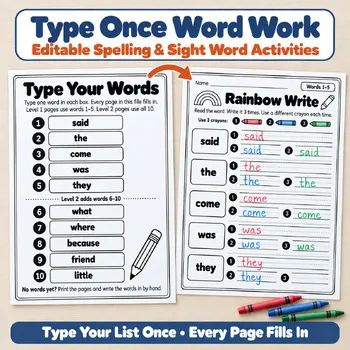
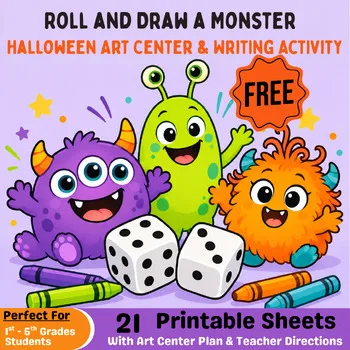
Want to see how a finished teacher-made product comes together? These Activity Express resources include an editable set, a free download and a bundle you can print for your own class.
Frequently asked questions
Is Easel by TPT free?
Yes. TPT describes Easel as free, with a basic membership for all teachers that includes the creation tools and building activities from scratch.
Is Affinity really free now?
The official Affinity site lists it as free for individuals on Mac and Windows. Canva AI features inside it need a Canva premium plan.
Can I use Whimsy Clips art in TPT products?
Yes, under its standard license, as long as the art is part of a larger design, flattened or secured, and credited with a clickable link to Whimsy Clips.
Which Creative Market license do I need for products I sell?
The Commercial license, which covers up to 5,000 end products for sale. The Personal license only covers end products not for sale.
How do I password-protect a TPT PDF?
iLovePDF has a free Protect tool, and Adobe Acrobat Standard, Pro and Studio all include password protection.
Make a tool for teachers?
Built something teachers love? We keep these guides fresh, so send us a new tool, updated pricing or a featured spot request.
Request a listingDisclosure: no tool on this page paid to be included and we don't earn commissions from these links. Featured placements, if we ever offer them, will be clearly labeled "Sponsored". Details were checked on each provider's official website on October 29, 2026 and can change.