If you spend Sunday afternoons rewriting a reading passage three ways, building a quiz from scratch, or staring at a blank report card comment box, an AI tool for teachers can take the first draft off your plate. This list is for PreK through 6th grade teachers, interventionists and SPED teams who want a realistic picture of what each tool actually does before signing up.
Every tool below was checked on its official website this week. We looked at feature pages and pricing pages, noted what the free plan includes and where it stops, and left out anything we could not confirm, such as usage claims or review scores. Several of these tools have a free option for individual teachers, and a few are built mainly for school or district purchase.
One honest note before you start: these tools draft, level and organize. You still check every output for accuracy and fit, and you still decide what your students see.
Key takeaways
- Best for leveled, printable readings: Diffit
- Largest free toolbox for individual teachers: MagicSchool (80+ teacher tools on the free plan)
- Best for working inside Google Docs, Slides and websites: Brisk Teaching
- Free for teachers from a nonprofit: Khanmigo (eligible countries only)
- Clearest published paid price: Eduaide Pro, Education Copilot Pro and MagicSchool Plus all list prices on their sites
Quick comparison
| # | Tool | Best for | Grades / audience | Pricing | Free plan |
|---|---|---|---|---|---|
| 1 | leveled readings and differentiated printables | Elementary and secondary; ELL, SPED, MTSS | Freemium | Yes | |
| 2 | an all-in-one free teacher toolbox | K-12 teachers, students and districts | Freemium | Free for teachers | |
| 3 | AI inside the docs and sites you already use | K-12 (Kindergarten to AP) | Freemium | Yes | |
| 4 | standards-aligned assessments and graphic organizers | K-12 teachers; schools and districts | Freemium | Yes | |
| 5 | free lesson prep from a nonprofit | Teachers (18+); students elementary through college | Free + paid | Free for teachers | |
| 6 | whole-class writing practice with instant feedback | Teachers and districts (grades not stated) | Freemium | Yes | |
| 7 | simple lesson plans, slides and handouts | K-12 teachers | Freemium | Yes | |
| 8 | monitored AI learning spaces for students | K-12 teachers, students and school leaders | Freemium | Trial only |
Make a tool for teachers?
Built something teachers love? We keep these guides fresh, so send us a new tool, updated pricing or a featured spot request.
Request a listingThe 8 best picks
- Pricing
- Freemium
- Free plan
- Yes
- Grades / audience
- Elementary and secondary; ELL, SPED, MTSS
Diffit turns a topic or an existing text into ready-to-teach resources such as readings, questions and activities, then lets you adjust them before you print. A typical use is taking one science or social studies topic and producing versions for your on-level readers, your intervention group and your English learners, so everyone works on the same content at a reachable level.
What we like
- Optional settings for MTSS tier, challenge level, language, scaffolds and standards when you generate a resource
- Produces differentiated activities, station rotations, sub plans, intervention materials and slides
- Print-ready layouts, plus editable export to Google Docs, Slides, Forms, Classroom or Microsoft 365 on premium
- Built-in editing tools so you can tweak the output before it reaches students
Watch out for
- Free plan only keeps the last 90 days of content
- Standards and MTSS alignment and full export options require premium
Pricing: A free Basic plan is available with limits; premium individual licenses and school or district plans are priced through the site.
- Pricing
- Freemium
- Free plan
- Free for teachers
- Grades / audience
- K-12 teachers, students and districts
MagicSchool is a large collection of single-purpose AI tools for teachers, from lesson plans and rubrics to report card comments and professional emails. Most teachers use it as a starting point for everyday prep: pick a tool, enter your grade and topic, and edit the draft it returns.
What we like
- 80+ teacher tools on the free plan, including Lesson Plan, Rubric Generator, Report Card Comments, Multiple Choice Quiz and Text Rewriter
- An IEP Generator and Writing Feedback tool for SPED and writing support
- Integrations named on the site include Google Docs, Google Classroom and Canvas
- States it is FERPA and COPPA compliant and does not use student or teacher data to train AI
Watch out for
- Student-facing tools are not included on the free plan
- The free plan does not include unlimited generations or full output history
Pricing: Free for individual teachers; MagicSchool Plus was listed at $8.33 per month billed annually or $12.99 billed monthly, and district Enterprise pricing is by quote.
- Pricing
- Freemium
- Free plan
- Yes
- Grades / audience
- K-12 (Kindergarten to AP)
Brisk Teaching is a browser extension that adds AI tools to the pages and files you already have open, including documents, PDFs, videos and websites. You might open an article, ask Brisk to change its reading level, then turn it into a quiz or a Google Slides presentation without leaving the page.
What we like
- Works on docs, videos, PDFs and websites through its browser extension, with versions for Google and Microsoft
- Change Level adjusts reading levels or translates materials into 50+ languages
- Presentation maker builds Google Slides from an idea, article, website or video
- Feedback tools including batch feedback and Glow and Grow comments on student writing
Watch out for
- Paid plans are sold to schools and districts with custom pricing, not as a posted individual price
- Free plan support is limited to self-serve resources and community
Pricing: There is a $0 Free plan; Premium and district Intelligence plans use custom per-student pricing.
- Pricing
- Freemium
- Free plan
- Yes
- Grades / audience
- K-12 teachers; schools and districts
Eduaide helps you turn a learning objective, standard or source document into lesson plans, graphic organizers, games, assessments and rubrics. It suits teachers who like to start from their own material, since you can work from documents, websites and YouTube videos and then export the result in the format you need.
What we like
- 110+ classroom resource templates, including lesson plans, graphic organizers, games, assessments and rubrics
- Assessment builder with nine question types, difficulty controls and adjustable length and point values
- Standards from 50+ jurisdictions can be applied to materials
- Exports to Google Docs, DOCX, Google Forms, plain text or PDF
Watch out for
- Free plan is limited to 24 credits a month
- YouTube transcript sources and document revision are Pro features
Pricing: Eduaide Free is $0 with 24 credits a month (up to about 8 resources); Eduaide Pro was listed at $49.99 per year, and school licensing is by quote.
- Pricing
- Free + paid
- Free plan
- Free for teachers
- Grades / audience
- Teachers (18+); students elementary through college
Khanmigo is the AI teaching assistant and tutor from the nonprofit Khan Academy. Teachers use it to draft lesson plans tied to Khan Academy content and standards, write learning objectives and exit tickets, build rubrics, and group students based on summaries of their work.
What we like
- Lesson planning tied to Khan Academy's content library and standards
- Tools for learning objectives, rubrics, exit tickets, hooks, quiz questions and student groupings
- Student work summaries to help spot who needs extra support
- A student tutor designed to guide learners to answers rather than give them directly
Watch out for
- Teacher accounts are limited to adults in eligible countries or territories
- Student tutoring in class requires a district partnership
Pricing: Free for teachers in eligible countries; families pay a monthly or annual subscription, and classroom student access comes through district partnerships.
- Pricing
- Freemium
- Free plan
- Yes
- Grades / audience
- Teachers and districts (grades not stated)
Curipod runs teacher-led, whole-class lessons where students respond on their devices and get AI feedback on their writing as soon as they submit. You lead the discussion, students read their Glow and Grow feedback, revise, and their responses are captured as evidence you can review afterward.
What we like
- Instant Glow and Grow feedback on student writing, with unlimited student writers on the free plan
- Students do not need accounts, and the platform has no AI chatbots
- Reports that flag students who need follow-up
- Alignment to 55+ curricula, including HMH Into Reading, CKLA Amplify and Wit and Wisdom (district plan)
Watch out for
- Free sessions renew weekly, so daily use may need a school plan
- PDF downloads, writing reports and bilingual practice are not on the free plan
Pricing: The Free plan is $0 per month for every teacher; school, district and curriculum-alignment plans are custom priced.
- Pricing
- Freemium
- Free plan
- Yes
- Grades / audience
- K-12 teachers
Education Copilot is a straightforward generator for lesson plans, worksheets, slide decks, quizzes and parent communication. It fits teachers who want a short list of practical tools rather than a large platform, for example drafting a lesson plan and matching slides for the same topic in one sitting.
What we like
- Lesson plan generator with objectives, activities, materials and assessments
- Worksheet generator for practice problems, comprehension questions and printable handouts
- Quiz and test maker with multiple-choice, short-answer and true/false questions plus answer keys
- IEP and differentiation helper that adapts materials for reading levels, ELL students and accommodations
Watch out for
- Exports and unlimited generations require Pro
- School and district prices are not posted
Pricing: The Free plan is $0 with the core tools and no credit card; Pro was listed at $9 per month, and team, school and district plans are available.
- Pricing
- Freemium
- Free plan
- Trial only
- Grades / audience
- K-12 teachers, students and school leaders
SchoolAI lets teachers build Spaces, guided AI learning experiences where students work with an AI assistant called Dot inside boundaries the teacher sets. While students work, the Mission Control dashboard shows who is engaged and who is stuck so you can step in.
What we like
- Spaces you configure, with teacher-set safeguards and content boundaries for the AI
- Mission Control dashboard showing student engagement and suggested next steps
- Premade Spaces and templates to browse in Discover, plus tools to build your own Spaces
- Safety features that flag crises in real time and connect students to trusted adults
Watch out for
- Free Trial allows only 5 Space launches per year
- LMS integration and rostering are paid features
Pricing: Teachers can start on a Free Trial with 5 Space launches per year; Pro and Scale plans for schools are priced through sales.
How we chose
We started from tools PreK–6 teachers actually use and checked every one against its official website, pricing page and feature pages on November 1, 2026. We kept tools that fit elementary classrooms, noted whether a free plan exists, and wrote down honest limitations next to the strengths. Nobody paid to be included, and we don't use affiliate links on this page.
- Fit for PreK–6 classrooms, special education or homeschool
- Clear information on the official site about what the tool does and who it is for
- Free plan or free-for-teachers option noted where one exists
- Still active and maintained, with rebrands noted
How to choose the right tool
Start with the job you do most often. If it is differentiating reading, try Diffit or Brisk first. If it is writing quizzes and assessments, Eduaide and Education Copilot are more direct. If you want one account for many small tasks, MagicSchool covers the most ground on its free plan.
Decide whether students will touch the tool. Diffit, Eduaide and Education Copilot are teacher-facing and produce materials you print or post. Curipod, SchoolAI and the student side of MagicSchool and Khanmigo put students on devices, which means checking your school's device access and privacy approvals first.
Read the free plan limits, not just the word free. Eduaide caps free use at 24 credits a month, Diffit keeps only 90 days of free content, Curipod renews free sessions weekly, and SchoolAI allows 5 Space launches a year on its trial.
Ask your school or district what is already approved. Several of these tools, including Brisk, SchoolAI and Curipod, sell mainly to schools, and your district may already hold a license with rostering and a data privacy agreement in place.
Plan for checking time. Every tool here produces a draft. Build in a few minutes to verify facts, adjust vocabulary for your grade, and make sure the format works for your youngest readers before printing.
Best pick by situation
- You teach 3rd grade and need one science article at three reading levels by tomorrow: Diffit — it adapts a topic or text into leveled, print-ready resources
- You want one free account that covers lesson plans, rubrics, report card comments and parent emails: MagicSchool — its free teacher plan includes 80+ tools
- Your school runs on Google Docs and Slides and you want AI where you already work: Brisk Teaching — it works as a browser extension on docs, PDFs, videos and websites
- You need standards-aligned quizzes you can export to Google Forms: Eduaide.ai — its assessment builder offers nine question types and Google Forms export
- You lead whole-class writing lessons and want instant feedback students can revise from: Curipod — students get Glow and Grow feedback the moment they submit
- You want a simple, low-cost lesson plan and slide generator with a posted price: Education Copilot — it has a $0 plan and a Pro plan listed at $9 a month
- Your district wants a monitored AI space where students chat with an AI tutor: SchoolAI — Mission Control shows teachers who is engaged and who is stuck
Pair it with printables
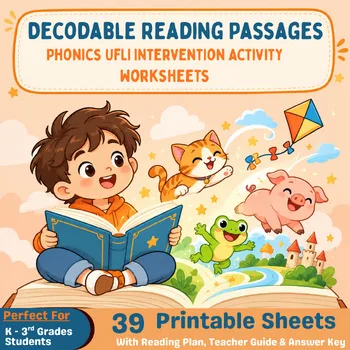
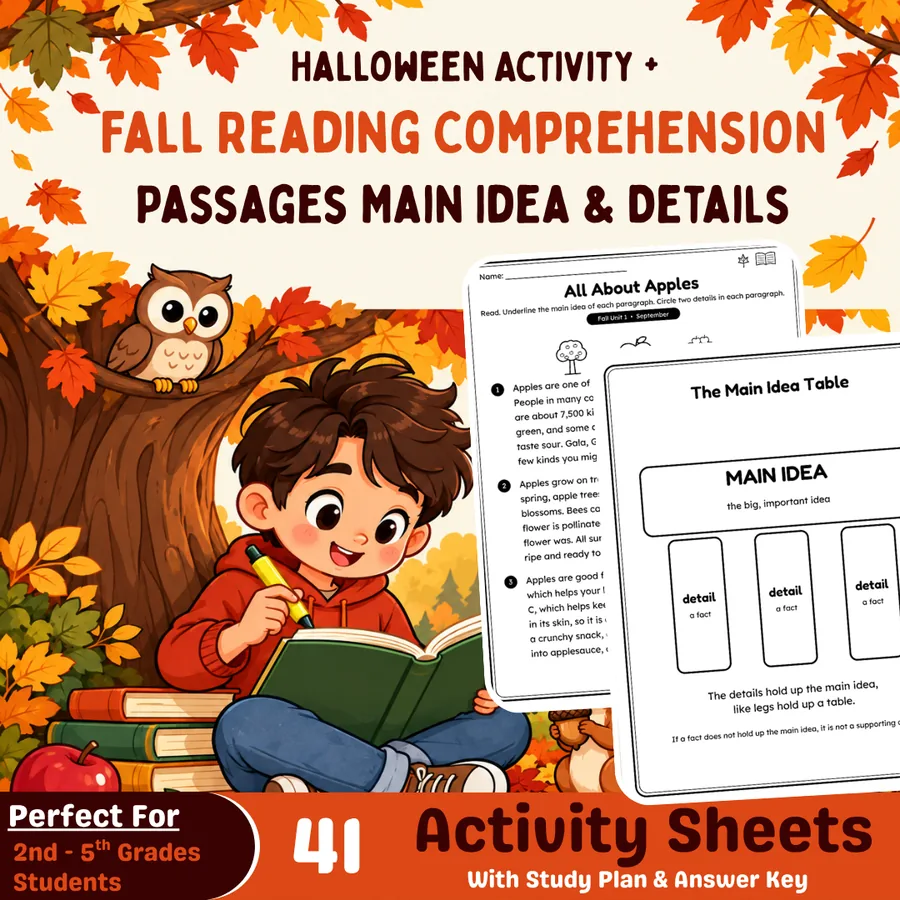
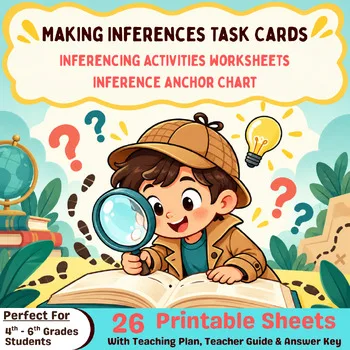
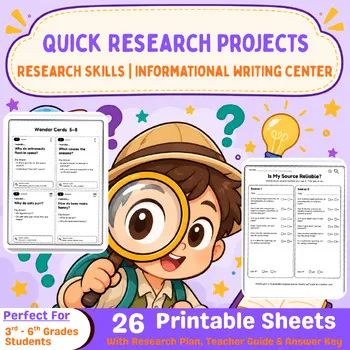
When the devices are busy or you want something proven and ready to print, these Activity Express reading and research printables are a low-tech companion to your AI-made materials.
Frequently asked questions
Which AI tools for teachers are free?
MagicSchool and Khanmigo are free for individual teachers (Khanmigo in eligible countries). Diffit, Brisk Teaching, Eduaide, Curipod and Education Copilot have free plans with limits. SchoolAI offers a free trial capped at 5 Space launches per year.
What is the best AI tool for differentiating reading passages?
Diffit is built for this: it creates leveled readings and activities with optional settings for MTSS tier, challenge level, language and scaffolds. Brisk Teaching's Change Level feature also adjusts reading level or translates into 50+ languages right inside a document or web page.
Are these AI tools safe for elementary students?
Most of the tools on this list are teacher-facing, so students never use them directly. For student-facing tools, check your district's approvals: Curipod says students do not need accounts and it has no chatbots, SchoolAI lets teachers set boundaries and monitor sessions, and MagicSchool states it is FERPA and COPPA compliant.
Can I use AI tools to make printable worksheets?
Yes. Diffit offers print-ready layouts, Education Copilot has a worksheet generator for printable handouts, and Eduaide exports to PDF and DOCX. Always review the output before copying it for your class.
Is Khanmigo free for students?
Khanmigo is free for teachers in eligible countries. Families pay a subscription for learner access, and classroom student access is only available through school or district partnerships, not set up by an individual teacher.
Make a tool for teachers?
Built something teachers love? We keep these guides fresh, so send us a new tool, updated pricing or a featured spot request.
Request a listingDisclosure: no tool on this page paid to be included and we don't earn commissions from these links. Featured placements, if we ever offer them, will be clearly labeled "Sponsored". Details were checked on each provider's official website on November 1, 2026 and can change.