A paper planbook works until an assembly, a snow day, or a fire drill pushes every lesson back a day and you are erasing arrows for an hour. This list is for PreK-6 teachers who want a digital planner that moves lessons around for them, keeps standards attached, and makes it easy to hand plans to a sub or a principal.
The apps fall into a few groups. Common Planner and PlanbookEdu are web planners with a free plan you can keep. Planbook is a low-cost paid planner with a gradebook and Google Classroom integration. Class Planner for teachers and iDoceo are device apps for teachers who plan on a phone, iPad, or Mac. Additio and OnCourse are built with whole schools and districts in mind.
We checked each app's official website or App Store page on October 29, 2026 and only describe features and prices we saw there. Free options are near the top, and where a vendor did not show a price, we say so rather than guess.
Key takeaways
- Best free web planner for teams: Common Planner (formerly Common Curriculum), with a free CP Basic plan.
- Best simple free planbook: PlanbookEdu, free forever for unlimited weekly plans, with Premium at $30 per year.
- Best low-cost all-in-one: Planbook, with a 90-day free trial, individual plans listed at $15 to $20 per year, and a gradebook.
- Best for iPad and Mac without a subscription: iDoceo, a one-time App Store purchase.
- District-wide plan review is the focus of OnCourse Lesson Planner, which is quoted rather than sold to individual teachers.
Quick comparison
| # | Tool | Best for | Grades / audience | Pricing | Free plan |
|---|---|---|---|---|---|
| 1 | free co-planning with your grade-level team | K-12 teachers, schools, and districts | Freemium | Yes | |
| 2 | a simple free planbook that feels like paper | All grade levels | Freemium | Yes | |
| 3 | low-cost planning with a built-in gradebook | Teachers, schools, and districts | Paid | Trial only | |
| 4 | planning on your phone with Google Classroom | Teachers (iPhone and iPad) | Freemium | Yes | |
| 5 | iPad teachers who want no subscription | Teachers (iPad, iPhone, Mac) | Paid | No | |
| 6 | planning plus skills-based grading in one app | Teachers, schools, kindergartens, and specialized centers | Paid | Trial only | |
| 7 | districts that review weekly lesson plans | K-12 schools and districts | School license | No |
Make a tool for teachers?
Built something teachers love? We keep these guides fresh, so send us a new tool, updated pricing or a featured spot request.
Request a listingThe 7 best picks
Common Planner (formerly Common Curriculum)
Best for: free co-planning with your grade-level team
- Pricing
- Freemium
- Free plan
- Yes
- Grades / audience
- K-12 teachers, schools, and districts
Common Planner, the new name for Common Curriculum, is a web lesson planner for unit and lesson plans. Teachers drag lessons around, bump a whole week forward when a day is lost, and copy last year's lessons into the new year. Grade-level teams can plan in the same planbook at the same time, which helps when three second-grade teachers split up subjects.
What we like
- Unit and lesson plans with a Standard Search covering K-12 standards from all 50 states
- Drag-and-drop rearranging and a one-click bump to shift plans forward
- Real-time co-planning in a shared planbook, with notes and resources stored inside each plan
- School tools for checking plans, coaching feedback, and a school-wide template and calendar
Watch out for
- Paid plan prices are not shown publicly.
- Several features, such as plan checking and school archives, are aimed at admins and require a school plan.
Pricing: CP Basic is free for teachers, schools can start a 30-day free trial, and paid prices were not listed on the page we checked.
- Pricing
- Freemium
- Free plan
- Yes
- Grades / audience
- All grade levels
PlanbookEdu is a straightforward online planbook laid out like the paper version many teachers already use. You type plans into a weekly grid, set up A/B days or rotations, and open your plans on a computer, tablet, or phone. Premium adds the extras that matter when you share plans, like attachments, standards, and Word or PDF export.
What we like
- Free forever plan with unlimited weekly plans and A/B day or rotation schedules
- Works on computers, iPads, and phones with cloud syncing
- Premium adds standards tagging, file attachments, and Word or PDF export
- Sharing with principals, teams, or substitutes, with control over what each person sees
Watch out for
- The free plan does not include file attachments.
- It is a planbook only, with no gradebook or attendance.
Pricing: The free plan costs $0, Premium is $30 per year with a 14-day free trial, and schools can request group quotes.
- Pricing
- Paid
- Free plan
- Trial only
- Grades / audience
- Teachers, schools, and districts
Planbook is an online lesson planner that handles weekly, bi-weekly, or cycle schedules and adjusts for half days. Teachers build reusable templates, attach files and standards, and share a student or substitute view of their plans. It also includes a gradebook, attendance, and seating charts, so some teachers use it as their main classroom tool.
What we like
- Weekly, bi-weekly, and cycle schedules, plus alternate-day schedules for events like half days
- Standards frameworks for every state, plus reusable lesson templates
- Separate views for students, substitutes, parents, and administrators
- Google Classroom, Google Drive, and Google Calendar integration, plus iOS and Android apps
Watch out for
- The many features take some setup time compared with a simple weekly grid.
- Discounts apply for 2- and 3-year terms, so compare terms before buying.
Pricing: Individual plans are listed at $15 to $20 per year after a 90-day free trial, with school and district licenses priced per account.
Class Planner for teachers
Best for: planning on your phone with Google Classroom
- Pricing
- Freemium
- Free plan
- Yes
- Grades / audience
- Teachers (iPhone and iPad)
Class Planner for teachers is a small, independent iOS app from developer Glen Botha. You set up a one- or two-week timetable, store lesson plans with standards, notes, and homework, and move lessons when the schedule changes. It can also create a daily lesson PDF and post homework to Google Classroom announcements.
What we like
- One- or two-week timetables with lessons that move when the schedule changes
- Link content standards to lessons and import standards from a text file
- View notes by week, class, or day and generate a daily lesson PDF
- Sync homework with Google Classroom announcements
Watch out for
- The free version covers only 1 class, which is limiting for subject teachers.
- Premium is billed monthly, which adds up over a school year.
Pricing: The app is free for 1 class, and a Premium subscription listed at $5.99 per month supports up to 20 classes after a 1-week free trial.
- Pricing
- Paid
- Free plan
- No
- Grades / audience
- Teachers (iPad, iPhone, Mac)
iDoceo combines a planner, diary, gradebook, and seating plan in one app for iPad, iPhone, and Mac. Teachers write lesson plans and attach files in the planner, take attendance from a seating chart, and record marks, rubrics, and observations in the gradebook. It suits teachers who already live on an iPad during the day.
What we like
- Planner and diary for lesson plans, files, and notes, plus a schedule view
- Gradebook for marks, rubrics, and observations, with averages or custom formulas
- Seating plan for taking attendance and grouping students
- A single purchase installs on iPad, iPhone, and Mac, with no subscriptions or in-app purchases
Watch out for
- Requires iOS 12.5 or later or macOS 10.15.7 or later.
- The gradebook-first design may be more than a teacher who only wants a planbook needs.
Pricing: iDoceo is a one-time App Store purchase with no subscriptions or in-app purchases; the price was not listed on the official site.
- Pricing
- Paid
- Free plan
- Trial only
- Grades / audience
- Teachers, schools, kindergartens, and specialized centers
Additio, based in Spain and part of Seven Education, pairs a lesson planner with a skills-based gradebook, attendance, rubrics, and family communication. Teachers plan units and lessons, then assess against skills in the same app and share learning reports with families. A Pro AI plan adds AI help for lesson planning and rubrics.
What we like
- Lesson planner, with AI-assisted planning in the Teachers Pro AI plan
- Customizable, skills-based gradebook with attendance and rubrics
- Communication tools and learning reports for students and families
- Available on the web, the App Store, and Google Play
Watch out for
- After the trial, access is limited until you buy a plan.
- The homepage and plans page showed different plan names when we checked.
Pricing: Additio offers a 30-day free trial with no card required, then paid teacher plans; current plan names on the site differed between pages, so check the plans page for today's price.
OnCourse Lesson Planner
Best for: districts that review weekly lesson plans
- Pricing
- School license
- Free plan
- No
- Grades / audience
- K-12 schools and districts
OnCourse Lesson Planner is a district platform where teachers write weekly plans in a template the district chooses, such as Understanding by Design, and submit them to administrators with one click. Supervisors review plans in an inbox sorted by week and department. Homework and resources can post automatically for students and parents.
What we like
- Weekly templates customized to the district's planning method
- One-click plan submission and a supervisor inbox for review
- Searchable grade-level standards library through Academic Benchmarks
- Native iOS and Android apps, plus Google and OneDrive resource connections
Watch out for
- Most useful when your district already uses OnCourse for plan review.
- Reports on standards coverage and plan review are aimed at administrators more than teachers.
Pricing: OnCourse does not list prices; schools request pricing through the company's Get Pricing page.
How we chose
We started from tools PreK–6 teachers actually use and checked every one against its official website, pricing page and feature pages on October 29, 2026. We kept tools that fit elementary classrooms, noted whether a free plan exists, and wrote down honest limitations next to the strengths. Nobody paid to be included, and we don't use affiliate links on this page.
- Fit for PreK–6 classrooms, special education or homeschool
- Clear information on the official site about what the tool does and who it is for
- Free plan or free-for-teachers option noted where one exists
- Still active and maintained, with rebrands noted
How to choose the right tool
Ask your principal first. If your school already pays for Common Planner, Planbook, Additio, or OnCourse, you may be expected to use it, and a school license unlocks features you would otherwise pay for.
Decide whether you plan alone or with a team. Common Planner's shared planbook is built for co-planning, and Planbook offers shared classes and team lesson banks. PlanbookEdu and Class Planner for teachers are simpler choices for one teacher.
Match the app to your device. iDoceo and Class Planner for teachers are Apple apps, Additio runs on the web and on iOS and Android, and Common Planner, PlanbookEdu, and Planbook work in a browser, which matters if your school issues Chromebooks.
Check the free plan's limits. PlanbookEdu's free plan has no attachments or standards, Class Planner covers only 1 class for free, and Planbook ends its free period after 90 days.
Think about schedule changes. If assemblies and snow days constantly shift your week, look for bump or move features, which Common Planner, Planbook, and Class Planner for teachers all describe.
Consider whether you also want grades. Planbook, iDoceo, and Additio include a gradebook, while PlanbookEdu and Common Planner focus on planning.
Best pick by situation
- Your grade-level team wants to plan in one shared planbook: Common Planner (formerly Common Curriculum) — real-time co-planning in a shared planbook
- You want a free digital version of a paper planbook: PlanbookEdu — free forever plan with unlimited weekly plans
- You want plans, grades, attendance, and seating charts in one place: Planbook — gradebook, attendance, and seating charts built in
- You plan on your iPhone and push homework to Google Classroom: Class Planner for teachers — syncs homework with Google Classroom announcements
- You teach on an iPad and dislike subscriptions: iDoceo — one-time purchase covers iPad, iPhone, and Mac
- Your district requires weekly plan submission to administrators: OnCourse Lesson Planner — one-click submission to a supervisor inbox
Pair it with printables
Once your plans are in an app, these no-prep Activity Express printables can drop straight into the week, from morning work and warm-ups to a sub-day packet and conference forms.
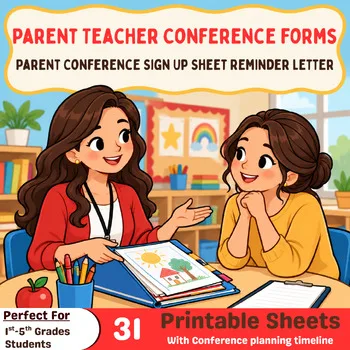 Parent Teacher Conference FormsKindergarten–5th grade$4.49 · 31 pages
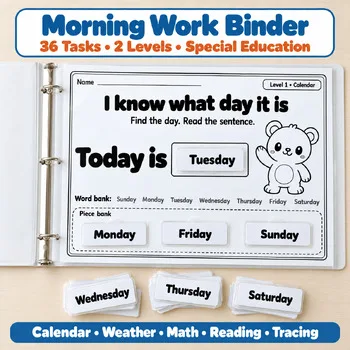 Special Ed Morning Work BinderSpecial education, Preschool, PreK, Kindergarten, early elementary$9.49 · 188 pages
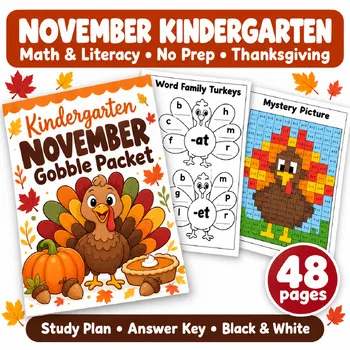 Kindergarten November No Prep PacketKindergarten (1st grade review)$5.49 · 48 pages
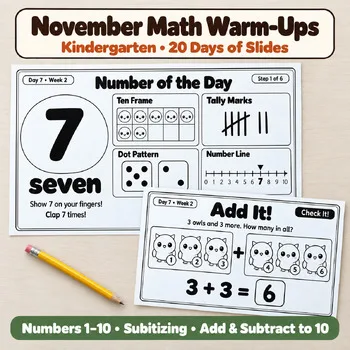 November Kindergarten Math Warm-UpsKindergarten$11.49 · 254 pages
Frequently asked questions
What is the best free lesson planner app for teachers?
Common Planner offers a free CP Basic plan, and PlanbookEdu has a free forever plan with unlimited weekly plans. Both run in a web browser.
Is Planbook free?
Planbook offers a 90-day free trial. After that, individual plans are listed at $15 to $20 per year, with discounts for multi-year terms and school licenses.
What happened to Common Curriculum?
Common Curriculum is now called Common Planner. The website commoncurriculum.com redirects to commonplanner.com, and the free CP Basic plan is still offered.
Which lesson planner works on an iPad without a subscription?
iDoceo is a one-time App Store purchase with no subscriptions or in-app purchases, and a single purchase installs on iPad, iPhone, and Mac.
Can I share lesson plans with a substitute or principal?
Yes, with several of these apps. PlanbookEdu Premium lets you share plans with principals, teams, or subs, Planbook has student, substitute, parent, and admin views, and OnCourse submits plans to a supervisor inbox.
Make a tool for teachers?
Built something teachers love? We keep these guides fresh, so send us a new tool, updated pricing or a featured spot request.
Request a listingDisclosure: no tool on this page paid to be included and we don't earn commissions from these links. Featured placements, if we ever offer them, will be clearly labeled "Sponsored". Details were checked on each provider's official website on October 29, 2026 and can change.