Elementary math lives on models: ten-frames, base ten blocks, number lines, fraction bars. When a lesson moves to a projector, a Chromebook cart, or a sub plan, the physical tubs do not always come along. The tools on this list fill that gap, either by putting the same manipulatives on a screen or by giving students steady, game-style practice on the skills you just taught.
The first half of this list covers virtual manipulatives for modeling during a mini-lesson or for independent work. The second half covers practice platforms, from a ten-minute fact fluency routine to full digital lessons and adaptive math games that report back to you.
Every tool here was checked on its official website on October 29, 2026. We favored tools that fit K–6 classrooms and that a teacher can start using for free. Where a site did not state a price, grade range, or feature, we say so instead of guessing.
Key takeaways
- Free virtual manipulatives with no paywall: Math Learning Center Apps, Didax Virtual Manipulatives, and Polypad (Amplify).
- Best short daily routine for addition, subtraction, multiplication, and division facts: XtraMath, at about 10 minutes a day.
- Free for teachers with paid family upgrades: Prodigy Math and Boddle Learning.
- Zearn Math offers free access for one teacher and up to 35 students, with school and district licenses by quote.
- Toy Theater and Math Playground are free to use but show ads unless you pay for a membership or subscription.
Quick comparison
| # | Tool | Best for | Grades / audience | Pricing | Free plan |
|---|---|---|---|---|---|
| 1 | free manipulatives tied to elementary models | Elementary (Bridges visual models) | Free | Yes | |
| 2 | the widest free set of classic manipulatives | Early numeracy to intro algebra | Free | Yes | |
| 3 | quick math games and teacher tools for K–3 | K–3 games; K–5 manipulatives | Free + paid | Yes | |
| 4 | open-ended manipulative work with live monitoring | Not stated; works with any curriculum | Free | Yes | |
| 5 | a short daily fact fluency routine | Elementary fact fluency (+, −, ×, ÷) | Freemium | Yes | |
| 6 | free full digital lessons alongside instruction | K–8 | Freemium | Free for teachers | |
| 7 | adaptive math and ELA game practice | K–6 | Freemium | Free for teachers | |
| 8 | logic puzzles and word problem practice | K–6+ | Freemium | Yes | |
| 9 | game-based practice students ask to play | Grade range not stated on site | Freemium | Free for teachers |
Make a tool for teachers?
Built something teachers love? We keep these guides fresh, so send us a new tool, updated pricing or a featured spot request.
Request a listingThe 9 best picks
Math Learning Center Apps
Best for: free manipulatives tied to elementary models
- Pricing
- Free
- Free plan
- Yes
- Grades / audience
- Elementary (Bridges visual models)
The Math Learning Center publishes a set of free apps based on the visual models in its Bridges in Mathematics curriculum, though they work with any program. A teacher might open Number Rack to show a number as fives and tens during a number talk, then switch to Number Pieces for regrouping in second grade or Fractions for third- and fourth-grade fraction work.
What we like
- 13 free apps, including Number Rack, Number Frames, Number Line, Number Pieces, Geoboard, Pattern Shapes, Money Pieces, and Fractions
- Teachers can pose a problem with an 8-character code or link, and students can share their thinking back
- Runs as a web app in modern browsers, with iOS versions of most apps for iPad
- Includes a Whiteboard app and Math Vocabulary Cards alongside the manipulatives
Watch out for
- Share codes expire 18 months after they were last accessed, so save anything you want to reuse longer.
- The site does not list Android or Chromebook-specific apps; plan on the browser version for those devices.
Pricing: All apps are listed as free.
Didax Virtual Manipulatives
Best for: the widest free set of classic manipulatives
- Pricing
- Free
- Free plan
- Yes
- Grades / audience
- Early numeracy to intro algebra
Didax, a company that sells physical math manipulatives, offers free browser versions of 19 of them. This is the easiest way to put the same Unifix cubes, two-color counters, or place value disks your students handle at their tables up on the board, so the digital model matches the hands-on one.
What we like
- 19 free tools, including Unifix Cubes, Ten-Frames (1–20 and 1–100), Number Lines, and Base Ten Blocks
- Early-numeracy models such as 20-bead and 100-bead rekenreks, two-color counters, and a 120 number board
- Upper-elementary options such as Fraction Tiles & Number Line, Place Value Disks, and Prime Factor Tiles
- How-to videos for each manipulative and downloadable activities
Watch out for
- The page does not describe login, saving, or student-sharing features, so treat these mainly as demonstration and practice tools.
- Because Didax is a manipulatives retailer, expect product promotions around the free tools.
Pricing: The virtual manipulatives are free; Didax sells physical manipulatives and curriculum separately.
- Pricing
- Free + paid
- Free plan
- Yes
- Grades / audience
- K–3 games; K–5 manipulatives
Toy Theater is a long-running site of free educational games for younger elementary students, covering math, literacy, art, music, and puzzles. Teachers often keep it bookmarked for a quick center game, a classroom timer, or a spinner, and its sister site Manipulatives.com offers virtual tools for K–5 instruction.
What we like
- Math manipulatives such as a geoboard, fraction strips, hundreds chart, and multiplication chart
- Teacher tools including a classroom timer and spinner
- Games run on desktop computers, tablets, and phones
- Covers math, literacy, art, music, and puzzles in one place
Watch out for
- The membership page could not be loaded today, so check what it includes before paying.
- Games are designed mainly for kindergarten through third grade, so older students may outgrow them.
Pricing: Free to use with ads; a paid membership is available, but we could not confirm its price or contents on the site today.
Polypad (Amplify)
Best for: open-ended manipulative work with live monitoring
- Pricing
- Free
- Free plan
- Yes
- Grades / audience
- Not stated; works with any curriculum
Polypad is a free online math canvas, formerly from Mathigon and now part of Amplify Education. Students drag fraction bars, number cubes, balance scales, or polyhedra onto a shared workspace, and a teacher can assign a Polypad as an activity and watch student work come in live.
What we like
- Manipulatives including fraction bars, balance scales, dice, coins, spinners, number cubes, and 3D polyhedra
- Assign a Polypad as an activity and view student work in real time
- Share by private or public link, embed, or Google Classroom
- No login or installation, runs on all devices and browsers, and the interface is available in 26 languages
Watch out for
- The site does not state grade levels, and some tools (logic gates, function machines) reach well beyond elementary.
- The open canvas has a lot of options, so younger students may need a pre-built activity rather than a blank pad.
Pricing: Free to use, with no login required.
- Pricing
- Freemium
- Free plan
- Yes
- Grades / audience
- Elementary fact fluency (+, −, ×, ÷)
XtraMath is a nonprofit program focused on one job: math fact fluency for addition, subtraction, multiplication, and division in about ten minutes a day. Many teachers run it as a morning or transition routine and use its reports to see which students are accurate but still slow.
What we like
- Covers addition, subtraction, multiplication, and division facts in roughly 10-minute daily sessions
- Teacher reports show each student's accuracy, speed, and fluency level for each operation
- Teacher dashboard for changing or restarting a student's program
- States WCAG 2.1 Level AA accessibility and COPPA and FERPA compliance
Watch out for
- It practices facts only, so pair it with a separate tool for problem solving and concepts.
- Timed practice can stress some students; watch how individual kids respond.
Pricing: A free account is available; XtraMath Pro and school or district plans are paid, with prices on a separate page.
- Pricing
- Freemium
- Free plan
- Free for teachers
- Grades / audience
- K–8
Zearn is a nonprofit math platform with digital lessons that pair onscreen teachers with visual models and digital manipulatives. A classroom teacher might use it during a rotation so students work through a lesson tied to the day's topic, including paper-and-pencil problem solving, while the teacher pulls a small group.
What we like
- Over 1,000 K–8 digital lessons with onscreen teachers, videos, visual models, and digital manipulatives
- Paper-and-pencil problem solving built into each lesson
- Built-in differentiated support for students who struggle
- Can be used as a standalone curriculum or alongside an existing one
Watch out for
- The free classroom account caps at 35 students and one teacher.
- School-wide features and pricing require a quote request.
Pricing: Free for one teacher and up to 35 students; school and district options are by quote.
- Pricing
- Freemium
- Free plan
- Free for teachers
- Grades / audience
- K–6
Boddle is a 3D learning game for grades K–6 that covers math and ELA with an adaptive learning path. Teachers set up a class, assign specific content, and let the game move students along while they earn pets and complete quests, then check standards-based progress reports.
What we like
- Adaptive learning path for math and ELA in grades K–6
- Standards-aligned skills tracking and progress reports for teachers
- Teacher portal to assign specific content and manage gameplay, with single sign-on or manual student setup
- Available on web, iOS, and Android
Watch out for
- The pricing page could not be loaded today, so confirm what Premium adds before recommending it to families.
- Students need a device and accounts, which takes setup time at the start of the year.
Pricing: Free for educators; a Premium plan is offered to parents, with prices not shown on the homepage.
- Pricing
- Freemium
- Free plan
- Yes
- Grades / audience
- K–6+
Math Playground is a large collection of math games, logic puzzles, and problem-solving activities sorted by grade from kindergarten through sixth grade and up. Teachers lean on it for early finishers and for Thinking Blocks, a bar-model tool for word problems that comes with videos and printables.
What we like
- Games sorted by grade from kindergarten to grade 6+, covering fractions, multiplication, money, decimals, and more
- Thinking Blocks bar-model tools for addition, multiplication, fractions, and ratios, with a modeling tool and printables
- Logic puzzles, spatial reasoning games, and coding activities
- Word problem collections, including Math Stories
Watch out for
- With hundreds of games, students may drift toward the most game-like options unless you assign specific ones.
- Some content sits behind premium sections, such as Bonus Math Practice.
Pricing: Free with ads; Math Playground PLUS, ad-free, Focused Classroom, and Focused Family subscriptions are paid, with prices not shown on the homepage.
- Pricing
- Freemium
- Free plan
- Free for teachers
- Grades / audience
- Grade range not stated on site
Prodigy Math is a fantasy role-playing game in which students answer curriculum-aligned math questions during quests and battles. Teachers can align in-game content with current lessons and track student progress, which makes it a common choice for practice at home or during computer time.
What we like
- Free for educators with no trial period
- Teachers can adjust in-game math content to align with lesson plans
- Progress tracking and reports for teachers
- Aligned to Common Core, TEKS, and other state standards; Prodigy English is a separate game
Watch out for
- The memberships page could not be loaded today, so we could not confirm which features are paid-only.
- The game is long-form, so time limits help keep practice focused.
Pricing: Free for teachers; optional paid family memberships add features, with prices not listed on the main page.
How we chose
We started from tools PreK–6 teachers actually use and checked every one against its official website, pricing page and feature pages on October 29, 2026. We kept tools that fit elementary classrooms, noted whether a free plan exists, and wrote down honest limitations next to the strengths. Nobody paid to be included, and we don't use affiliate links on this page.
- Fit for PreK–6 classrooms, special education or homeschool
- Clear information on the official site about what the tool does and who it is for
- Free plan or free-for-teachers option noted where one exists
- Still active and maintained, with rebrands noted
How to choose the right tool
Decide first whether you need a modeling tool or a practice tool. Virtual manipulatives such as Math Learning Center Apps, Didax, and Polypad support your teaching; practice platforms such as XtraMath, Zearn, Boddle, and Prodigy give students independent work and give you data.
Match the manipulative to the model your curriculum already uses. If your students count on rekenreks and ten-frames, Didax and the Math Learning Center apps have those exact tools, so the screen and the table look the same.
Check how student work gets back to you. Polypad lets you watch work live, the Math Learning Center apps use share codes, and the practice platforms send reports. Pure demonstration tools are fine for whole-group lessons but not for independent tasks you need to check.
Think about ads and upsells. Toy Theater and Math Playground are free with ads; Prodigy and Boddle are free for teachers but offer paid plans to families. If your school has rules about either, confirm before sharing links home.
Count devices and minutes. A ten-minute fluency routine works on a few shared devices; a full Zearn lesson or an adaptive game needs a device per student.
Best pick by situation
- You teach kindergarten and want ten-frames and Unifix cubes on the board for counting lessons: Didax Virtual Manipulatives — free ten-frames, Unifix cubes, and rekenreks in one collection
- Your school uses Bridges and you want digital versions of the same visual models: Math Learning Center Apps — the apps are built on Bridges visual models
- Your third graders need quick, daily multiplication fact practice: XtraMath — a short daily fluency program with per-student speed and accuracy reports
- You want students to build with manipulatives while you watch their work live: Polypad (Amplify) — teachers can assign a Polypad and view student work in real time
- You need a full digital math lesson for a rotation or intervention block: Zearn Math — over 1,000 K–8 lessons with onscreen teachers and visual models
- Your fifth graders like logic puzzles and word problems for early finishers: Math Playground — logic puzzles, Thinking Blocks, and word problems in one site
Pair it with printables
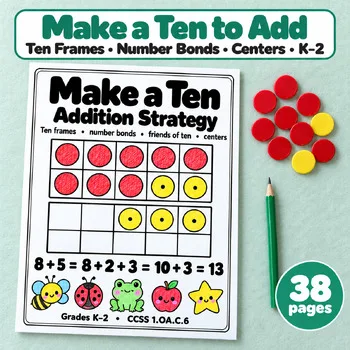
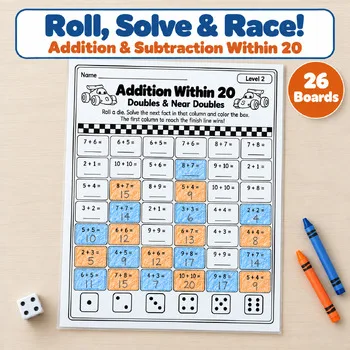
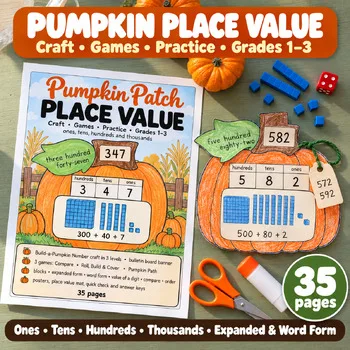
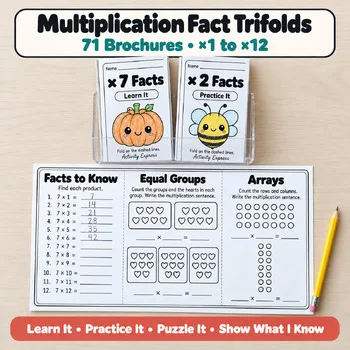
For days when you want the same skills on paper, these Activity Express printables pair hands-on fact strategy and place value practice with the digital tools above.
Frequently asked questions
What are the best free virtual manipulatives for elementary math?
Math Learning Center Apps, Didax Virtual Manipulatives, and Polypad (Amplify) are all free. Didax lists 19 tools, the Math Learning Center lists 13 apps based on Bridges visual models, and Polypad needs no login or installation.
Is XtraMath still free?
Yes. XtraMath offers a free account. Paid XtraMath Pro adds enhanced reports, family reports, custom programs, and out-of-school access, and schools can buy district plans.
Is Zearn free for teachers?
Zearn states it is free for teachers, with free access for one teacher and up to 35 students. School and district options require a quote.
What happened to Mathigon?
Mathigon's Polypad is now part of Amplify Education and is available at polypad.amplify.com. It is still free to use.
Do Prodigy Math and Boddle cost money?
Both are free for teachers. Prodigy offers optional paid memberships for families, and Boddle offers a Premium plan for parents. Neither price was shown on the pages we checked.
Make a tool for teachers?
Built something teachers love? We keep these guides fresh, so send us a new tool, updated pricing or a featured spot request.
Request a listingDisclosure: no tool on this page paid to be included and we don't earn commissions from these links. Featured placements, if we ever offer them, will be clearly labeled "Sponsored". Details were checked on each provider's official website on October 29, 2026 and can change.