It is Sunday night, and the week is already full: three lessons to plan, a parent meeting on Tuesday, the book fair on Thursday, and a stack of spelling tests that will not grade themselves. The teachers who stay on top of weeks like this do not have better memories. They have one place where every task, date, and note lives, and they check it before the week starts.
This list collects productivity apps that fit a teacher's week — to-do lists, calendars, notes, boards, and time tracking. Every app here was checked on its official website on November 13, 2026, looking for a real classroom use, a free way to start, and tools that work on a phone as well as a laptop. All eight have free plans, and two are built by small independent teams.
Pick the bottleneck first. If tasks slip through the cracks, start with a to-do list. If the calendar is the problem, start there. One app that solves your worst hour beats three apps you open once and forget.
Key takeaways
- Todoist is free for 5 projects; Pro is $5 a month.
- Google Calendar is free with a Google account; booking extras need a paid plan.
- Trello is free for up to 10 collaborators; Standard is $5 a user a month billed annually.
- TickTick is free for 9 lists; Premium is $49.99 a year.
- Asana is free for 2 users; Starter is $10.99 a user a month billed annually.
Quick comparison
| # | Tool | Best for | Grades / audience | Pricing | Free plan |
|---|---|---|---|---|---|
| 1 | a to-do list that keeps up with you | Teachers, all grades | Free + paid | Yes | |
| 2 | keeping every calendar in one view | Teachers, all grades | Free | Yes | |
| 3 | seeing the week as cards on a board | Teachers and grade teams | Free + paid | Yes | |
| 4 | one hub for lessons, notes, and meetings | Teachers and grade teams | Free + paid | Yes | |
| 5 | keeping every note searchable | Teachers, all grades | Free + paid | Yes | |
| 6 | tasks on a calendar with a timer | Teachers, all grades | Free + paid | Yes | |
| 7 | projects shared across a team | Teachers and grade teams | Free + paid | Yes | |
| 8 | seeing where your hours actually go | Teachers and school teams | Free + paid | Yes |
Make a tool for teachers?
Built something teachers love? We keep these guides fresh, so send us a new tool, updated pricing or a featured spot request.
Request a listingThe 8 best picks
- Pricing
- Free + paid
- Free plan
- Yes
- Grades / audience
- Teachers, all grades
Todoist is a to-do list app for capturing tasks as fast as you think of them. A teacher types a task in plain words — grade spelling tests Friday — and Todoist sets the date and reminder. Tasks sort into Today and Upcoming, or into projects for each class, and recurring tasks repeat on their own.
What we like
- Natural-language task entry with dates and reminders
- Today, Upcoming, and calendar views
- Recurring tasks and due dates
- 50+ project templates
- Team workspaces with shared projects
- Browser extensions and email add-ons
Watch out for
- Free plan allows only 5 personal projects.
- Calendar layout and custom reminders need Pro.
Pricing: Free Beginner plan (5 projects, reminders, 3 filter views); Pro is $5 a month ($60 billed yearly); Business is $8 a user a month ($96 billed yearly).
- Pricing
- Free
- Free plan
- Yes
- Grades / audience
- Teachers, all grades
Google Calendar is Google's free online calendar. A teacher keeps one calendar for the school day, one for family, and one for the grade team, layers them in a single view, and shares them so everyone sees the same dates. Events can carry files, a Meet link, and reminders.
What we like
- Share calendars with others and layer them in one view
- Schedule events by checking others' availability
- Sync events from Gmail
- Attach files to events
- Access from a laptop, tablet, or phone
Watch out for
- Appointment booking extras need a paid plan.
- Sharing a calendar widely can expose your schedule — check sharing settings.
Pricing: Free with a Google account; appointment booking extras need a paid Workspace or Google One plan — dollar prices not stated on the official site.
- Pricing
- Free + paid
- Free plan
- Yes
- Grades / audience
- Teachers and grade teams
Trello organizes work on boards of lists and cards. A teacher makes a board for the week — lists for Monday to Friday, cards for each lesson or task — and drags cards along as the week moves. Cards hold checklists, due dates, attachments, and comments.
What we like
- Boards, lists, and cards with checklists and due dates
- Calendar view shows scheduled cards
- Built-in automation on every board
- Templates from the Trello community
- 200+ integrations with apps like Slack and Google Drive
- Inbox gathers to-dos from email, Slack, and Teams
Watch out for
- Free workspaces cap collaborators at 10.
- Some Power-Ups by partners need their own subscription.
Pricing: Free plan ($0, up to 10 collaborators per Workspace); Standard is $5 a user a month billed annually ($6 billed monthly); Premium is $10 ($12.50 billed monthly).
- Pricing
- Free + paid
- Free plan
- Yes
- Grades / audience
- Teachers and grade teams
Notion is a workspace that holds notes, tasks, databases, and pages in one place. A teacher builds a hub for the year — a lesson database, a meeting-notes page, a reading list — and links them together. It also includes Notion Calendar and a trial of Notion AI.
What we like
- Pages and blocks that combine notes, tasks, and media
- Databases with subtasks, dependencies, and custom properties
- Notion Calendar included
- Forms and sites for sharing
- Plus plan free for students and educators with a school email
Watch out for
- Dollar prices were not shown on the official pricing page when checked.
- The free plan limits blocks when several members share a workspace.
Pricing: Free plan; Plus is free for students and educators with a school email; paid plans — dollar prices not stated on the official site.
- Pricing
- Free + paid
- Free plan
- Yes
- Grades / audience
- Teachers, all grades
Evernote is a notes app for keeping everything in one searchable place — meeting notes, scanned handouts, web clips, and task lists. A teacher clips a web page, attaches a file to a note, and finds it later with search. Notes sync across phone, tablet, and computer.
What we like
- Tasks with dates, reminders, and assignments
- Evernote Calendar with Google and Microsoft calendar connections
- Advanced search with filters
- AI Assistant, semantic search, and AI Edit
- Integrations with Gmail, Drive, Calendar, Outlook, and Slack
Watch out for
- Free plan allows only 50 notes and 1 notebook.
- Dollar prices were not shown on the official pricing page when checked.
Pricing: Free plan (50 notes, 1 notebook, sync on 1 device, 1GB storage); paid plans — dollar prices not stated on the official site.
- Pricing
- Free + paid
- Free plan
- Yes
- Grades / audience
- Teachers, all grades
TickTick is a to-do list and calendar app in one. A teacher adds tasks with natural-language dates, sees them on a calendar, and adds habits and a Pomodoro timer for focused work sessions. Everything syncs across phone and computer.
What we like
- Natural-language task input
- Calendar views with tasks placed on the day
- Habit tracker
- Built-in Pomodoro timer
- Reminders and cross-device sync
Watch out for
- Free plan caps lists at 9 and tasks at 99 per list.
- The full calendar views need Premium.
Pricing: Free plan ($0, 9 lists, 99 tasks per list); Premium is $49.99 a year.
- Pricing
- Free + paid
- Free plan
- Yes
- Grades / audience
- Teachers and grade teams
Asana is a project manager for work shared across people. A grade team runs a project for the school fair — tasks assigned to people, due dates, dependencies, and a timeline view — and everyone sees the same plan. It also works for one teacher's own projects.
What we like
- Tasks and projects with assignees and due dates
- List, board, and calendar views
- Timeline and Gantt views on Starter
- Reporting dashboards
- 100+ integrations with Slack, Google Drive, and Zoom
Watch out for
- Free plan is limited to 2 users.
- Asana is built for teams, so a solo teacher may find it heavy.
Pricing: Free Personal plan ($0, 2 users, unlimited tasks and projects); Starter is $10.99 a user a month billed annually ($13.49 billed monthly); Advanced is $24.99 ($30.49 billed monthly).
- Pricing
- Free + paid
- Free plan
- Yes
- Grades / audience
- Teachers and school teams
Clockify is a time tracker and timesheet app. A teacher starts a timer while planning, logs hours to a project, and sees where the week actually went. It also handles scheduling, time off, and reports.
What we like
- Timer and manual time entry
- Weekly timesheets
- Calendar view of tracked time
- Scheduling and time-off tracking
- Reports and exports
- Apps for phone, desktop, and browser
Watch out for
- Free plan allows up to 5 users.
- It tracks time, not tasks — pair it with a to-do app.
Pricing: Free plan (up to 5 users, unlimited tracking); Basic is $3.99 a seat a month billed annually ($4.99 billed monthly); Standard is $5.49 ($6.99); Pro is $7.99 ($9.99).
How we chose
We started from tools PreK–6 teachers actually use and checked every one against its official website, pricing page and feature pages on November 13, 2026. We kept tools that fit elementary classrooms, noted whether a free plan exists, and wrote down honest limitations next to the strengths. Nobody paid to be included, and we don't use affiliate links on this page.
- Fit for PreK–6 classrooms, special education or homeschool
- Clear information on the official site about what the tool does and who it is for
- Free plan or free-for-teachers option noted where one exists
- Still active and maintained, with rebrands noted
How to choose the right tool
Start with the bottleneck. If tasks slip through the cracks, start with Todoist or TickTick. If dates clash, start with Google Calendar. If notes vanish, start with Evernote or Notion. One app that fixes your worst hour beats three apps you open once.
Start free and count the limits. Every app here has a free plan, but the caps differ: Todoist allows 5 projects, TickTick allows 9 lists, Evernote allows 50 notes, Asana allows 2 users, and Clockify allows 5 users. Pick the free plan whose cap you will not hit in the first month.
Keep it to two apps at most. A common pair is one to-do list and one calendar — Todoist with Google Calendar, or TickTick on its own since it has both. Adding a third app usually means the same task lives in three places.
Set a weekly review. Ten minutes on Sunday — move unfinished tasks, check next week's dates, clear the inbox — does more for a teacher than any feature. The app is the shelf; the review is the habit.
Share carefully. Grade-team boards and shared calendars are useful, but student names and family details do not belong in a shared workspace. Keep student information in your school's own systems.
Keep a paper backup for the day the Wi-Fi drops. A printed weekly plan or a notebook keeps the lesson moving when the connection does not, and it works when the laptop battery dies mid-morning.
Best pick by situation
- You need one list for the whole week: Todoist — captures tasks fast and sorts them into Today and Upcoming
- Three calendars keep clashing: Google Calendar — layers school, family, and team calendars in one view
- Your grade team plans the school fair together: Asana — shared tasks, due dates, and a timeline everyone sees
- You want to see the week as cards on a board: Trello — boards, lists, and cards you drag along as the week moves
- You want one hub for lessons, notes, and meetings: Notion — pages, databases, and a calendar in a single workspace
- You keep losing meeting notes: Evernote — searchable notes that sync across phone, tablet, and computer
- You want to know where your prep hours go: Clockify — a timer and weekly timesheets for your planning time
Pair it with printables
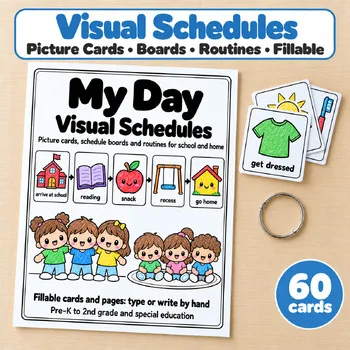
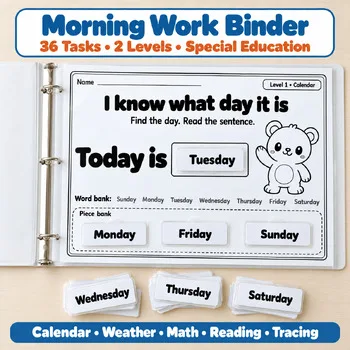
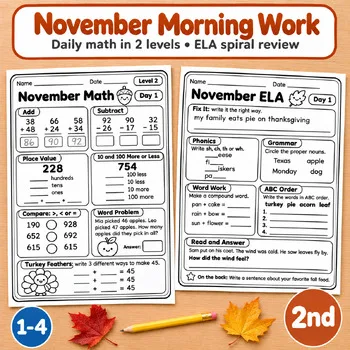
For the routines and morning work that anchor a school day without a screen, these Activity Express printables pair naturally with the apps above.
Frequently asked questions
Which productivity app is completely free for teachers?
All eight have free plans, and Google Calendar is free with a Google account. The limits differ: Todoist allows 5 projects, TickTick allows 9 lists, Evernote allows 50 notes, Asana allows 2 users, and Clockify allows 5 users. Try the free plan for a month before paying for anything.
Should I use one app or several?
One to-do list and one calendar is the pair most teachers settle on — Todoist with Google Calendar, for example. TickTick and Notion try to be both at once. Adding a third app usually means the same task lives in three places, which is how things get lost.
Which app is best for a grade team?
Asana's Starter plan is built for teams, with timelines, dashboards, and unlimited guests. Trello is the cheaper route: its free plan covers up to 10 collaborators per Workspace, which fits most grade teams.
How do I pick between Todoist and TickTick?
Both are to-do lists. Todoist's free plan allows 5 projects and adds team workspaces; TickTick's free plan allows 9 lists and adds a calendar view, a habit tracker, and a Pomodoro timer. If you want tasks on a calendar, pick TickTick; if you want shared projects, pick Todoist.
Can I track how many hours I spend planning?
Yes — that is what Clockify is for. Start the timer while you plan, log the hours to a project, and check the weekly report. The free plan covers up to 5 users with unlimited tracking.
Make a tool for teachers?
Built something teachers love? We keep these guides fresh, so send us a new tool, updated pricing or a featured spot request.
Request a listingDisclosure: no tool on this page paid to be included and we don't earn commissions from these links. Featured placements, if we ever offer them, will be clearly labeled "Sponsored". Details were checked on each provider's official website on November 13, 2026 and can change.